
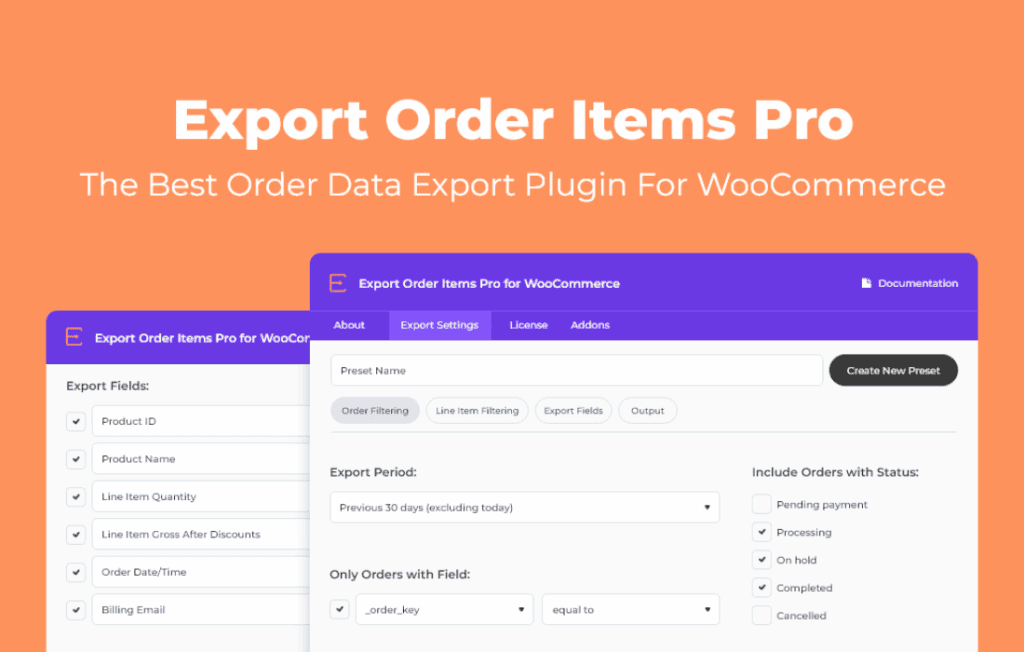
Managing e-commerce data shouldn’t be a bottleneck for your business growth. Export Order Items Pro is designed for WooCommerce store owners, managers, and fulfillment teams who need to move beyond standard order exports to get granular, item-level data out of their store. By allowing you to isolate specific products, variations, and order details into highly customizable spreadsheets, this plugin transforms raw WooCommerce data into actionable insights for inventory management, accounting, and supplier reporting.
Key Features
- Granular Item-Level Exporting: Move beyond simple order summaries. Export individual line items, including product names, SKUs, variations, quantities, and prices, ensuring you have the exact data needed for fulfillment.
- Customizable Export Fields: Take full control over your data output. Select only the columns you need and rearrange them to match the specific requirements of your accounting software, shipping carriers, or warehouse management systems.
- Advanced Filtering Options: Save time by narrowing your export scope. Filter orders by date range, order status, product categories, or specific SKUs to ensure your exported files contain only the relevant information.
- Flexible File Formats: Generate exports in widely compatible formats, including CSV and Excel, making it easy to open your data in your preferred spreadsheet software or import it directly into third-party business tools.
- Automated Scheduling: Set it and forget it. Configure automatic exports to be generated and sent to your email or saved to a server location on a recurring schedule, ensuring your team always has the latest data without manual intervention.
- Bulk Action Support: Quickly export multiple orders directly from the WooCommerce order screen with a few clicks, streamlining your daily workflow and reducing administrative overhead.
Use Cases / Who It’s For
Export Order Items Pro is an essential tool for any WooCommerce store that has outgrown basic reporting. If you are a store manager who spends hours manually copying and pasting product data from order emails into a master spreadsheet, this plugin will return that time to you immediately.
It is particularly valuable for businesses that manage complex inventory. If you need to send daily or weekly sales reports to suppliers based on specific product categories, or if you need to provide your accounting team with detailed line-item breakdowns for tax reconciliation, this plugin provides the precision required. Additionally, fulfillment teams benefit from the ability to generate clean, item-focused lists that make picking and packing orders more efficient and less prone to human error.
Setup / How It Works
- Install and Activate: Upload the plugin to your WordPress dashboard via the Plugins menu and activate it to begin the configuration process.
- Configure Export Templates: Navigate to the plugin settings to create your custom export templates. Choose the specific fields you need, such as order ID, product SKU, quantity, and customer shipping address.
- Apply Filters: When you are ready to export, use the intuitive filter interface to define which orders should be included. You can filter by date, status, or specific product attributes to ensure accuracy.
- Generate or Schedule: Click the export button to download your file immediately, or configure the scheduling settings to have the plugin automatically generate and deliver your reports on a recurring basis.
Similar Plugins
If you are exploring your options, other solutions in the WooCommerce ecosystem include Product Import Export for WooCommerce, WP All Export, and various specialized order export extensions available on the official WooCommerce marketplace. These tools offer varying degrees of complexity, ranging from simple order-level exports to comprehensive, multi-format data migration suites.