
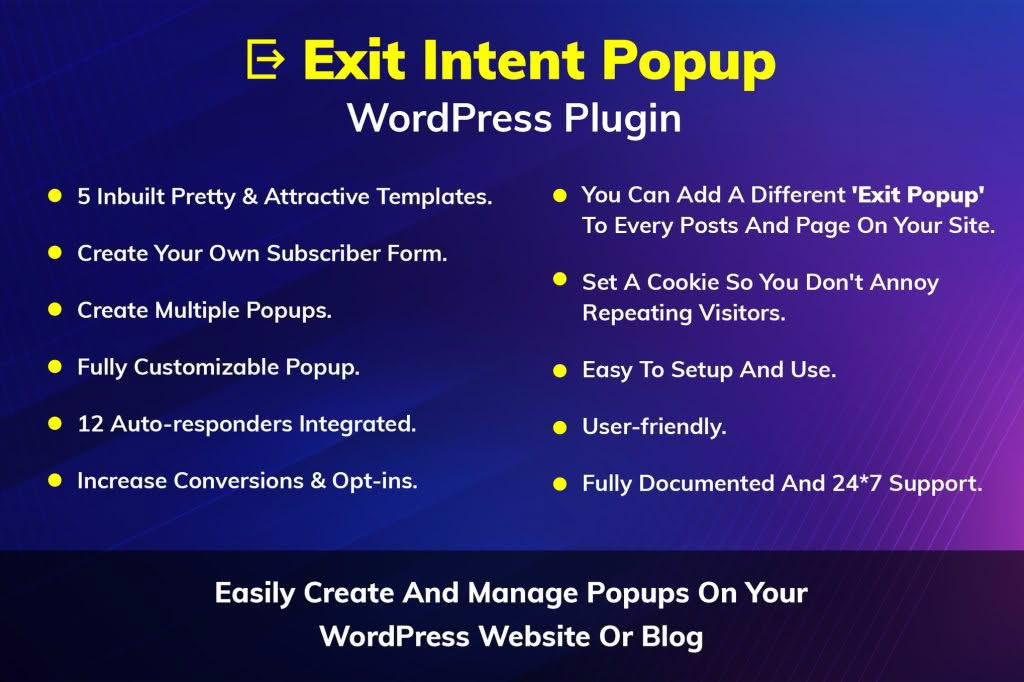
The Exit Intent Popup WordPress Plugin is a powerful conversion optimization tool designed to help website owners capture visitors who are about to leave their site. By tracking mouse movement and behavior, the plugin triggers a perfectly timed message or offer exactly when a user moves their cursor toward the browser’s close button or back button. This final opportunity allows you to turn abandoning visitors into leads, subscribers, or customers, effectively reducing your bounce rate and maximizing the value of every click your site receives.
Key Features
- Intelligent Exit Detection: Uses advanced tracking technology to monitor cursor movement and browser behavior, ensuring the popup appears only when a user is truly about to leave.
- Customizable Design Templates: Choose from a variety of pre-built, professional-looking templates that can be easily adapted to match your brand identity and website aesthetic.
- Targeted Display Rules: Control exactly where and when your popups appear. You can set rules based on specific pages, post types, or categories to ensure your message reaches the right audience at the right time.
- Mobile-Responsive Layouts: Ensures a seamless user experience across all devices, including smartphones and tablets, where exit intent is detected through different behavioral triggers.
- Seamless Integration: Easily connects with popular email marketing services and CRM platforms, allowing you to automatically sync new leads captured through your popups.
- Performance Analytics: Gain insights into your popup performance with built-in tracking that monitors impressions, click-through rates, and overall conversion success.
- A/B Testing Capabilities: Experiment with different headlines, images, and call-to-action buttons to determine which variations drive the highest engagement and conversion rates.
Use Cases and Who It’s For
This plugin is an essential asset for any website owner looking to improve their bottom line without increasing their traffic acquisition budget. E-commerce store owners can use it to offer last-minute discount codes to users who have items in their cart but are attempting to navigate away, effectively recovering potentially lost sales. Bloggers and content creators can leverage the plugin to grow their email newsletters by offering a lead magnet—such as an e-book or a checklist—to visitors just as they finish reading an article.
Beyond sales and list building, the plugin is perfect for service-based businesses that want to capture leads by offering a free consultation or a contact form prompt before a visitor leaves the site. Whether you are a small business owner, a digital marketer, or a professional blogger, this tool provides a non-intrusive way to engage your audience and ensure that your hard-earned traffic doesn’t go to waste.
Setup and How It Works
Getting started with the Exit Intent Popup WordPress Plugin is designed to be straightforward, requiring no coding knowledge to launch your first campaign.
- Install and Activate: Upload the plugin to your WordPress dashboard via the Plugins menu and activate it.
- Create Your Campaign: Navigate to the plugin settings and create a new popup. Use the visual editor to upload your imagery, write your compelling headline, and define your call-to-action.
- Configure Display Rules: Select the specific pages or posts where you want the popup to appear. You can choose to show it globally or target specific high-traffic landing pages.
- Connect Your Tools: Link your preferred email marketing provider or CRM to the popup so that all captured lead data is automatically sent to your mailing lists.
- Launch and Monitor: Once you are satisfied with your design and settings, publish the popup. Use the dashboard to monitor how many visitors interact with your message and adjust your strategy based on the real-time data provided.
Similar Plugins
If you are exploring alternatives in the WordPress ecosystem, other popular solutions that offer exit-intent functionality include OptinMonster, Bloom by Elegant Themes, and Hustle by WPMU DEV. Each of these tools provides varying levels of design customization, integration options, and advanced behavioral targeting features.