
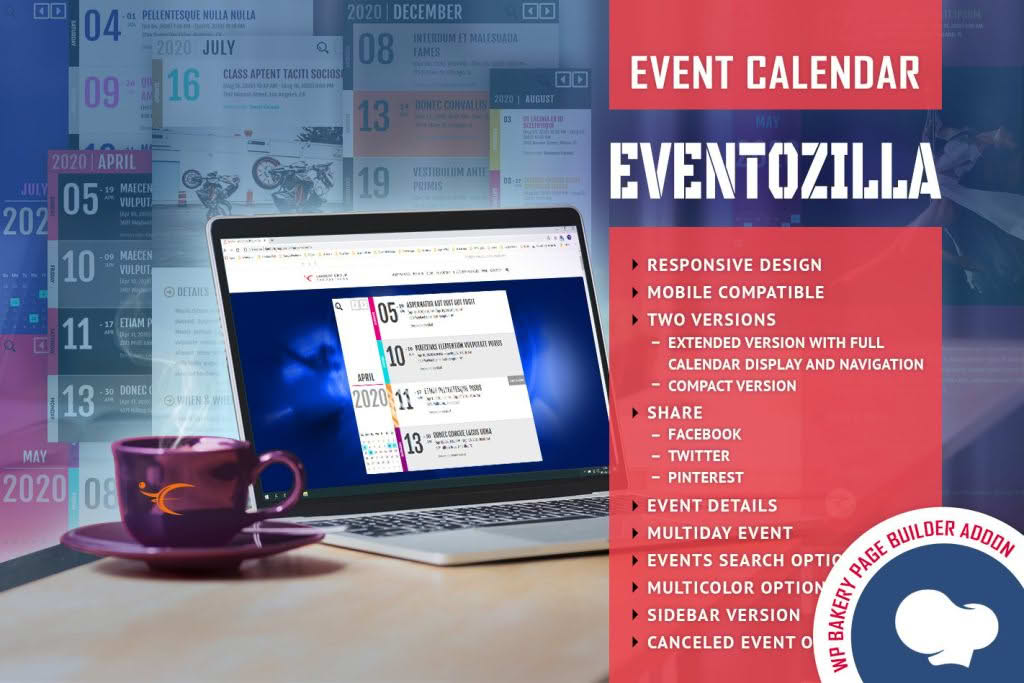
EventoZilla – Event Calendar – Addon For WPBakery is the ultimate solution for WordPress users who want to showcase their events with style, precision, and ease. If you are already using the WPBakery Page Builder to design your website, this addon bridges the gap between complex event management and intuitive visual design. It empowers you to create stunning, functional event calendars directly within your page builder interface, ensuring your visitors never miss an important date while maintaining the aesthetic integrity of your site.
Key Features
- Seamless WPBakery Integration: Designed specifically for the WPBakery Page Builder, this addon provides custom elements that drag and drop directly into your layouts, eliminating the need for shortcode guesswork.
- Responsive Event Displays: Ensure your calendar looks perfect on every device, from desktop monitors to smartphones, with fully responsive layouts that adapt to any screen size.
- Customizable Calendar Views: Choose from various display formats to suit your site’s design, allowing users to browse events in a way that feels natural and engaging.
- Advanced Filtering Options: Help your audience find exactly what they are looking for by implementing categories, tags, or date-based filters that streamline the user experience.
- Styling Controls: Take full control over the look and feel of your calendar with built-in styling options that allow you to match colors, fonts, and spacing to your brand identity without writing a single line of CSS.
- Event Detail Pages: Provide comprehensive information for every event, including descriptions, dates, times, locations, and call-to-action buttons, all managed within a clean, professional interface.
Use Cases / Who It’s For
This addon is built for website owners, agencies, and developers who prioritize both functionality and design. If you are managing a community website, a corporate portal, or a local business page, EventoZilla helps you transform static dates into dynamic, interactive experiences. It is an ideal choice for event planners who need to update their schedules frequently without touching code, as well as web designers who want to offer their clients a professional event management solution that integrates perfectly with their existing WPBakery-based workflow. Whether you are hosting webinars, workshops, concerts, or professional conferences, this tool ensures your event schedule is presented clearly and attractively.
Setup / How It Works
- Install and Activate: Ensure you have both the WPBakery Page Builder and the EventoZilla addon installed and activated on your WordPress site.
- Access WPBakery: Open the page or post where you wish to display your event calendar and launch the WPBakery editor.
- Add the Element: Locate the EventoZilla element within the WPBakery element menu and drag it onto your page canvas.
- Configure Settings: Use the intuitive settings panel to select your desired calendar view, filter events by category, and adjust styling parameters like colors and layout spacing.
- Save and Publish: Once you are satisfied with the configuration, save your changes and publish the page to display your live, interactive event calendar to your visitors.
Similar Plugins
If you are exploring alternatives within the WordPress ecosystem, there are several other event management solutions available. Popular options include The Events Calendar, which offers a robust suite of tools for event tracking, and Event Organiser, which provides extensive functionality for managing recurring events. Additionally, plugins like All-in-One Event Calendar are frequently used for their comprehensive feature sets. While these plugins offer powerful event management capabilities, EventoZilla remains the preferred choice for users who specifically require deep, native integration with the WPBakery Page Builder interface.