
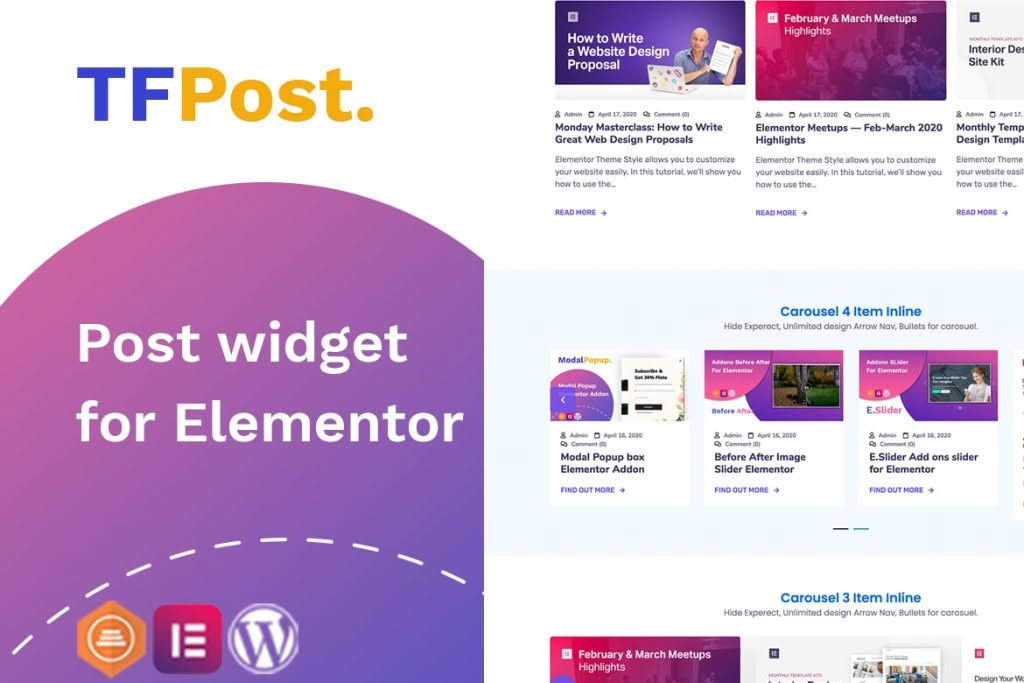
Transform your WordPress website into a visually engaging content hub without writing a single line of code. The Elementor Post Grid, List, and Carousel Slider plugin is a powerful extension designed for Elementor users who need to showcase blog posts, custom post types, or portfolio items in professional, high-converting layouts. Whether you are building a news portal, a creative portfolio, or a business blog, this tool gives you complete control over how your content is presented, ensuring your visitors stay engaged with your latest updates.
Key Features
- Versatile Display Layouts: Choose between clean grid views, structured list formats, or dynamic carousel sliders to perfectly fit your design aesthetic.
- Full Elementor Integration: Seamlessly drag and drop widgets directly into your Elementor editor, allowing for real-time visual customization.
- Advanced Query Controls: Easily filter and display content by category, tag, author, or date, and set custom post counts to ensure your layout remains balanced.
- Responsive Design: Every layout is built to be mobile-friendly, ensuring your posts look stunning on desktops, tablets, and smartphones.
- Customizable Styling Options: Take control of typography, colors, spacing, borders, and button styles to match your brand identity without needing custom CSS.
- Pagination and Load More: Improve user experience and site performance with built-in pagination or “Load More” buttons for longer content feeds.
- Support for Custom Post Types: Go beyond standard blog posts by displaying your custom post types, such as projects, testimonials, or team members, using the same intuitive interface.
Use Cases / Who It’s For
This plugin is essential for anyone who relies on content marketing to drive traffic and build authority. If you are a content creator, blogger, or digital publisher, you know that the way you present your articles determines whether a reader clicks or bounces. This plugin helps you highlight featured content, organize archives, and create attractive “read more” sections that keep users clicking through your site.
Marketing agencies and web designers will find this tool invaluable for building client websites quickly. Instead of spending hours coding custom queries or struggling with theme limitations, you can deploy professional-grade post displays in minutes. It is also an excellent solution for e-commerce store owners who want to integrate blog content into their shop pages to improve SEO and provide helpful guides to their customers.
Setup / How It Works
- Install and Activate: Upload the plugin zip file to your WordPress dashboard via the Plugins menu and activate it.
- Open Elementor: Navigate to any page or post and click the “Edit with Elementor” button to launch the visual editor.
- Drag and Drop: Locate the new widgets added by the plugin in the Elementor sidebar. Drag your preferred widget (Grid, List, or Carousel) onto your page canvas.
- Configure Content: Use the Content tab to select the post type, source, and query filters to determine exactly which posts appear.
- Style to Perfection: Switch to the Style tab to adjust colors, fonts, image sizes, and layout spacing to match your website’s theme.
- Publish: Once you are satisfied with the look, save your changes and publish your page to display your dynamic content to the world.
Similar Plugins
If you are exploring your options, there are several other popular solutions in the WordPress ecosystem that offer similar functionality for Elementor users. These include Post Grid by PickPlugins, Essential Addons for Elementor, and Ultimate Addons for Elementor. Each of these plugins provides a suite of widgets for content display, though the specific styling options, performance optimization, and interface nuances will vary between them. We recommend comparing the specific widget settings and compatibility with your current theme to ensure the best fit for your project requirements.