
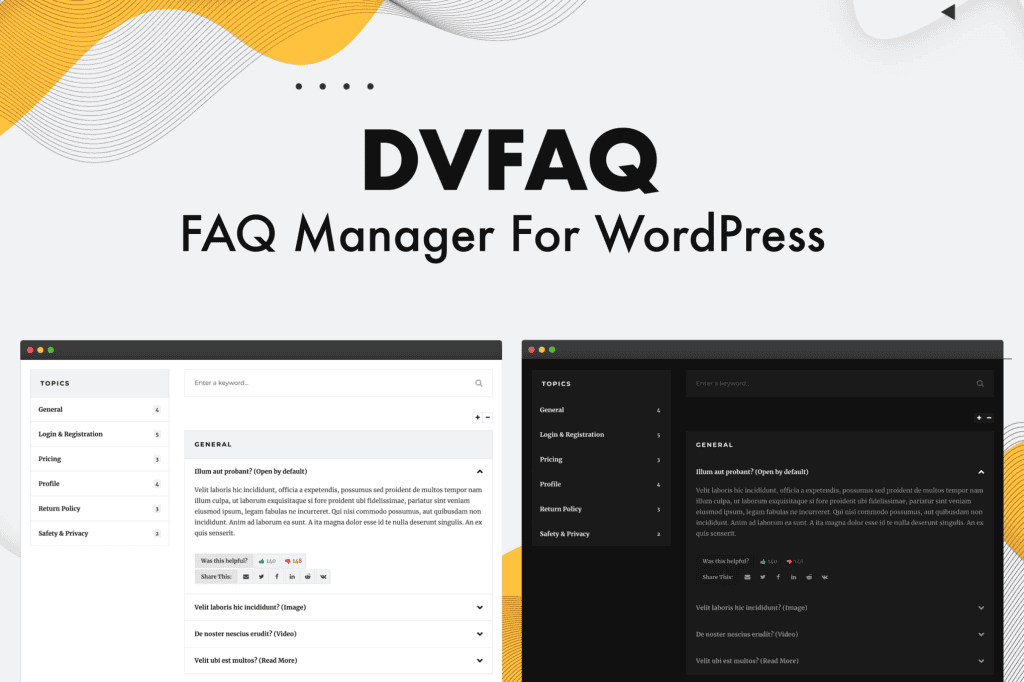
DV FAQ is a robust, user-friendly WordPress plugin designed to help you create, manage, and display professional Frequently Asked Questions sections on your website. Whether you are looking to reduce support tickets, improve your site’s SEO, or provide a better user experience for your visitors, this plugin offers the tools you need to organize information clearly and efficiently. By transforming complex information into easy-to-digest accordion or list formats, you can keep your customers informed and engaged without cluttering your page layout.
Key Features
- Intuitive FAQ Management: Easily create, edit, and organize your FAQs using a familiar WordPress interface, allowing you to manage large volumes of content without technical headaches.
- Flexible Display Options: Choose from various display styles, including interactive accordion layouts that save space or clean, static lists for quick scanning.
- Categorization and Filtering: Group your FAQs into logical categories, enabling users to find the specific answers they need quickly through built-in filtering options.
- Responsive Design: Ensure your FAQ sections look and function perfectly on all devices, from desktop computers to smartphones and tablets.
- SEO Friendly: Structured to help search engines understand your content, potentially helping your FAQ entries appear in search results for common user queries.
- Customizable Styling: Tailor the look and feel of your FAQ section to match your brand identity without needing to write custom CSS.
- Shortcode Support: Effortlessly embed your FAQ sections into any post, page, or widget area using simple, generated shortcodes.
Use Cases / Who It’s For
DV FAQ is an essential tool for any WordPress site owner who wants to provide better customer service and improve site usability. E-commerce store owners can use it to address common pre-purchase questions about shipping, returns, and product specifications, effectively reducing the number of support inquiries and boosting conversion rates. Service-based businesses, such as agencies or consultants, can utilize the plugin to outline their project processes, pricing structures, or service terms, setting clear expectations for potential clients.
Furthermore, content creators and bloggers can use DV FAQ to provide supplementary information for their tutorials or guides, keeping the main body of their content clean while still offering deep dives into specific topics. Regardless of your industry, if you find yourself answering the same questions repeatedly, this plugin provides a scalable solution to streamline your communication and save you valuable time.
Setup / How It Works
- Installation: Install and activate the DV FAQ plugin through your WordPress dashboard just like any other standard plugin.
- Create Content: Navigate to the dedicated FAQ menu in your dashboard to start adding your questions and answers. You can assign them to categories during this step.
- Configure Settings: Visit the settings page to choose your preferred display style, color schemes, and functional behaviors, such as whether to allow multiple tabs to be open at once.
- Embed: Once your FAQs are ready, copy the provided shortcode for your specific FAQ group or category.
- Publish: Paste the shortcode into any page or post where you want the FAQ section to appear, and update your page to see the results live.
Similar Plugins
If you are exploring your options, other popular FAQ solutions for WordPress include Ultimate FAQ, Accordion FAQ, and Heroic FAQ. Each of these plugins offers varying levels of complexity, design customization, and integration features, allowing you to compare them against DV FAQ to determine which best fits your specific project requirements.