
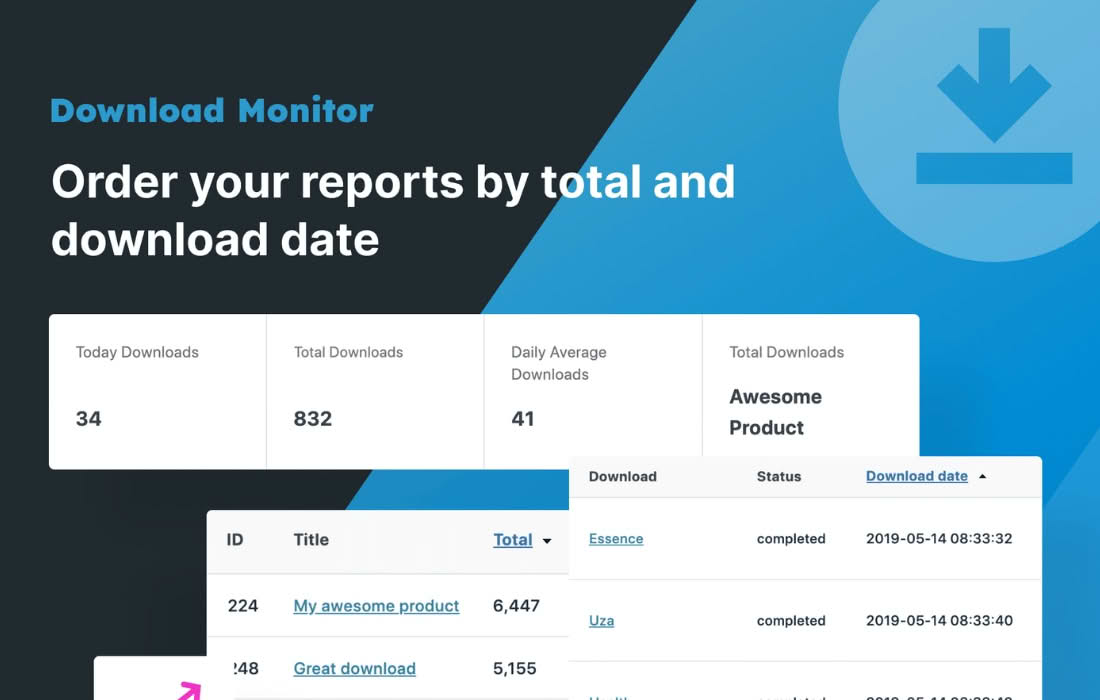
Unlock the full potential of your file distribution strategy with Download Monitor Enhanced Metrics. While the core Download Monitor plugin provides the essential infrastructure for hosting and tracking files, this extension bridges the gap between simple download counts and actionable business intelligence. Designed for site owners, content creators, and digital marketers who rely on data-driven decisions, this plugin transforms raw download logs into clear, visual insights, helping you understand exactly how your audience interacts with your digital assets.
Key Features
- Advanced Visual Reporting: Move beyond basic counters. Access intuitive charts and graphs that display download trends over specific timeframes, allowing you to identify spikes in interest and long-term popularity patterns.
- Geographic Tracking: See exactly where your audience is located. Understand the global reach of your content by viewing download data broken down by country, helping you tailor your marketing efforts and server locations to your most active regions.
- Detailed User Insights: Gain visibility into who is downloading your files. Track downloads by logged-in users versus guests to understand how your registered community engages with your resources compared to the general public.
- Device and Browser Analytics: Optimize your file formats and delivery methods by knowing which devices and browsers your users prefer. This data is invaluable for ensuring compatibility and improving the user experience.
- Exportable Data Sets: Seamlessly integrate your download data into external tools. Export your metrics into common formats to perform deep-dive analysis in spreadsheet software or business intelligence platforms.
- Performance-Optimized Logging: Built with efficiency in mind, the plugin ensures that tracking your downloads doesn’t slow down your website. It handles high-traffic environments gracefully, keeping your site fast while your data stays accurate.
Use Cases / Who It’s For
Download Monitor Enhanced Metrics is an essential tool for any WordPress user who distributes files and needs to justify the value of their content. If you are a digital product creator, this plugin helps you identify which lead magnets or premium files are driving the most engagement, allowing you to focus your production efforts on what actually converts.
For educational websites and training platforms, it provides the data needed to track course material consumption, ensuring that students are accessing the necessary resources. Marketing professionals find this plugin indispensable for campaign tracking; by monitoring download volume after a social media blast or email campaign, you can accurately measure the return on investment for your outreach efforts.
Whether you are a blogger offering free e-books, a software developer distributing patches, or a business owner sharing whitepapers, this plugin provides the clarity required to move from guessing what works to knowing exactly what your audience values.
Setup / How It Works
- Installation: After installing and activating the plugin, it automatically integrates with your existing Download Monitor setup. There is no complex configuration required to begin capturing data.
- Automatic Tracking: Once active, the plugin begins logging download events in the background, capturing metadata such as user IP addresses, browser types, and timestamps without requiring manual intervention.
- Dashboard Access: Navigate to the dedicated reporting area within your WordPress dashboard. Here, you can filter your data by date range, specific files, or categories to generate the insights you need.
- Customized Analysis: Use the built-in filtering tools to isolate specific segments of your audience or time periods, allowing you to compare performance between different file versions or promotional periods.
Similar Plugins
While Download Monitor Enhanced Metrics is specifically built to extend the Download Monitor ecosystem, other solutions exist for those using different file management approaches. Plugins such as MonsterInsights offer broader site-wide tracking that can be configured to monitor file downloads via Google Analytics, while WP File Download includes its own integrated statistics module for users who prefer an all-in-one file management and reporting solution.