
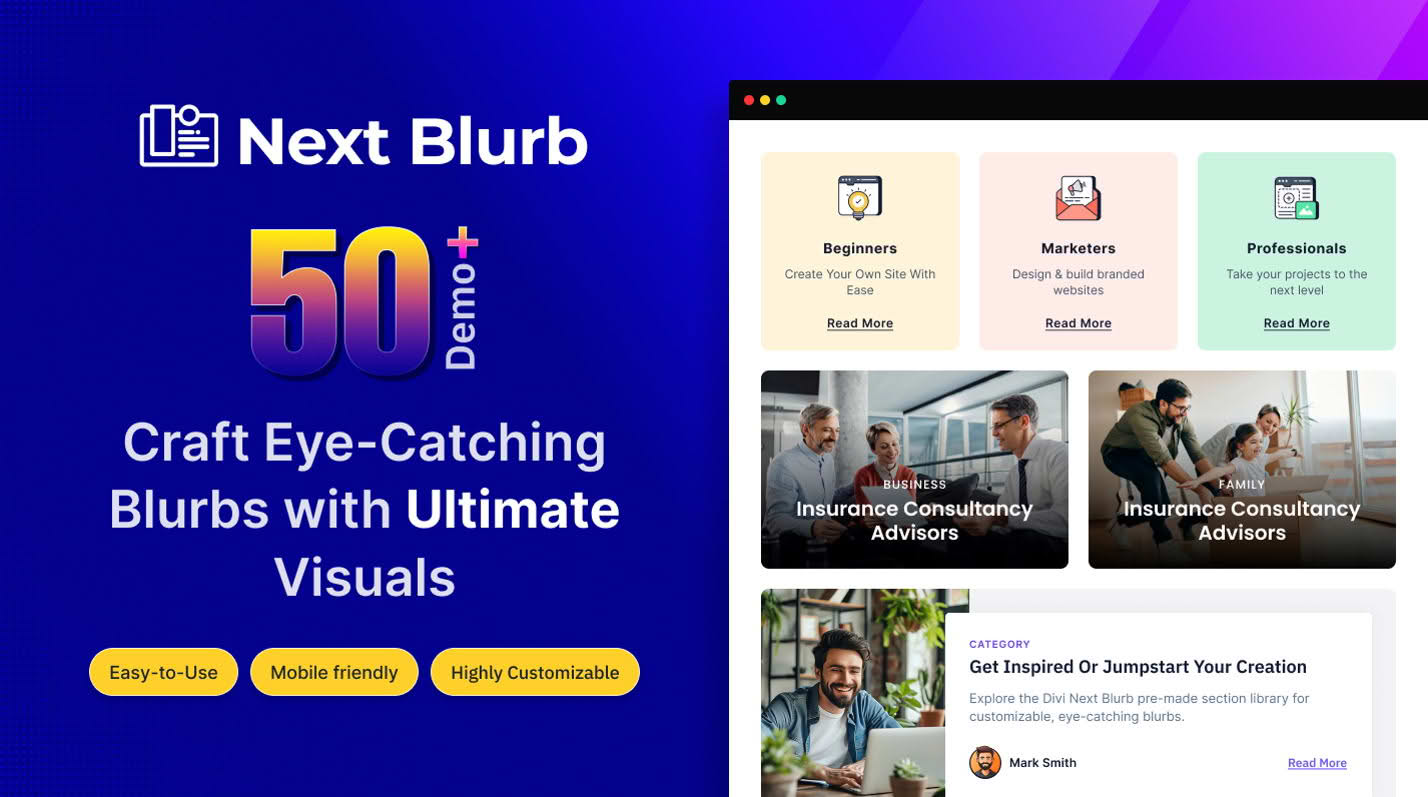
The Divi Next Blurb plugin is an essential extension for the Divi builder, designed to transform standard, static blurb modules into highly interactive, visually engaging content elements. If you are a designer or site owner looking to break away from the limitations of the default Divi Blurb module, this plugin provides the advanced styling, animation, and layout options necessary to create professional-grade service sections, feature highlights, and call-to-action areas without writing a single line of code.
Key Features
- Advanced Layout Control: Move beyond basic alignments. Take full control over the positioning of icons, images, titles, and body text to create unique, custom layouts that fit your brand identity perfectly.
- Interactive Hover Effects: Engage your visitors with smooth, built-in hover animations. Trigger changes in colors, shadows, or visibility when users interact with your blurbs to create a more dynamic browsing experience.
- Custom Icon and Image Styling: Go beyond standard icon selection. Apply advanced styling to your icons or images, including custom sizing, background shapes, borders, and complex box shadows to make your features stand out.
- Responsive Design Precision: Ensure your content looks flawless on every device. The plugin offers granular control over spacing, typography, and layout settings specifically for desktop, tablet, and mobile views.
- Seamless Integration: Designed specifically for the Divi ecosystem, the plugin functions as a native module, ensuring compatibility with the Divi Builder interface and maintaining a smooth, familiar workflow.
- Dynamic Content Support: Easily pull in dynamic data, allowing you to create consistent, automated content displays across your website without manual updates.
Use Cases / Who It’s For
Divi Next Blurb is built for web designers, freelancers, and business owners who rely on the Divi theme and want to elevate their site aesthetics without the overhead of custom CSS development. It is the perfect solution for anyone tasked with building service-based websites where showcasing features, benefits, or team members is a core requirement.
Marketing agencies will find this plugin invaluable for creating high-converting landing pages where visual hierarchy is essential for guiding user attention. If you are building a product showcase page, a “Why Choose Us” section, or a professional portfolio, this tool provides the creative freedom to present information in a way that is both readable and visually arresting, helping to improve user engagement and retention on your site.
Setup / How It Works
- Installation: After downloading the plugin, upload the zip file via your WordPress dashboard under the Plugins section and activate it.
- Accessing the Module: Once activated, open the Divi Builder on any page or post. Search for the “Next Blurb” module in the module library.
- Customization: Add the module to your layout. You will see an expanded set of options within the Content, Design, and Advanced tabs that go beyond the standard Divi module settings.
- Styling: Use the intuitive interface to adjust layout positioning, hover effects, and typography. You can preview your changes in real-time within the Visual Builder.
- Save and Publish: Once you are satisfied with the look and feel of your blurb, save your changes and publish your page to display your new, enhanced content modules to your visitors.
Similar Plugins
While Divi Next Blurb offers a specific set of enhancements for the Blurb module, there are other third-party developers in the Divi ecosystem that provide extended module libraries. Plugins such as Divi Supreme Pro, Divi Plus, and Divi Essential also offer advanced blurb modules alongside a broader suite of additional custom modules for the Divi Builder.