
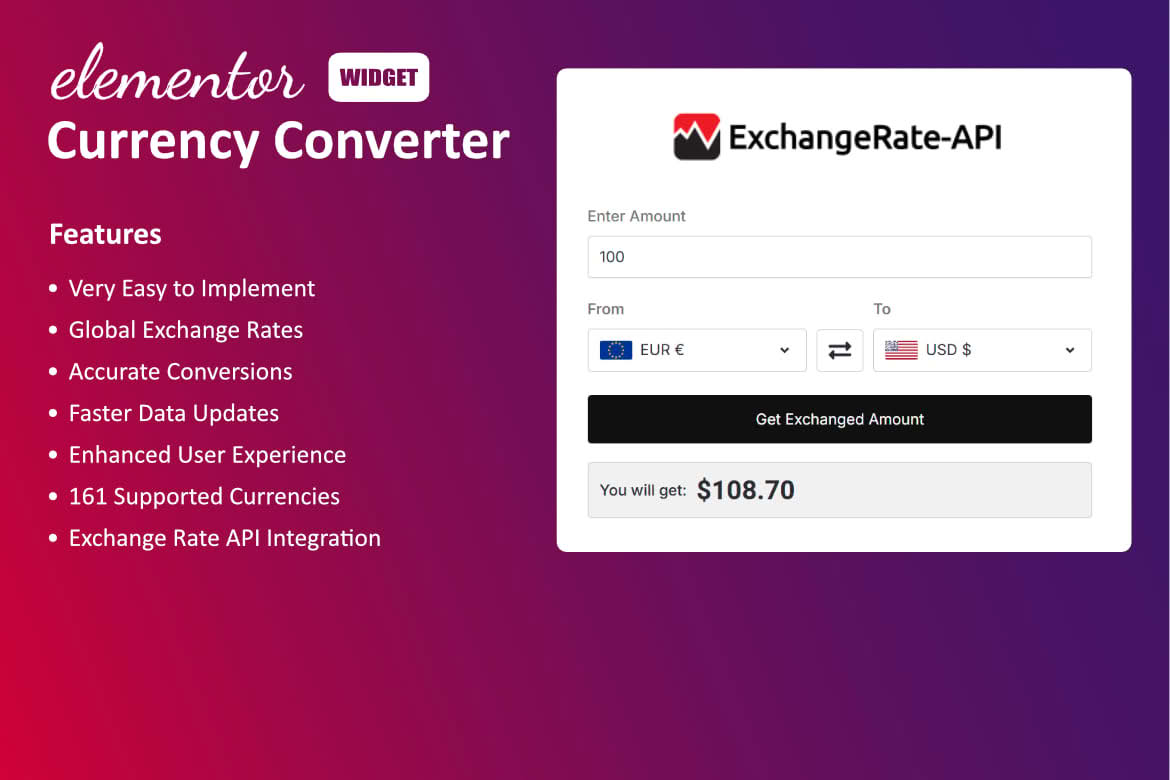
Transform your website into a truly global shopping destination with the Currency Converter Widget for Elementor. If you run an online store or a business with an international audience, you know that friction at checkout is the enemy of sales. By allowing your visitors to view prices in their own local currency, you provide a seamless, personalized shopping experience that builds trust, reduces cart abandonment, and encourages international customers to complete their purchases with confidence.
Key Features
- Seamless Elementor Integration: Designed specifically for Elementor, this widget allows you to drag and drop a functional currency converter anywhere on your site without writing a single line of code.
- Real-Time Exchange Rates: Keep your pricing accurate and up-to-date with automatic exchange rate synchronization, ensuring your customers always see the most current values based on global market data.
- Extensive Currency Support: Provide your visitors with options by supporting a vast library of global currencies, allowing you to cater to customers in virtually every corner of the world.
- Customizable Design: Match your brand identity perfectly. You have full control over the widget’s appearance, including layout, colors, fonts, and styling, ensuring it looks like a native part of your website design.
- Responsive and Lightweight: Engineered for performance, the widget is fully responsive, ensuring it looks and functions flawlessly on desktops, tablets, and mobile devices without slowing down your page load times.
- User-Friendly Interface: Your customers can switch between currencies with a simple, intuitive dropdown menu, making the browsing experience effortless for users of all technical skill levels.
Use Cases / Who It’s For
This plugin is an essential tool for any WordPress site owner looking to expand their reach beyond local borders. If you operate an e-commerce store using WooCommerce, this widget is vital for removing the mental barrier of currency conversion, allowing shoppers to immediately understand the cost of items in their native currency. It is equally valuable for service-based businesses, travel blogs, or portfolio sites that attract a global audience, as it helps establish professionalism and accessibility for international visitors. By removing the need for users to manually calculate exchange rates, you keep them engaged on your site longer and significantly improve the likelihood of conversion.
Setup / How It Works
- Install and Activate: Upload and activate the plugin through your WordPress dashboard just like any other standard plugin.
- Open Elementor Editor: Navigate to the page or template where you want the currency converter to appear and open it with the Elementor editor.
- Drag and Drop: Locate the ‘Currency Converter’ widget in your Elementor sidebar and drag it into your desired section, column, or header area.
- Configure Settings: Use the widget settings panel to select your base currency, choose the list of available currencies you wish to offer, and adjust the styling to match your brand.
- Publish: Once you are satisfied with the placement and appearance, save your changes or update the page. The currency converter will immediately be live and ready for your visitors to use.
Similar Plugins
While the Currency Converter Widget for Elementor offers a streamlined, page-builder-native experience, other solutions exist in the WordPress ecosystem for handling multi-currency needs. Alternatives include the WooCommerce Multi-Currency plugin, which provides deeper integration specifically for WooCommerce checkout flows, and various standalone currency switcher plugins that offer broader theme compatibility outside of the Elementor environment. Choosing the right tool depends on whether you require a simple display-only widget for your pages or a comprehensive currency management system that handles complex checkout and tax calculations.