
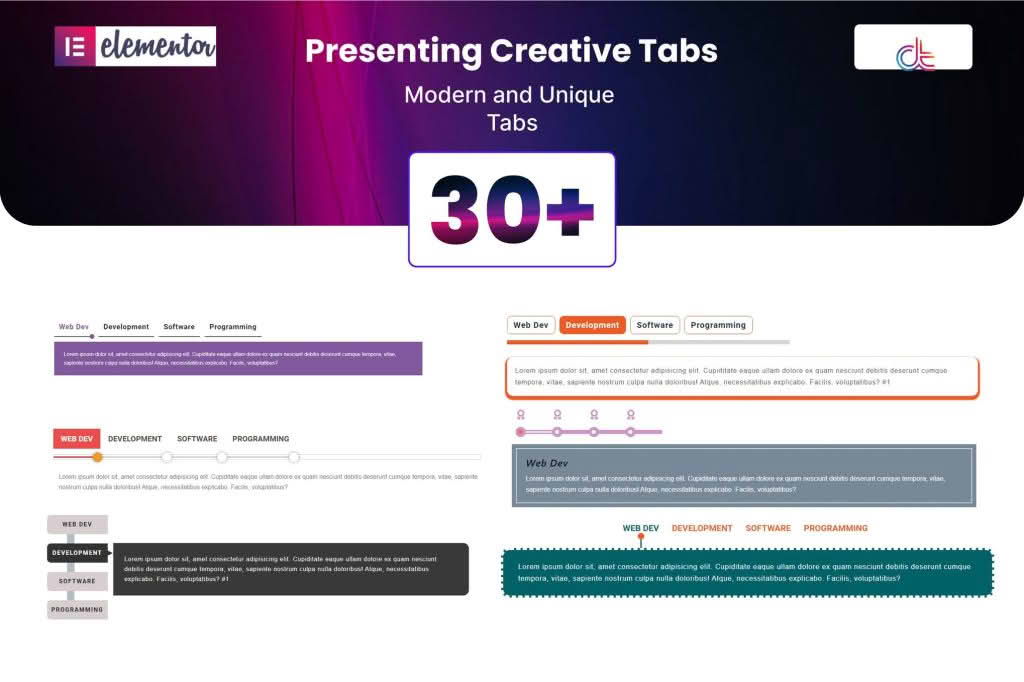
The Creative Tabs addon for Elementor is a powerful extension designed to transform how you present content on your WordPress website. If you are tired of standard, boring tab layouts, this plugin provides the design flexibility needed to organize complex information into sleek, interactive, and highly engaging interfaces. Whether you are building a product page, a portfolio, or a detailed service description, this addon empowers you to deliver a superior user experience without writing a single line of code.
Key Features
- Advanced Customization Options: Take full control over the look and feel of your tabs. Customize typography, colors, borders, shadows, and spacing for both active and inactive states to perfectly match your brand identity.
- Nested Content Support: Unlike basic tab widgets, this plugin allows you to insert other Elementor templates or widgets directly into your tab content, enabling virtually limitless design possibilities.
- Responsive Design Controls: Ensure your content looks perfect on every device. Configure how tabs behave on mobile, tablet, and desktop—choose between horizontal, vertical, or accordion layouts depending on the screen size.
- Icon and Image Integration: Enhance visual appeal by adding icons or images to your tab titles, helping users navigate your content more intuitively.
- Smooth Transition Effects: Engage your visitors with professional fade, slide, or zoom animations when switching between tabs, creating a premium feel for your site.
- Vertical and Horizontal Layouts: Easily switch between vertical and horizontal tab orientations to suit your page layout and content structure.
Use Cases and Who It’s For
This plugin is an essential tool for web designers, developers, and business owners who use Elementor to build professional websites. It is particularly valuable for anyone looking to reduce page clutter by condensing large amounts of information into a compact, organized format.
E-commerce Store Owners: Use Creative Tabs to display product specifications, shipping information, customer reviews, and sizing charts on a single product page. This keeps your product descriptions clean and prevents long-scrolling pages that can overwhelm potential buyers.
Service-Based Businesses: If you offer multiple service packages, you can use tabs to highlight different features, pricing tiers, or project phases, allowing visitors to compare options side-by-side without leaving the page.
Portfolio and Agency Sites: Showcase project details, team member bios, or case study statistics in an interactive way that encourages user engagement and keeps visitors on your site longer.
Setup and How It Works
Getting started with the Creative Tabs addon is designed to be intuitive for anyone already familiar with the Elementor page builder interface.
- Install and Activate: Once you have installed the plugin, it will automatically register a new widget within your Elementor editor sidebar.
- Drag and Drop: Simply drag the Creative Tabs widget onto your page or post where you want the content to appear.
- Add Content: Use the content panel to add as many tabs as you need. You can easily reorder them via drag-and-drop and assign custom titles and icons to each.
- Style and Customize: Navigate to the Style tab in the Elementor sidebar to adjust colors, typography, and spacing. Use the Advanced tab to configure responsive settings and entrance animations.
- Publish: Once you are satisfied with the layout, click update or publish, and your interactive tabs will be live on your site.
Similar Plugins
While the Creative Tabs addon offers a specific set of design-focused features, there are other solutions available in the Elementor ecosystem that provide tab functionality. These include:
- Essential Addons for Elementor: A comprehensive suite that includes a highly customizable Advanced Tabs widget.
- Premium Addons for Elementor: Known for providing a wide array of widgets, including versatile tab and accordion options.
- JetTabs by Crocoblock: A dedicated plugin focused specifically on advanced tab and accordion layouts for Elementor.