
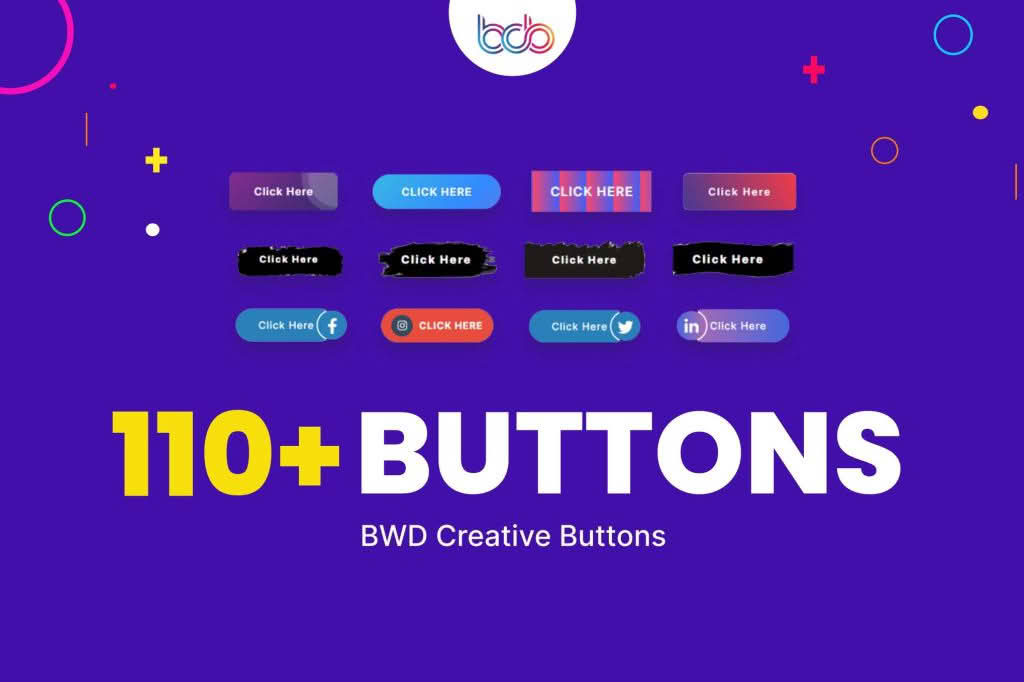
Elevate your website’s user experience and visual appeal with the Creative Buttons Addon for Elementor. Designed specifically for web designers, developers, and business owners who want to break free from the limitations of standard button widgets, this plugin empowers you to create stunning, high-converting calls-to-action without writing a single line of code. Whether you are building a landing page, a product showcase, or a professional portfolio, this addon provides the creative flexibility needed to make your links stand out and encourage user interaction.
Key Features
- Advanced Hover Effects: Choose from a diverse library of modern hover animations, including slide, grow, shrink, rotate, and border-fill effects that react instantly to user interaction.
- Icon Integration: Seamlessly incorporate Font Awesome or custom SVG icons into your buttons to provide visual context and improve click-through rates.
- Custom Gradient and Background Controls: Move beyond solid colors with advanced gradient builders, overlay effects, and image backgrounds to match your brand identity perfectly.
- Responsive Design Settings: Ensure your buttons look perfect on every device with granular control over padding, margin, typography, and alignment for desktop, tablet, and mobile views.
- Interactive Tooltips: Add helpful context to your buttons with customizable tooltip popups that appear on hover, perfect for guiding users through complex forms or multi-step processes.
- Shadow and Border Styling: Create depth and focus using sophisticated box-shadow controls, multiple border styles, and adjustable border-radius settings for unique button shapes.
- Dynamic Content Support: Easily link buttons to dynamic URLs, post links, or custom fields, making it an ideal tool for template building within Elementor Pro.
Use Cases / Who It’s For
The Creative Buttons Addon is built for anyone who uses Elementor and understands that a button is more than just a link—it is a critical tool for conversion. If you are a freelance web designer, this plugin acts as a time-saving powerhouse, allowing you to deliver premium, custom-styled components to your clients faster than ever before. For marketing professionals, the ability to create eye-catching buttons means you can test different visual styles to optimize your landing page conversions without needing a developer to intervene.
E-commerce store owners will find this plugin invaluable for highlighting “Add to Cart” or “Buy Now” buttons, ensuring that your most important calls-to-action are impossible to miss. Furthermore, agencies can maintain consistent branding across multiple client sites by leveraging the plugin‚Äôs flexible styling options to match any design system, from minimalist corporate sites to bold, creative portfolios.
Setup / How It Works
- Install and Activate: Upload the plugin zip file to your WordPress dashboard via the Plugins menu and click Activate.
- Open Elementor: Navigate to any page or template you are editing with Elementor.
- Locate the Widget: Search for the “Creative Buttons” widget in the left-hand Elementor panel.
- Drag and Drop: Drag the widget onto your canvas where you want the button to appear.
- Customize: Use the Content tab to set your button text and link, then switch to the Style tab to adjust colors, typography, hover effects, and spacing to match your design vision.
- Publish: Save your changes and preview your site to see your interactive buttons in action.
Similar Plugins
If you are exploring the ecosystem of Elementor button enhancements, you may also encounter other popular solutions that offer similar functionality. These include the Essential Addons for Elementor, which features a robust button element as part of a larger suite, and PowerPack for Elementor, which is well-regarded for its extensive library of creative widgets. Additionally, Happy Addons provides a wide range of button styling options that can serve as a viable alternative depending on your specific design requirements.