
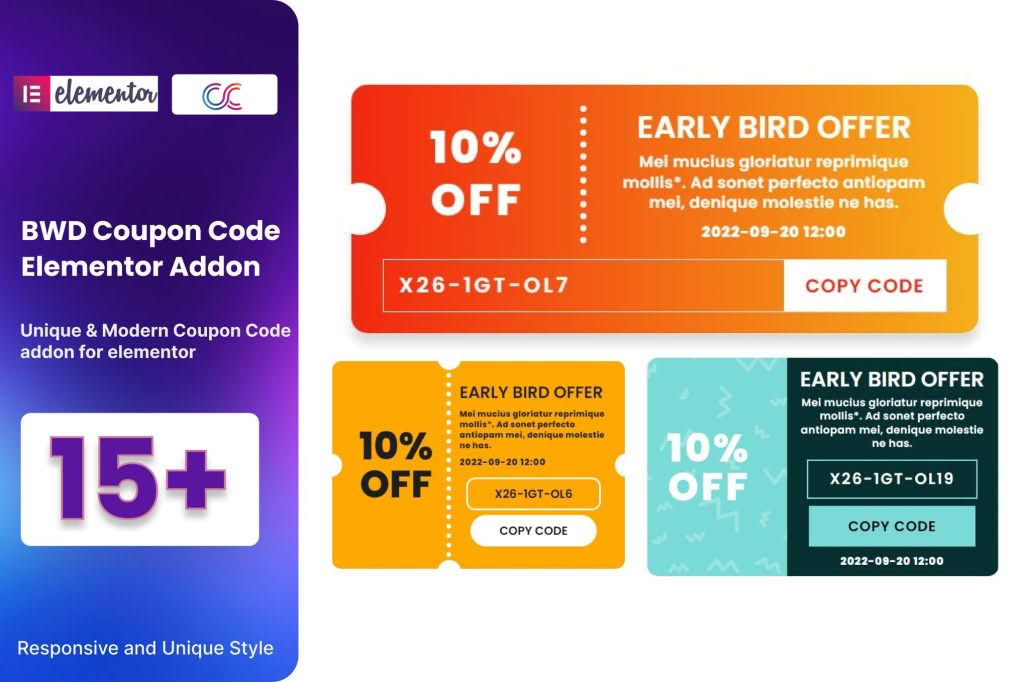
Boost your store’s conversion rates and drive customer loyalty by seamlessly integrating professional-grade coupon displays directly into your Elementor-built pages. The Coupon Code WordPress Plugin for Elementor eliminates the need for complex coding or clunky shortcodes, allowing you to create high-converting, eye-catching coupon widgets that match your brand’s aesthetic perfectly. Whether you are running a seasonal flash sale, rewarding loyal subscribers, or reducing cart abandonment, this plugin gives you the design flexibility to place your offers exactly where your customers are most likely to convert.
Key Features
- Drag-and-Drop Elementor Integration: Easily add coupon widgets to any page, post, or template using the familiar Elementor interface.
- Customizable Design Options: Control the look and feel of your coupon boxes, including fonts, colors, border styles, and padding, to ensure they blend seamlessly with your site design.
- One-Click Copy Functionality: Improve the user experience by allowing customers to copy coupon codes to their clipboard with a single click, reducing friction during the checkout process.
- Dynamic Display Rules: Choose where and when your coupons appear, ensuring that your offers are seen by the right audience at the right time.
- Mobile-Responsive Layouts: Ensure your coupons look great and function perfectly on all devices, from desktop computers to smartphones.
- Lightweight Performance: Built with clean code to ensure that your site remains fast and responsive, preventing any negative impact on your page load times or SEO.
Use Cases and Who It’s For
This plugin is designed for WooCommerce store owners, digital marketers, and web designers who want to maximize the effectiveness of their promotional campaigns without relying on developers. If you are tired of generic, unstyled coupon text that gets ignored by visitors, this tool is for you.
E-commerce store owners can use these widgets to highlight “First Order” discounts on landing pages or showcase seasonal promo codes on product pages. Affiliate marketers can utilize the plugin to create professional-looking “Deal of the Day” sections that encourage clicks. Furthermore, if you are a web designer building sites for clients, this plugin provides a professional, branded way to manage promotional content, allowing you to hand over a site that is easy for your clients to manage and update on their own.
Setup and How It Works
Getting your first coupon live is a straightforward process designed to save you time.
- Install and Activate: Upload the plugin to your WordPress dashboard and activate it as you would any other standard plugin.
- Create Your Coupon: Ensure your coupon code is already created within the WooCommerce Coupon management section.
- Open Elementor: Navigate to the page or template where you want to display the coupon and open it in the Elementor editor.
- Drag the Widget: Locate the coupon widget in the Elementor sidebar and drag it onto your canvas.
- Configure and Style: Select the coupon you wish to display from the widget settings. Use the Style tab to adjust colors, typography, and spacing to match your site’s branding.
- Publish: Save your changes and preview the page to see your professional coupon code in action.
Similar Plugins
If you are exploring alternatives for managing and displaying coupons within your WordPress ecosystem, you may also consider tools such as YITH WooCommerce Coupon Email System for automated delivery, Advanced Coupons for WooCommerce for complex cart conditions and BOGO deals, or Smart Coupons for WooCommerce for store credit and gift card functionality. While these plugins offer broader backend management features, the Coupon Code WordPress Plugin for Elementor remains the premier choice for those specifically focused on the visual presentation and front-end placement of coupons within the Elementor page builder.