
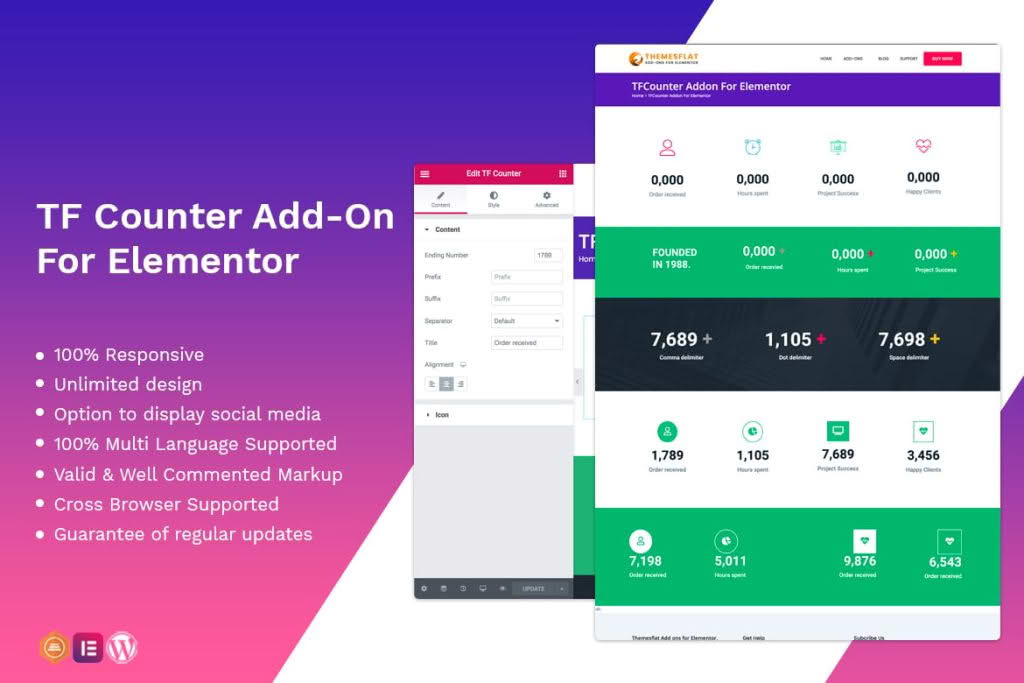
Bring your website to life and capture your visitors’ attention with the Counter Addon for Elementor. This powerful, lightweight widget allows you to create dynamic, animated number counters that showcase your achievements, statistics, or milestones with professional flair. Designed specifically for the Elementor page builder, it provides a seamless drag-and-drop experience that helps you build trust, highlight growth, and improve user engagement without writing a single line of code.
Key Features
- Dynamic Animation Effects: Choose from a variety of smooth animation styles to make your numbers count up or down, creating an eye-catching visual effect as users scroll down your page.
- Full Customization Options: Take complete control over the look and feel of your counters. Adjust typography, font sizes, colors, and spacing to perfectly match your brand identity.
- Icon and Prefix/Suffix Support: Enhance your data by adding custom icons, prefixes (like ‘$’ or ‘+’), and suffixes (like ‘%’ or ‘k’) to provide necessary context to your statistics.
- Responsive Design: Ensure your counters look perfect on every device. The widget is fully responsive, allowing you to adjust settings independently for desktop, tablet, and mobile views.
- Lightweight Performance: Engineered for speed, this addon is optimized to ensure your site remains fast and responsive, preventing any negative impact on your page loading times.
- Elementor Integration: Built natively for Elementor, it integrates directly into your existing editor sidebar, making it incredibly easy to place and style counters anywhere on your site.
Use Cases and Who It’s For
The Counter Addon is an essential tool for any website owner, designer, or developer looking to add social proof and data-driven storytelling to their pages. It is particularly effective for business websites aiming to showcase key performance indicators, such as the number of satisfied clients, years of experience, projects completed, or awards won. By presenting these figures in an animated, interactive format, you make your statistics more memorable and impactful.
Freelancers and agencies will find this plugin invaluable for building high-converting landing pages for clients. Whether you are creating a corporate portfolio, a non-profit website highlighting donation goals, or an e-commerce site displaying product sales milestones, the Counter Addon provides the professional polish needed to convert casual visitors into loyal customers. It is the perfect solution for anyone who wants to display quantitative data in a way that is both aesthetically pleasing and highly readable.
Setup and How It Works
Getting started with the Counter Addon is designed to be intuitive, even for beginners. Follow these simple steps to add animated counters to your site:
- Install and Activate: Once you have installed the plugin, activate it within your WordPress dashboard.
- Open Elementor: Navigate to the page or post where you want to add a counter and open it with the Elementor editor.
- Drag and Drop: Search for the “Counter” widget in the Elementor panel on the left. Simply drag and drop it into your desired column or section.
- Configure Content: In the content tab, enter your starting and ending numbers, add your desired prefix or suffix, and choose your icon.
- Style to Perfection: Switch to the Style tab to adjust colors, typography, and alignment to ensure the counter blends seamlessly with your website’s design.
- Publish: Once you are satisfied with the look, click update or publish to make your animated counters live for your visitors.
Similar Plugins
If you are exploring options for Elementor-based statistics and counters, you may also encounter other solutions such as ‘Essential Addons for Elementor’, ‘Premium Addons for Elementor’, or ‘Happy Addons for Elementor’. These plugins often include a counter widget as part of a larger suite of elements, offering a broader range of tools if you require more than just counter functionality.