
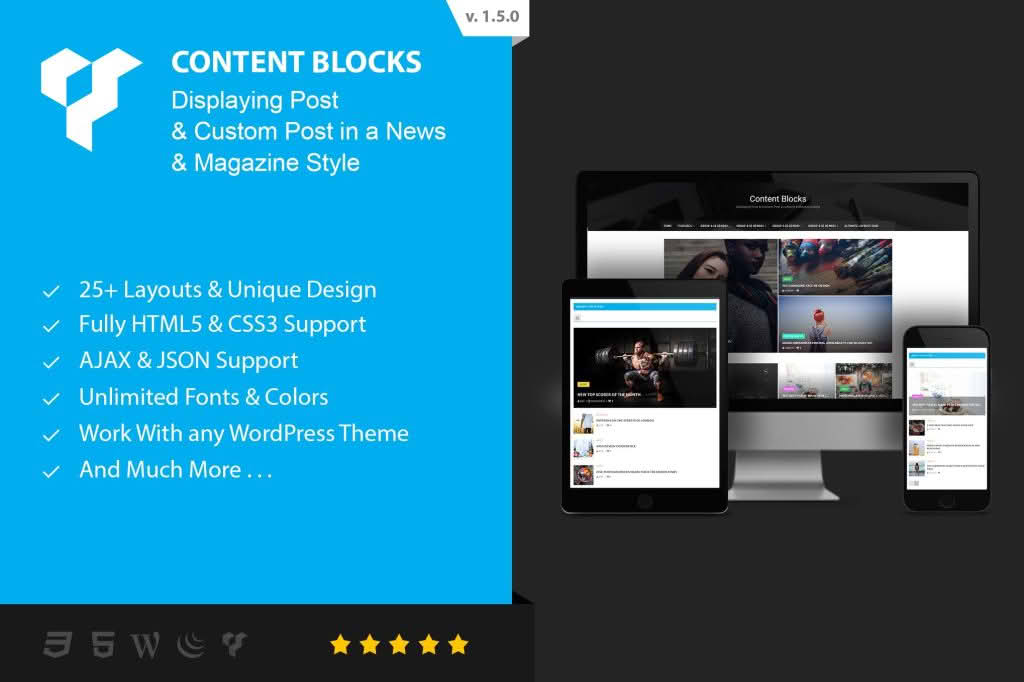
Content Blocks Layout For WPBakery Page Builder is an essential utility plugin designed to streamline your design workflow by allowing you to create, save, and reuse complex layouts and content modules across your entire WordPress website. If you frequently find yourself rebuilding the same headers, footers, call-to-action sections, or custom post layouts from scratch, this plugin acts as a powerful productivity booster. By transforming your WPBakery elements into reusable blocks, you ensure design consistency, reduce development time, and maintain a professional look across every page of your site without ever touching a line of code.
Key Features
- Reusable Content Blocks: Easily convert any WPBakery row, column, or element into a reusable block that can be inserted anywhere on your site with a single click.
- Global Updates: When you modify a saved content block, those changes automatically reflect across every page where that block is utilized, ensuring your site remains perfectly synced.
- Shortcode Integration: Every created block generates a unique shortcode, allowing you to embed your custom layouts into sidebars, widgets, or other areas outside the standard page builder interface.
- Seamless WPBakery Integration: The plugin functions as a native extension, meaning you can continue using the familiar WPBakery drag-and-drop interface without needing to learn a new system.
- Organized Library: Manage all your saved blocks from a centralized dashboard, making it simple to categorize, edit, or delete components as your site evolves.
- Performance Optimized: Built with clean code to ensure that your site remains fast and responsive, even when using multiple reusable blocks on a single page.
Use Cases / Who It’s For
This plugin is specifically tailored for WordPress site owners, web designers, and developers who rely on WPBakery Page Builder to manage their content. If you manage a large website with hundreds of pages, you know how tedious it is to update a single design element—like a newsletter signup form or a promotional banner—across the entire site. Content Blocks Layout solves this by centralizing your design assets.
It is an ideal solution for agencies managing multiple client sites, as it allows for the creation of standardized design libraries that can be reused across different projects. It is also perfect for small business owners who want to maintain a consistent brand identity without having to hire a developer for every minor design update. Whether you are building a landing page, a complex e-commerce site, or a corporate portfolio, this tool empowers you to build smarter, not harder.
Setup / How It Works
Getting started with Content Blocks Layout is designed to be intuitive for anyone already familiar with WPBakery Page Builder.
- Create Your Layout: Build your desired design using standard WPBakery elements within a page or post.
- Save as Block: Use the plugin’s interface to save the specific row or section as a named Content Block.
- Insert Anywhere: Navigate to any other page or post, open the WPBakery element library, and select your saved block from the custom category.
- Manage and Update: Whenever you need to change the content or design, simply edit the original block in the plugin dashboard, and the updates will propagate across your entire website automatically.
Similar Plugins
If you are exploring options for modular design in WordPress, you may also encounter other solutions designed to enhance WPBakery or provide similar block-based functionality. These include:
- WPBakery Page Builder Templates: The built-in template system allows for saving and reusing layouts, though it lacks the global “live sync” update functionality found in dedicated content block plugins.
- Ultimate Addons for WPBakery: A comprehensive suite of extensions that includes various modular elements, though it focuses more on new design components rather than the management of existing layouts.
- Reusable Blocks Extended: While often associated with the native WordPress Block Editor (Gutenberg), similar concepts exist for page builders that prioritize modular design and global content management.