
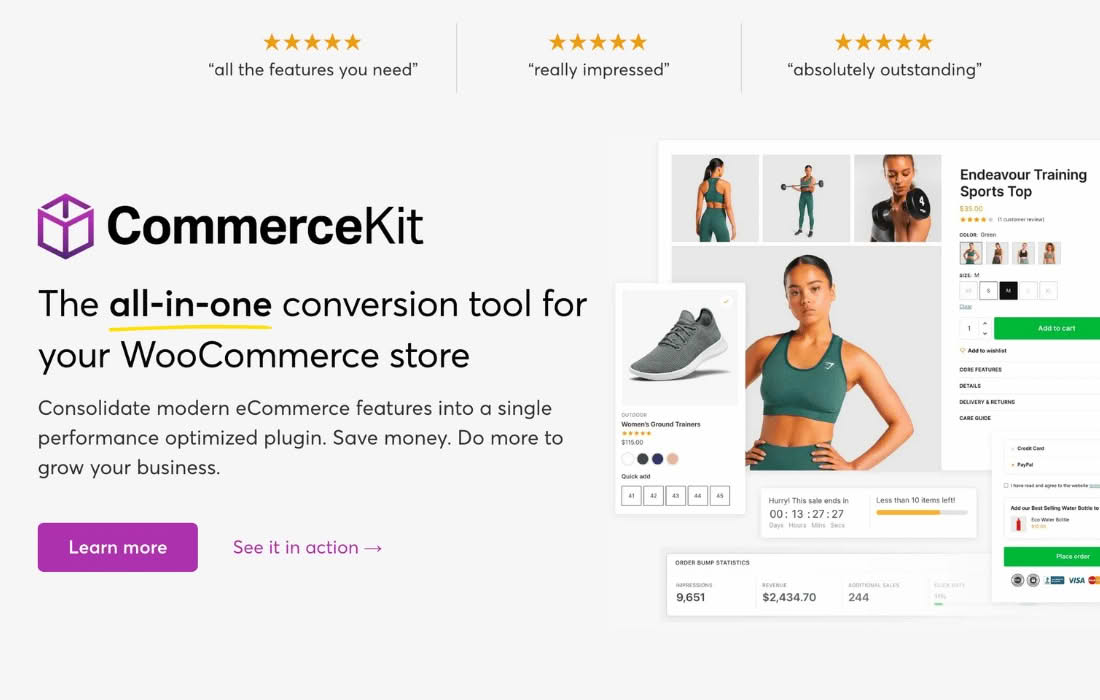
CommerceGurus CommerceKit is a comprehensive toolkit designed to supercharge WooCommerce stores, specifically engineered to bridge the gap between standard e-commerce functionality and high-converting, professional-grade shopping experiences. By streamlining essential features that often require multiple bloated plugins, CommerceKit empowers store owners to enhance user engagement, simplify the checkout process, and boost average order values without compromising site speed or performance.
Key Features
- Advanced WooCommerce Enhancements: Unlock powerful features that improve the default WooCommerce experience, including advanced product filters, quick view functionality, and AJAX-powered search, helping customers find exactly what they need in seconds.
- Conversion-Focused Tools: Drive more sales with built-in tools like wishlist functionality, product comparison features, and sticky “Add to Cart” buttons that keep purchasing options visible as users scroll.
- Performance-First Architecture: Built with a focus on speed, CommerceKit is optimized to ensure that your site remains fast and responsive, even with advanced features enabled, which is critical for maintaining search engine rankings and reducing bounce rates.
- Seamless Theme Integration: While designed to work harmoniously with CommerceGurus themes, the plugin is built to be flexible, allowing store owners to enhance their existing WooCommerce setup with professional-grade UI elements.
- Simplified Checkout Experience: Reduce cart abandonment by implementing streamlined checkout options and visual cues that guide customers through the buying process with minimal friction.
- Customizable Design Elements: Gain control over the look and feel of your store’s essential components, ensuring that your product grids, archives, and single product pages align perfectly with your brand identity.
Use Cases / Who It’s For
CommerceKit is the ideal solution for WooCommerce store owners who are tired of managing a fragmented stack of plugins just to achieve basic, modern e-commerce functionality. If you are running a boutique clothing store, a niche hobby shop, or a high-volume retail site, this plugin helps you create a cohesive, professional shopping environment that feels like a premium platform.
It is particularly beneficial for entrepreneurs who want to improve their conversion rates but lack the technical expertise to code custom solutions. Because CommerceKit consolidates several essential features into one lightweight package, it is also perfect for performance-conscious store owners who want to keep their plugin count low to avoid site bloat and potential security vulnerabilities.
Setup / How It Works
- Installation: After installing and activating the plugin through your WordPress dashboard, you will find a dedicated settings panel where all features are centralized.
- Configuration: Navigate through the intuitive settings tabs to toggle the specific features you wish to enable. Each module is designed to be “plug-and-play,” requiring minimal configuration to start working immediately.
- Customization: Use the provided options to tailor the behavior and appearance of each feature‚Äîsuch as adjusting the position of a quick view button or configuring the columns in your product archive‚Äîto match your store’s specific layout.
- Optimization: Once enabled, the plugin automatically handles the necessary scripts and styles, ensuring that your new features are optimized for performance and mobile responsiveness across all devices.
Similar Plugins
If you are exploring alternatives to enhance your WooCommerce store, you may also consider plugins such as YITH WooCommerce extensions, which offer a modular approach to adding specific features, or JetPlugins by Crocoblock, which provides a comprehensive suite of tools for building complex WooCommerce sites using Elementor.