
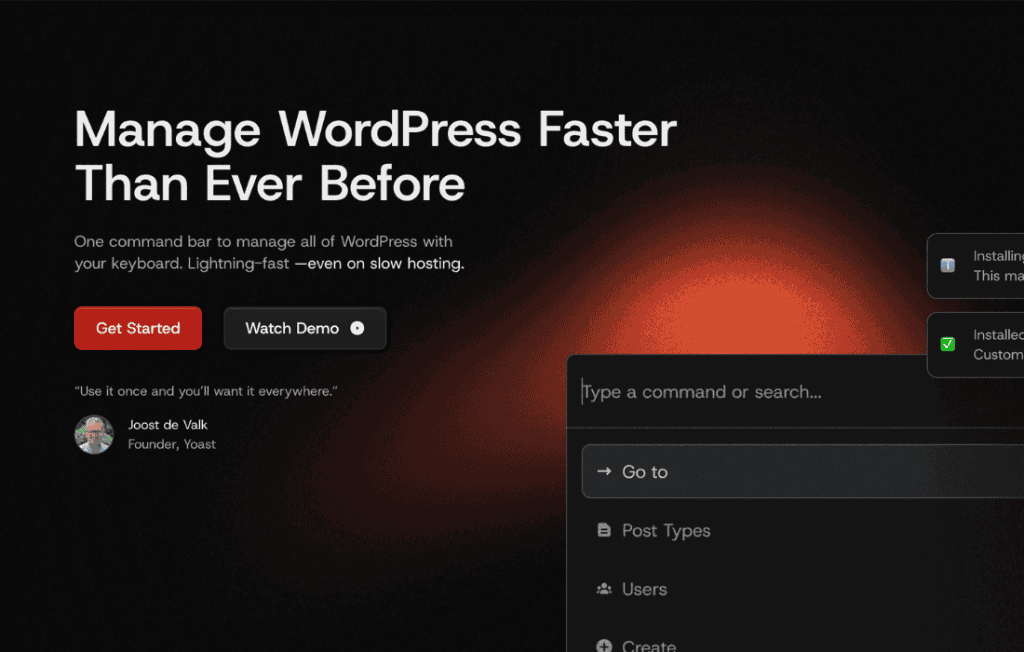
CommandUI transforms the way you interact with your WordPress dashboard by introducing a powerful, keyboard-driven command palette. Instead of navigating through endless sub-menus, clicking through multiple screens, or searching for hidden settings, you can now execute actions, navigate to specific pages, and manage your site content in seconds using a simple, unified interface. Designed for power users, developers, and busy site administrators, CommandUI brings the efficiency of professional desktop software directly into your browser, drastically reducing the time spent on routine site management tasks.
Key Features
- Universal Search and Navigation: Instantly jump to any post, page, media item, or settings screen across your entire WordPress installation without ever touching your mouse.
- Customizable Command Palette: Access the interface instantly using a familiar keyboard shortcut, allowing you to stay in your flow without breaking focus.
- Extensible Action System: Execute complex administrative tasks, such as clearing caches, toggling plugins, or running custom scripts, directly from the command bar.
- Developer-Friendly API: Build your own custom commands tailored to your specific workflow or integrate with third-party plugins to expose their functionality within the UI.
- Context-Aware Suggestions: Benefit from an intelligent interface that learns your most frequent actions, prioritizing the tools you use most often to save you even more time.
- Lightweight and Performant: Built with modern web standards, the plugin ensures that your dashboard remains fast and responsive, adding zero bloat to your site’s front-end experience.
Use Cases and Who It Is For
CommandUI is an essential tool for anyone who spends a significant amount of time inside the WordPress admin area. If you are a site administrator managing multiple installations, you will appreciate the ability to switch between different sections of the dashboard instantly. By eliminating the friction of traditional menu navigation, you can perform bulk updates or configuration changes with unprecedented speed.
For developers and agency owners, CommandUI acts as a productivity multiplier. When you are constantly switching between editing code, checking plugin settings, and managing media assets, the time saved by not clicking through menus adds up to hours of reclaimed productivity every week. It is also an excellent solution for content editors who need to quickly find and update specific posts or pages without navigating through complex site hierarchies.
Setup and How It Works
Getting started with CommandUI is designed to be seamless and intuitive, ensuring you can begin optimizing your workflow immediately after installation.
- Installation: Install and activate the CommandUI plugin from your WordPress dashboard as you would with any standard plugin.
- Triggering the Interface: Once active, press the default keyboard shortcut (typically Command+K or Control+K) to launch the command palette overlay.
- Executing Commands: Begin typing the name of the page, setting, or action you wish to perform. The interface will provide real-time suggestions based on your input.
- Navigation and Action: Use your arrow keys to highlight the desired result and press Enter to navigate to that location or trigger the associated action.
- Configuration: Visit the plugin settings page to customize your keyboard shortcuts, manage enabled commands, or configure integrations with other installed plugins.
Similar Plugins
If you are exploring ways to enhance your WordPress dashboard efficiency, you may also be familiar with tools like WP-CLI, which provides command-line access to WordPress, or other dashboard-focused productivity plugins such as Admin Menu Editor or various shortcut-based navigation tools. While these tools offer different approaches to site management, CommandUI is unique in its focus on providing a unified, keyboard-first graphical interface directly within the browser.