
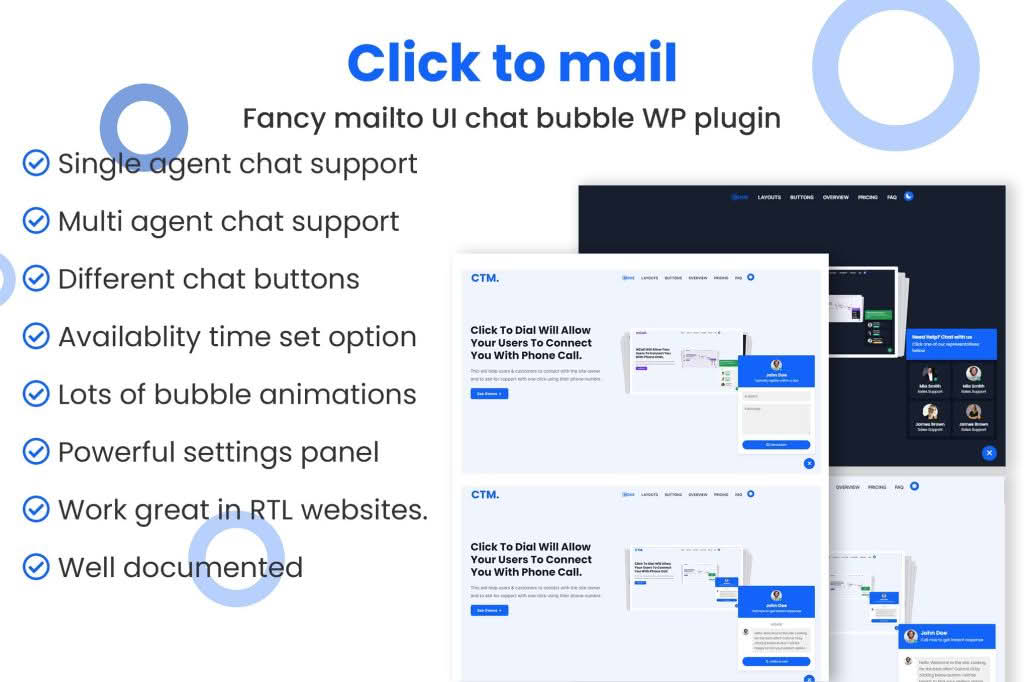
Streamline your communication workflow and improve your customer support experience with Click to mail – Mailto Help & Support. This essential WordPress plugin simplifies how visitors reach out to you by converting standard, static email addresses into dynamic, clickable links that instantly open the user’s preferred email client. Whether you are a small business owner, a freelancer, or a support manager, this tool removes the friction of copying and pasting addresses, ensuring your customers can get in touch with you in a single click.
Key Features
- Instant Mailto Conversion: Automatically detects email addresses on your site and transforms them into functional, clickable links that trigger the user’s default email application.
- Customizable Subject Lines: Pre-define subject lines for specific email links to help you categorize incoming inquiries and prioritize support tickets immediately.
- Support for Body Text: Pre-populate the body of the email with template text, ensuring your customers provide the necessary information—such as order numbers or account details—right from the start.
- CC and BCC Functionality: Easily include secondary recipients in your email links, perfect for routing support requests to multiple team members or keeping managers in the loop automatically.
- Mobile Optimization: Ensures that your contact links work flawlessly on smartphones and tablets, where users rely heavily on native mail apps for quick communication.
- Lightweight and Efficient: Built with performance in mind, the plugin ensures that your site remains fast and responsive without adding unnecessary bloat to your pages.
Use Cases and Who It’s For
This plugin is an indispensable asset for any website owner who prioritizes customer satisfaction and operational efficiency. If you operate an e-commerce store, you can use pre-filled email templates to prompt customers to include their order ID, significantly reducing the back-and-forth time required to resolve shipping or product issues.
For service-based businesses, such as agencies or consultancy firms, the plugin allows you to create specific “mailto” links for different departments‚Äîsuch as sales, technical support, or billing. By pre-setting the subject line, you can automatically filter your incoming emails into specific folders, keeping your inbox organized without manual sorting.
It is also an excellent solution for accessibility. By providing clear, clickable links, you make it easier for all users, including those using assistive technologies, to initiate contact with your team without the frustration of manual address entry.
Setup and How It Works
Getting started with Click to mail is designed to be straightforward, allowing you to enhance your site’s communication capabilities in minutes:
- Installation: Upload and activate the plugin through your WordPress dashboard.
- Configuration: Navigate to the plugin settings page to define your default email preferences or global settings.
- Implementation: Use the plugin’s intuitive interface or shortcodes to insert your optimized “mailto” links into pages, posts, or your sidebar widgets.
- Testing: Click the newly created links on your live site to verify that they open your email client with the correct recipient, subject, and body content already populated.
Similar Plugins
If you are exploring options for managing contact links and email functionality, you may also encounter alternatives such as Email Address Encoder, which focuses on protecting email addresses from scrapers, or various Contact Form plugins like Contact Form 7 or WPForms. While form plugins are excellent for structured data collection, Click to mail – Mailto Help & Support is specifically optimized for the speed and simplicity of direct email communication, making it the superior choice for users who want to encourage personal, one-on-one interaction.