
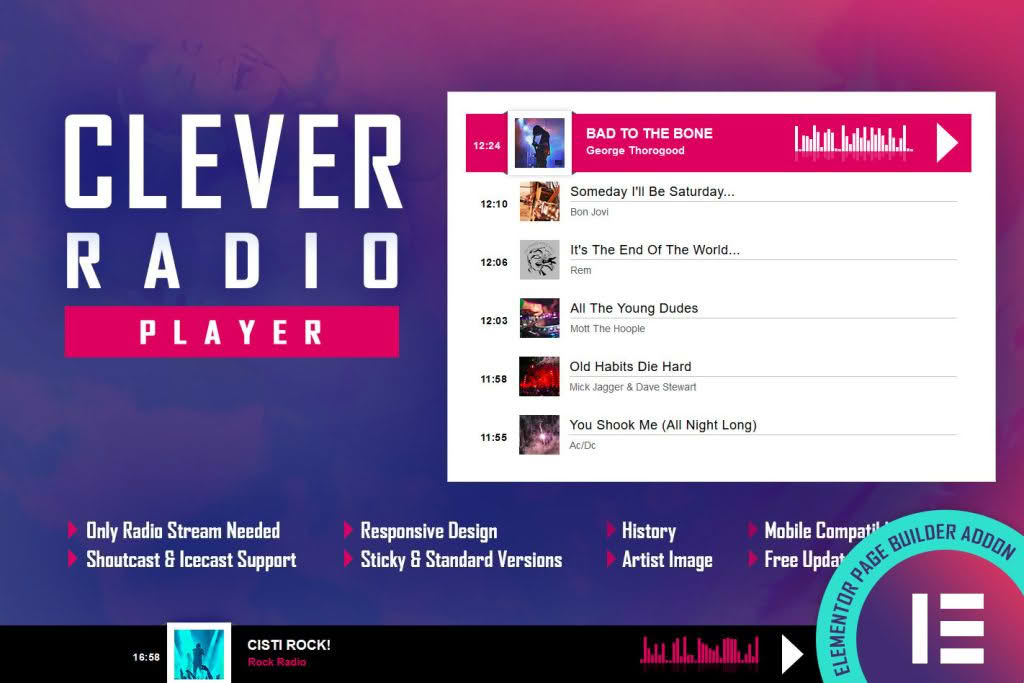
Transform your WordPress website into a dynamic audio destination with the CLEVER HTML5 Radio Player. Designed specifically for seamless integration with Elementor, this plugin empowers radio stations, podcasters, and music curators to deliver high-quality, uninterrupted streaming directly to their audience. Whether you are running a live broadcast or showcasing a curated playlist, CLEVER provides a sleek, modern, and highly responsive interface that ensures your listeners stay engaged without ever needing to leave your site.
Key Features
- Elementor Integration: Drag and drop the player anywhere on your site using the dedicated Elementor widget, allowing for complete design control without touching a single line of code.
- Live Radio Streaming: Supports standard streaming formats, ensuring reliable playback for live radio broadcasts across all modern web browsers and mobile devices.
- Automatic History Tracking: Automatically fetch and display the track history of what has been played, keeping your audience informed and engaged with the content they just heard.
- Responsive Design: The player is built with HTML5 technology, ensuring it looks and functions perfectly on desktops, tablets, and smartphones.
- Customizable Interface: Tailor the look and feel of the player to match your brand identity, including color schemes and layout adjustments to fit your website’s aesthetic.
- Persistent Playback: Allow your visitors to browse your website content while the audio continues to play in the background, preventing interruptions to the listening experience.
- Lightweight Performance: Optimized for speed, the plugin ensures minimal impact on your website’s loading times, keeping your user experience smooth and professional.
Use Cases / Who It’s For
The CLEVER HTML5 Radio Player is the ideal solution for anyone looking to bridge the gap between audio content and web presence. If you operate an online radio station, this plugin provides the professional-grade streaming capabilities required to reach a global audience. For music bloggers and curators, the history tracking feature adds significant value by allowing visitors to easily identify and track the songs they have enjoyed on your site.
Podcasters can also leverage this tool to create a dedicated “live” feel for their episodes or to host a continuous loop of content. Businesses looking to create an ambient atmosphere‚Äîsuch as restaurants, boutique shops, or lifestyle brands‚Äîcan use the player to stream branded audio content directly to their customers, enhancing the overall brand experience and keeping visitors on the page for longer durations.
Setup / How It Works
- Installation: Upload and activate the plugin through your WordPress dashboard as you would with any standard plugin.
- Configuration: Navigate to the plugin settings to input your radio stream URL (typically an .mp3 or .aac stream) and configure your API settings for history tracking if applicable.
- Elementor Integration: Open your desired page or template within the Elementor editor. Search for the CLEVER widget in the sidebar and drag it into your preferred column or section.
- Styling: Use the Elementor panel to adjust colors, fonts, and player dimensions to ensure the widget aligns perfectly with your site’s design.
- Publish: Save your changes and publish the page to provide your audience with a fully functional, professional-grade radio player.
Similar Plugins
If you are exploring options for audio streaming on WordPress, other notable solutions include the Radio Player for WordPress, which offers extensive support for various stream types and visual skins, and LunaStream, which is frequently utilized by stations requiring advanced metadata display and complex stream management. Additionally, StreamCast is often considered by users who prioritize deep integration with specific streaming service providers.