
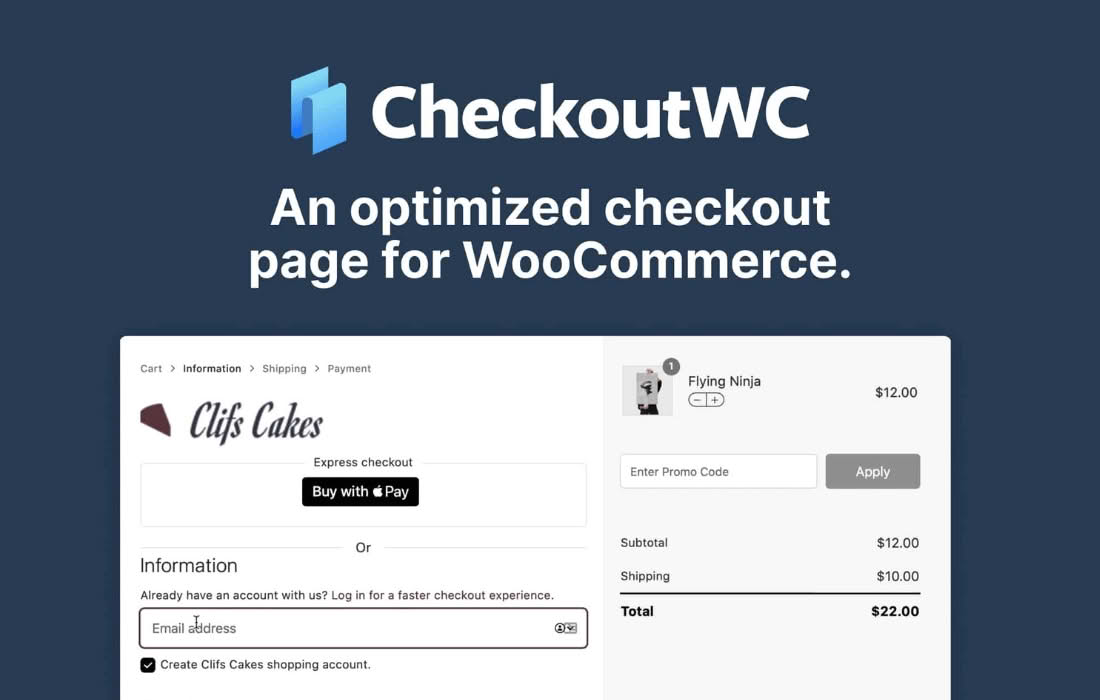
CheckoutWC Pro transforms your standard WooCommerce checkout experience into a high-converting, mobile-optimized, and professional checkout flow that keeps customers moving toward the “Complete Purchase” button. Designed for store owners who understand that every extra second or confusing field in the checkout process leads to abandoned carts, this plugin replaces the default WooCommerce checkout template with a sleek, multi-step, or single-page interface that feels native, fast, and trustworthy.
Key Features
- Modern Checkout Templates: Choose from several professionally designed, conversion-focused templates that look great on any device, ensuring a seamless experience from mobile to desktop.
- Multi-Step or Single-Page Flow: Reduce cognitive load by breaking the checkout process into manageable steps or keeping it concise with a single-page layout, depending on what works best for your specific audience.
- Google Address Autocomplete: Dramatically speed up the checkout process by allowing customers to find and fill their address details automatically, reducing typos and failed deliveries.
- Cart Editing in Checkout: Allow customers to edit quantities or remove items directly within the checkout page without having to navigate back to the cart, keeping them focused on finishing the purchase.
- Trust-Building Elements: Easily add trust badges, security seals, and custom messages to the checkout page to reassure customers during the final, critical moments of their transaction.
- Seamless Integration: Designed to work harmoniously with your existing WooCommerce theme and popular payment gateways, ensuring you don’t have to sacrifice your current setup to gain a better checkout experience.
- Mobile-First Design: Specifically optimized for mobile shoppers, ensuring that buttons are easy to tap, forms are easy to fill, and the entire process is frustration-free on smaller screens.
Use Cases and Who It’s For
CheckoutWC Pro is built for serious WooCommerce store owners, e-commerce managers, and digital agencies who are tired of losing sales due to a clunky, outdated, or confusing checkout process. If you are running high-volume stores where a 1% increase in conversion rate translates to significant revenue, this plugin is an essential tool in your optimization stack.
It is particularly effective for stores with a high percentage of mobile traffic, as the default WooCommerce checkout can often feel cramped or difficult to navigate on smartphones. Whether you are selling physical goods, digital downloads, or subscriptions, CheckoutWC Pro provides the professional polish that builds customer trust and encourages repeat business. It is also an ideal solution for agencies looking to provide their clients with a “premium” e-commerce experience without needing to custom-code a checkout flow from scratch.
Setup and How It Works
Getting started with CheckoutWC Pro is designed to be straightforward, allowing you to upgrade your checkout experience in minutes rather than days.
- Installation: Upload and activate the plugin within your WordPress dashboard just like any other plugin.
- Configuration: Navigate to the settings panel where you can select your preferred checkout template and customize the look and feel to match your brand identity.
- Feature Selection: Enable or disable specific features such as address autocomplete, custom fields, or trust badges based on your store’s requirements.
- Testing: Use the built-in preview tools to see how your new checkout looks on desktop and mobile devices before going live.
- Activation: Once you are satisfied with the configuration, save your settings to instantly replace the default WooCommerce checkout page with the optimized CheckoutWC Pro flow.
Similar Plugins
While CheckoutWC Pro is a comprehensive solution, other plugins in the WooCommerce ecosystem aim to improve the checkout experience. These include:
- WooCommerce Checkout Field Editor: Useful if your primary goal is simply adding or removing specific fields from the checkout form.
- CartFlows: A broader solution that focuses on building entire sales funnels, including checkout pages, upsells, and order bumps.
- PeachPay: Focuses specifically on express checkout buttons and simplified payment flows to speed up the transaction process.