
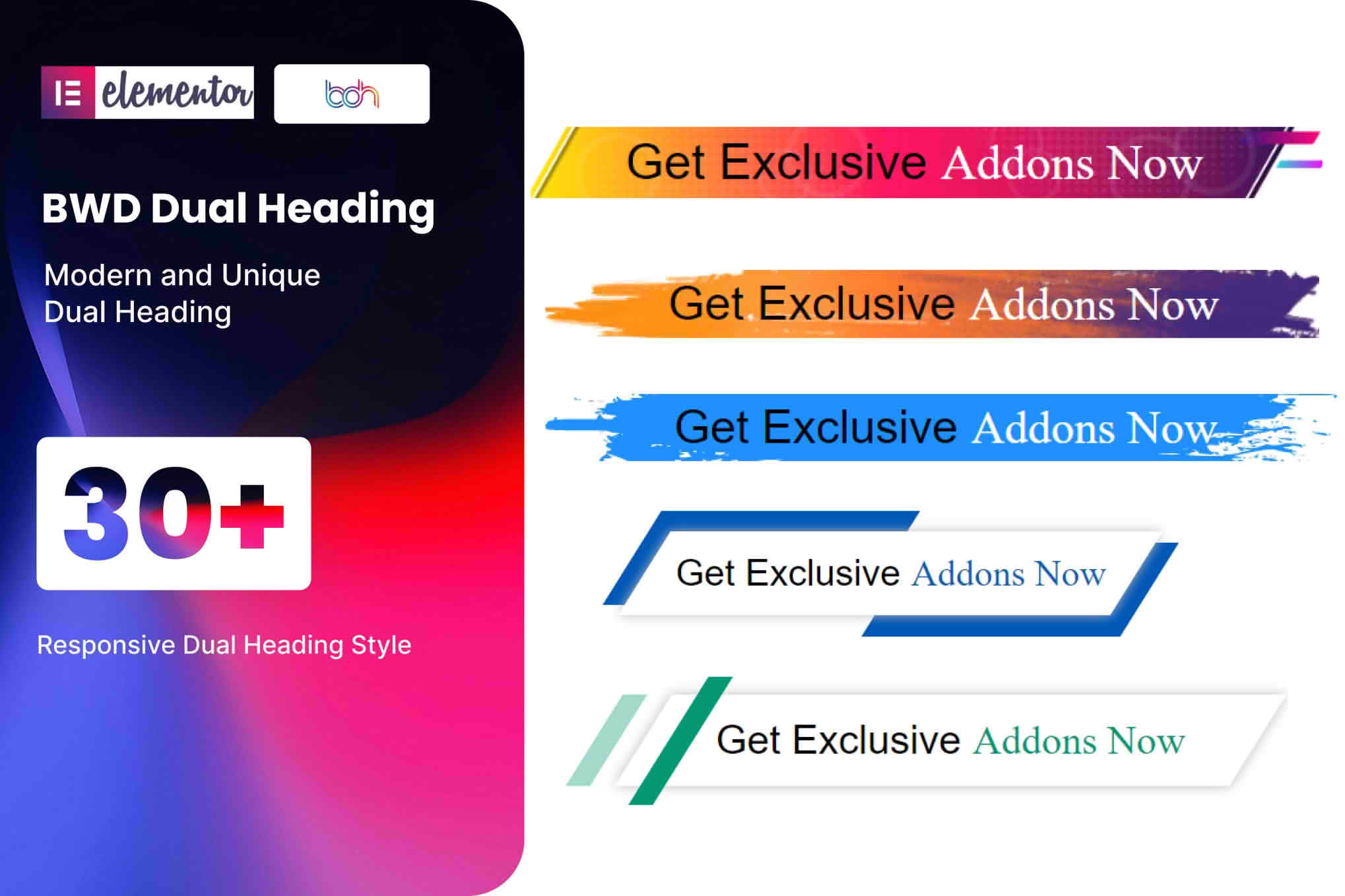
Elevate your website’s typography and capture visitor attention instantly with the BWD Dual Heading addon for Elementor. This powerful extension allows you to create stunning, multi-styled headlines where two parts of a single heading can have distinct colors, fonts, sizes, and styling. Perfect for designers, marketers, and business owners looking to emphasize key messages, this plugin bridges the gap between basic text widgets and high-end, custom-coded design, giving your site a professional, polished look without writing a single line of code.
Key Features
- Dual Styling Control: Effortlessly apply different typography, colors, and background styles to the first and second parts of your heading within the same widget.
- Extensive Typography Options: Gain full control over font family, weight, line height, letter spacing, and text transformation for both heading segments independently.
- Responsive Design Settings: Ensure your dual headings look perfect on every device by adjusting alignment, font sizes, and spacing specifically for desktop, tablet, and mobile views.
- Advanced Spacing and Positioning: Fine-tune the gap between the two heading parts, adjust margins, and control padding to achieve the exact layout balance your design requires.
- Elementor Native Integration: Built specifically for Elementor, this addon provides a seamless drag-and-drop experience that feels like a native part of the page builder interface.
- Customizable Separators: Easily insert and style separators or icons between your heading parts to add visual interest and improve readability.
- Lightweight and Optimized: Engineered for performance, the plugin ensures your site remains fast and responsive, even with multiple dual-heading elements on a single page.
Use Cases / Who It’s For
The BWD Dual Heading addon is an essential tool for anyone who wants to make their web content more impactful. If you are a digital marketer, you can use it to create high-converting landing pages where the primary value proposition stands out with contrasting styles. For web designers and agency owners, this plugin is a time-saver that allows you to deliver sophisticated, custom-looking typography effects to clients quickly and efficiently.
Business owners who manage their own websites will find this tool invaluable for highlighting new product launches, special offers, or core brand messages. By breaking a heading into two distinct visual parts, you guide the reader’s eye, making your copy more scannable and engaging. Whether you are building a personal portfolio, a corporate website, or a high-traffic e-commerce store, the ability to style headings with this level of precision helps establish a strong, professional brand identity.
Setup / How It Works
- Install and Activate: Upload the BWD Dual Heading plugin zip file to your WordPress dashboard via the Plugins menu and activate it.
- Open Elementor Editor: Navigate to the page or post where you wish to add the heading and open it with the Elementor page builder.
- Drag and Drop: Locate the BWD Dual Heading widget in the Elementor sidebar and drag it onto your canvas.
- Configure Content: In the Content tab, enter your primary heading text and specify where the split between the first and second part should occur.
- Style to Perfection: Switch to the Style tab to independently customize the typography, color, and spacing for both the first and second parts of the heading.
- Publish: Once you are satisfied with the look, save your changes and publish your page to see your new, eye-catching dual headings live.
Similar Plugins
If you are exploring options for advanced heading styling within Elementor, you may also consider other popular addons that offer similar functionality, such as Essential Addons for Elementor, Premium Addons for Elementor, or PowerPack for Elementor. Each of these suites includes a variety of heading widgets that provide unique styling capabilities, allowing you to choose the toolset that best fits your specific design workflow and project requirements.