
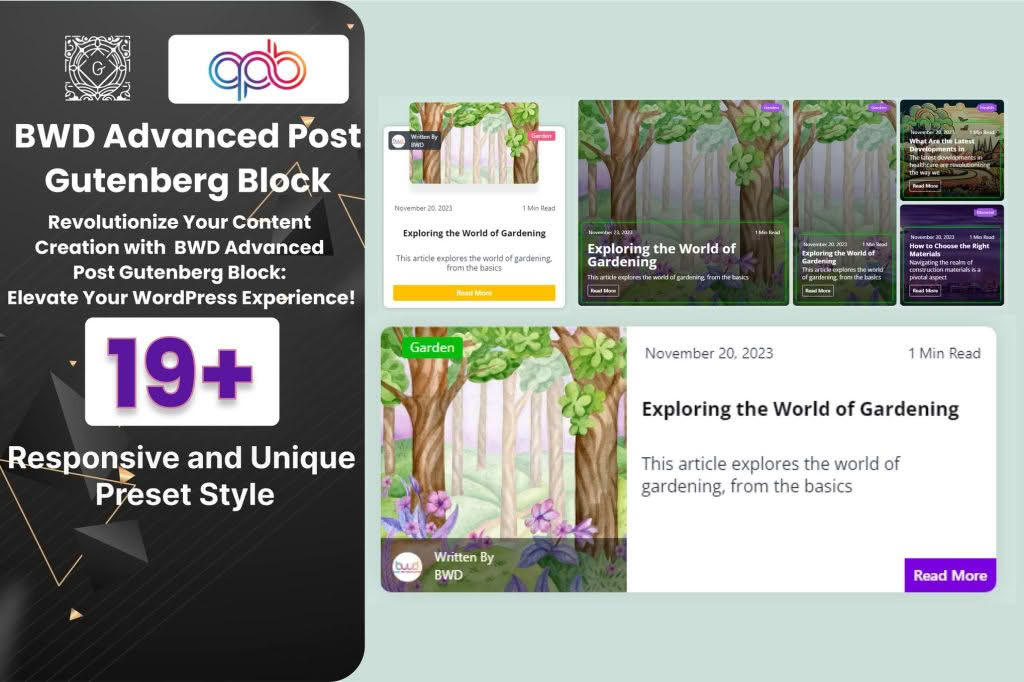
The BWD Advanced Post Block plugin is a powerful toolkit designed for WordPress users who want to showcase their content with professional, eye-catching layouts without writing a single line of code. Whether you are running a news site, a personal blog, or a portfolio, this plugin empowers you to take full control over how your posts appear on your pages. By providing highly customizable blocks for the Gutenberg editor, it bridges the gap between basic WordPress functionality and high-end, magazine-style design, helping you increase reader engagement and keep your audience on your site longer.
Key Features
- Extensive Layout Variations: Choose from a wide array of pre-built post block designs, including grid, list, carousel, and masonry layouts, to ensure your content always looks fresh and structured.
- Full Gutenberg Integration: Built specifically for the WordPress block editor, ensuring a seamless, native experience that feels like a natural part of your site-building workflow.
- Advanced Query Controls: Take complete charge of what content is displayed by filtering posts by category, tag, author, or date, and easily set the number of posts to show or offset for unique homepage designs.
- Deep Customization Options: Modify typography, colors, spacing, and border styles for every element within the block, including titles, excerpts, meta-data, and featured images, to match your brand identity perfectly.
- Responsive Design: Every block is built with mobile-first principles in mind, ensuring your post grids and carousels look fantastic on smartphones, tablets, and desktop computers alike.
- Dynamic Content Support: Easily toggle the visibility of specific post elements, such as post dates, comments, categories, or author names, to create a clean, minimalist look or a detailed, information-rich display.
Use Cases / Who It’s For
BWD Advanced Post Block is an essential tool for anyone looking to elevate their website’s visual appeal. Content creators and bloggers will find it invaluable for organizing their archives into beautiful, readable grids that encourage exploration. News websites and online magazines can utilize the plugin to highlight “Featured” or “Latest” stories in dynamic carousels that grab visitor attention immediately upon landing on the page.
For web designers and agencies, this plugin serves as a massive time-saver. Instead of relying on complex page builders or custom development for simple post listings, you can deploy professional-grade layouts in seconds. It is also perfect for small business owners who manage their own websites and want to showcase portfolio items, case studies, or company blog posts in a way that looks polished, professional, and trustworthy without needing technical expertise.
Setup / How It Works
- Installation: Install and activate the BWD Advanced Post Block plugin through your WordPress dashboard just as you would any other plugin.
- Access the Editor: Navigate to any page or post where you want to display your content and open the Gutenberg block editor.
- Add the Block: Search for “BWD Post Block” in the block inserter menu and drag it onto your canvas.
- Configure Settings: Use the right-hand sidebar to select your desired layout style and adjust the query settings to pull the specific posts you want to showcase.
- Style Your Content: Utilize the styling tabs within the block settings to adjust colors, fonts, and spacing to match your site’s aesthetic.
- Publish: Once you are satisfied with the look, save or publish your page to see your dynamic post feed live on your site.
Similar Plugins
If you are exploring different ways to manage your post displays, you may also encounter other solutions in the WordPress ecosystem. Plugins such as Post Grid, Content Views, and Query Loop blocks (included natively in WordPress core) offer alternative methods for displaying post collections. While these tools share similar objectives, BWD Advanced Post Block distinguishes itself through its specific focus on design-heavy block variations and ease of use within the native Gutenberg interface.