
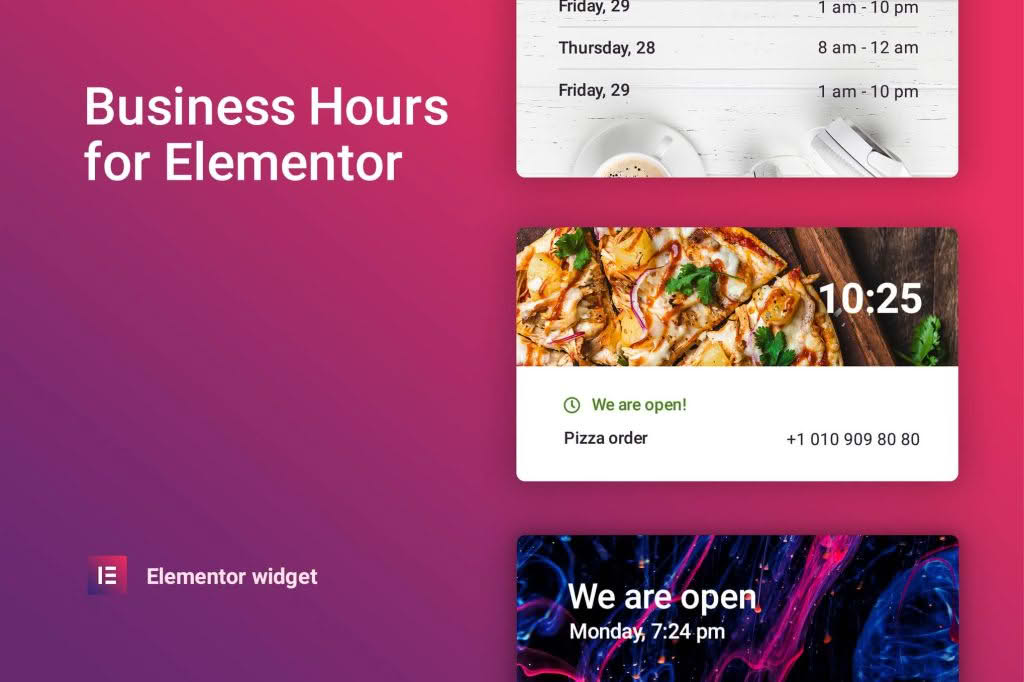
Managing customer expectations is the cornerstone of great service, and nothing frustrates a potential client more than showing up to a closed business. The Business Hours for Elementor plugin bridges the gap between your website and your physical location by providing a seamless, professional, and highly customizable way to display your operating hours directly within your Elementor-built pages. Designed specifically for the Elementor ecosystem, this tool ensures your visitors always know exactly when they can reach you, helping you convert curious browsers into satisfied customers without any complex coding required.
Key Features
- Native Elementor Integration: Drag and drop the business hours widget directly onto any page or template using the familiar Elementor interface, ensuring a consistent design workflow.
- Dynamic Status Indicators: Automatically display whether your business is currently “Open” or “Closed” based on your configured schedule, providing real-time information to your visitors.
- Highly Customizable Styling: Take full control over the look and feel. Adjust typography, colors, padding, and borders to perfectly match your brand’s aesthetic without writing a single line of CSS.
- Flexible Schedule Management: Easily handle standard weekly schedules, including support for split shifts (e.g., morning and afternoon hours) and days where your business might be closed.
- Responsive Design: Your business hours will look perfect on every device, from desktop monitors to mobile phones, ensuring your information remains readable regardless of how your customers access your site.
- Multiple Layout Options: Choose from various display formats to suit your page layout, whether you need a compact list for a footer or a more detailed table for a contact page.
Use Cases / Who It’s For
This plugin is an essential asset for any business with a physical presence or specific service availability. Local restaurants, cafes, and bars can use it to display daily operating hours, ensuring diners know exactly when to stop by. Retail stores can highlight extended holiday hours or special seasonal schedules to drive foot traffic. Service-based businesses, such as dental clinics, law firms, hair salons, and automotive repair shops, benefit by clearly communicating their appointment availability, reducing unnecessary inquiries and phone calls. Whether you are a small business owner managing your own site or an agency developer building professional websites for clients, this plugin provides a reliable, set-it-and-forget-it solution for keeping your operational information accurate and accessible.
Setup / How It Works
- Install and Activate: Once the plugin is installed and activated on your WordPress site, navigate to the page or template where you want to display your hours.
- Drag and Drop: Open the Elementor editor, find the Business Hours widget in the left-hand panel, and drag it into your desired column or section.
- Configure Schedule: Use the content settings tab to input your weekly opening and closing times. You can specify different hours for each day of the week or set specific days as closed.
- Style Your Widget: Switch to the style tab to customize the visual presentation. You can modify fonts, colors, spacing, and alignment to ensure the widget integrates seamlessly with your existing website design.
- Publish: Once you are satisfied with the configuration and appearance, update or publish your page. The widget will automatically handle the “Open/Closed” logic based on your settings and the user’s current time.
Similar Plugins
If you are exploring alternatives within the WordPress ecosystem, there are several other solutions available for managing business hours. Plugins such as WP Business Hours and Five Star Business Hours offer similar functionality for displaying operational times. Additionally, many general-purpose Elementor add-on suites, such as Essential Addons for Elementor or JetElements, include business hours widgets as part of their larger collections of design tools. Choosing between these options often depends on whether you prefer a dedicated, lightweight plugin or a broader toolkit that provides a wider range of design elements for your website.