
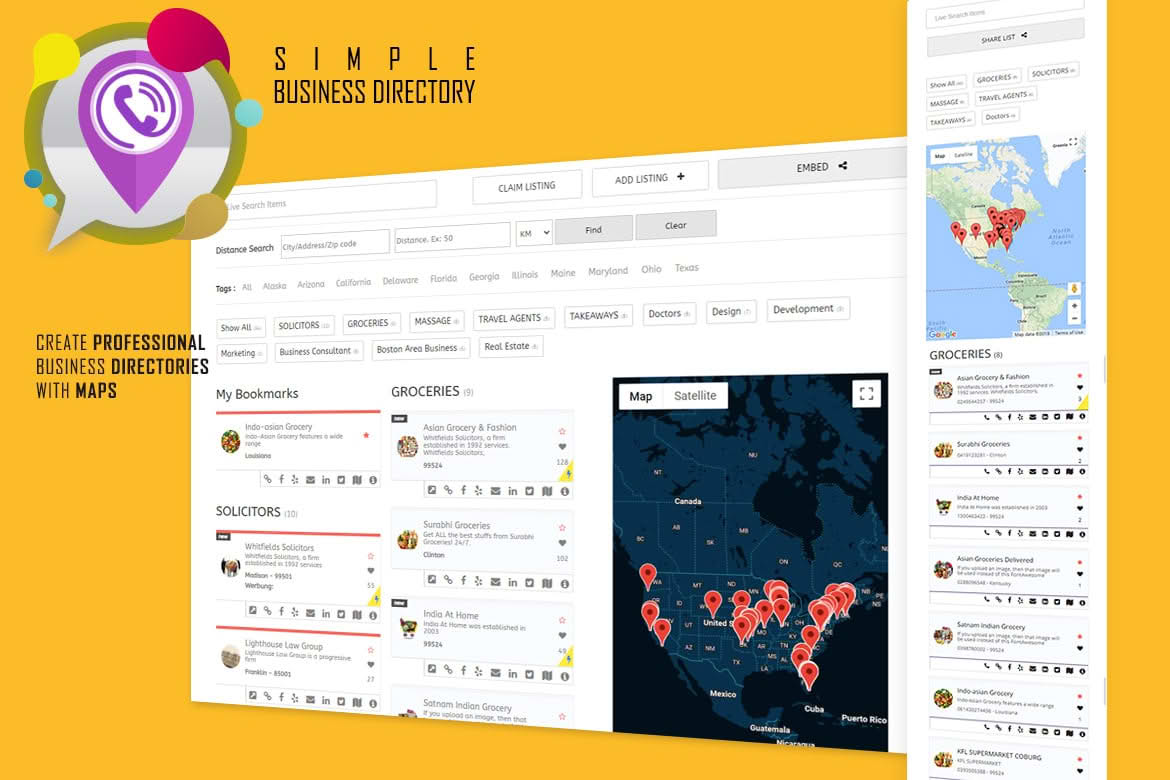
Transform your WordPress website into a powerful location-based hub with the Business Directory with Maps, Store Locator plugin. Designed for businesses that need to connect customers with physical locations, this tool bridges the gap between your online presence and real-world foot traffic. Whether you are managing a single storefront, a national chain, or a complex directory of local service providers, this plugin provides the essential mapping, categorization, and search functionality required to ensure your customers can find exactly what they need, exactly where they are.
Key Features
- Interactive Map Integration: Display all your locations on a dynamic, responsive map powered by major mapping providers. Users can pan, zoom, and click on markers to view details instantly.
- Advanced Store Locator Search: Enable customers to find the nearest locations by entering their city, zip code, or by using their current GPS coordinates.
- Customizable Location Profiles: Create detailed entry pages for every business or store. Include essential information such as addresses, phone numbers, website links, operating hours, and photo galleries.
- Category and Filter System: Organize your directory with custom categories, allowing users to filter results based on specific services, business types, or amenities.
- User-Friendly Interface: Manage your directory directly from the WordPress dashboard with an intuitive interface that requires no coding knowledge to add, edit, or delete locations.
- Responsive Design: Ensure your directory looks professional and functions perfectly on desktops, tablets, and smartphones, providing a seamless experience for mobile users on the go.
- Customizable Map Markers: Differentiate your locations by using custom icons or color-coded markers to highlight specific types of businesses or featured listings.
Use Cases / Who It’s For
This plugin is an essential asset for any organization that relies on physical location data to drive engagement. If you are a franchise owner, the plugin allows you to manage dozens or even hundreds of locations from a single, centralized dashboard, ensuring consistency across your brand. Local chambers of commerce and community organizations can use it to build comprehensive neighborhood guides, helping residents discover local shops, restaurants, and professional services.
Real estate agencies, retail chains, and service-based businesses—such as medical clinics or automotive repair shops—benefit significantly by providing a clear, visual path for potential clients to reach them. By reducing the friction between finding a business online and visiting it in person, you increase the likelihood of conversion and build stronger local brand loyalty.
Setup / How It Works
- Installation: Upload the plugin to your WordPress site via the Plugins menu and activate it to begin the configuration process.
- Configuration: Access the settings panel to connect your preferred mapping API and customize the default look and feel of your map interface.
- Add Locations: Use the dedicated dashboard menu to input your business details, including physical addresses, contact information, and operating hours.
- Categorization: Assign your locations to relevant categories to help users navigate your directory efficiently.
- Display: Utilize the provided shortcode to embed your interactive map and store locator search bar onto any page or post on your website.
Similar Plugins
If you are exploring options for location-based directory management, you may also encounter other solutions in the WordPress ecosystem, such as WP Store Locator, GeoDirectory, and Advanced Store Locator. Each of these plugins offers varying levels of complexity and feature sets, ranging from simple map-based locators to comprehensive, multi-vendor directory platforms. It is recommended to evaluate your specific needs—such as the number of locations, the need for user-submitted listings, or advanced proximity search requirements—to determine which solution best aligns with your long-term website goals.