
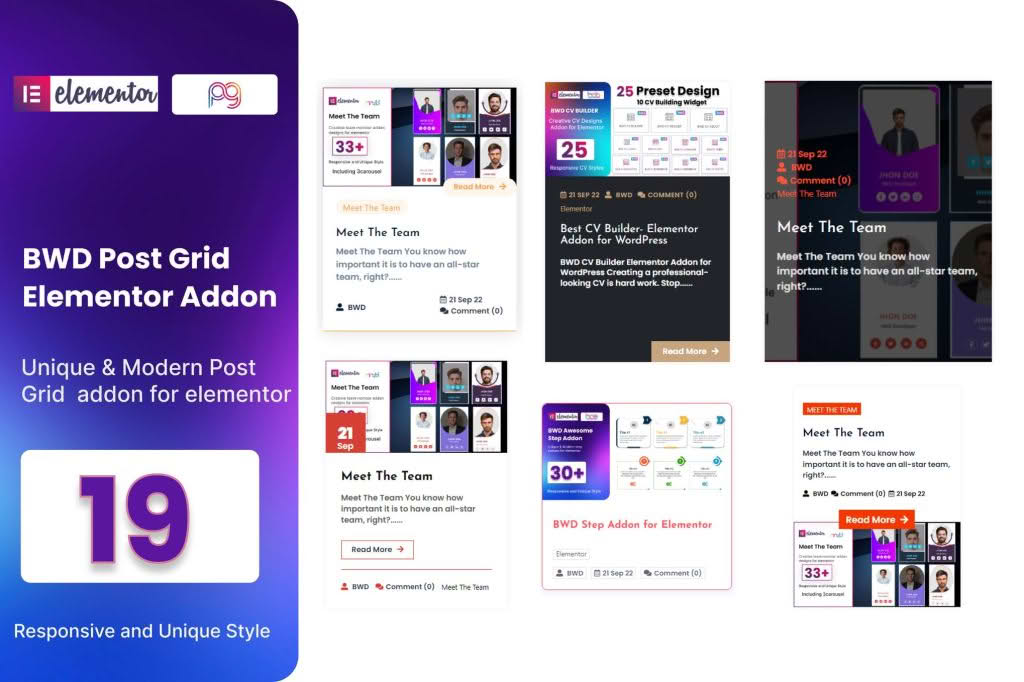
Transform your website’s content presentation with the Blog Post Grid Addon for Elementor, a powerful tool designed to help you showcase your articles, news, and updates in stunning, professional layouts. If you struggle with the default blog display options provided by your theme, this plugin bridges the gap by giving you full design control directly within the Elementor interface. Whether you are a blogger, a business owner, or a web designer, this addon empowers you to create engaging, high-converting content grids that keep your visitors reading longer.
Key Features
- Drag-and-Drop Interface: Seamlessly integrate with Elementor, allowing you to build complex blog grids without writing a single line of code.
- Customizable Layouts: Choose from various grid, list, and masonry styles to match your brand’s unique aesthetic and layout requirements.
- Advanced Query Controls: Take complete charge of what content appears in your grid. Filter posts by category, tag, author, or date, and easily exclude specific posts to curate the perfect feed.
- Responsive Design Settings: Ensure your blog looks perfect on every device. Customize column counts, spacing, and typography specifically for desktop, tablet, and mobile views.
- Styling Options: Gain granular control over every element, including featured images, post titles, excerpts, meta-data, and read-more buttons.
- Pagination and Load More: Improve user experience and site performance with built-in pagination, infinite scroll, or “Load More” button functionality.
- Performance Optimized: Built with clean, lightweight code to ensure that your blog grids load quickly without negatively impacting your site’s core web vitals.
Use Cases / Who It’s For
The Blog Post Grid Addon for Elementor is designed for anyone who wants to elevate their content strategy. For content creators and bloggers, it provides the visual flexibility needed to highlight featured stories or organize archives in a way that encourages exploration. Instead of a standard, monotonous list, you can create magazine-style layouts that draw the eye immediately.
For small business owners, this plugin is an essential tool for showcasing company news, industry insights, or case studies on the homepage. By presenting your blog content in a professional grid, you establish authority and keep your site looking fresh and active. Web designers and agencies will also find this plugin indispensable for client projects. It reduces development time significantly, allowing you to deliver custom-tailored blog sections that meet specific client design briefs while maintaining the ease of use that Elementor provides.
Setup / How It Works
- Install and Activate: Upload the plugin zip file to your WordPress dashboard via the Plugins menu and activate it.
- Open Elementor: Navigate to the page or template where you want to display your blog posts and open it using the Elementor editor.
- Drag the Widget: Locate the new “Blog Post Grid” widget in your Elementor sidebar and drag it onto your canvas.
- Configure the Query: Use the content tab to define your post source, filter by categories, and set the number of posts to display.
- Style to Perfection: Switch to the Style tab to adjust colors, typography, border radius, and spacing to perfectly match your website’s design system.
- Publish: Once you are satisfied with the look and feel, update or publish your page to make the new grid live for your visitors.
Similar Plugins
If you are exploring your options, there are other reputable solutions in the WordPress ecosystem that offer blog grid functionality for Elementor, such as Essential Addons for Elementor, Premium Addons for Elementor, and JetEngine. Each of these suites provides a library of widgets, including post grids, that can serve similar purposes depending on your broader site requirements.