
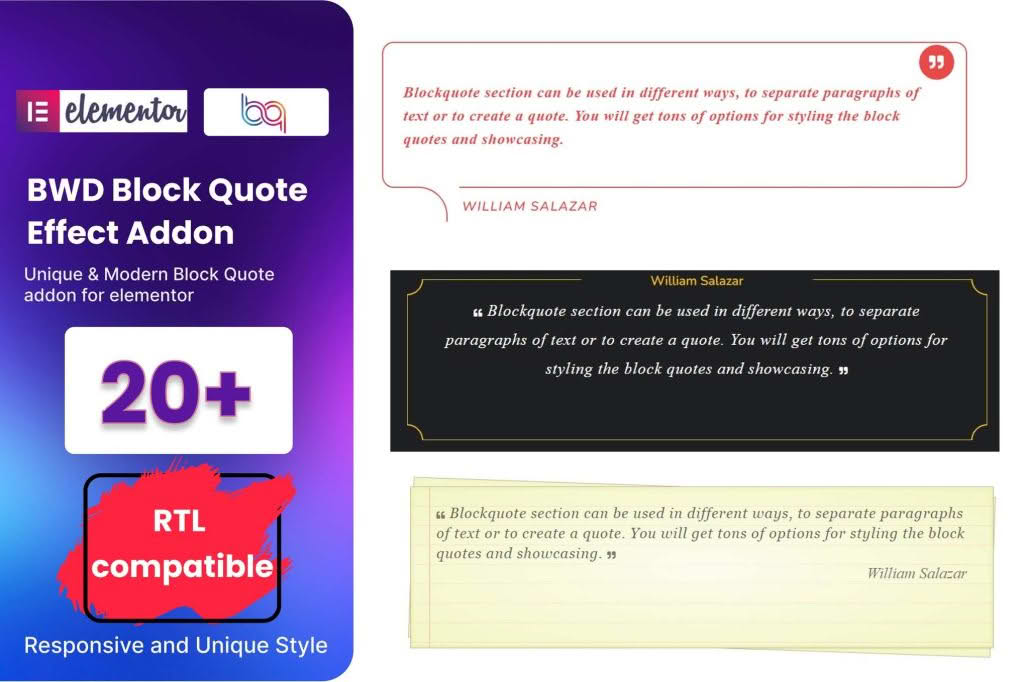
Elevate your website’s typography and storytelling capabilities with the Block Quote addon for Elementor. Designed specifically for content-heavy sites, this plugin empowers you to break up long blocks of text with visually striking, professionally styled quotes that command attention. Whether you are a blogger, journalist, or business owner, this addon provides the design flexibility needed to highlight testimonials, expert opinions, and key insights without ever touching a line of code.
Key Features
- Advanced Styling Controls: Take full command over typography, including font family, size, weight, and line height, ensuring your quotes perfectly match your brand’s visual identity.
- Customizable Design Elements: Easily adjust quote icon placement, border styles, background colors, and padding to create a unique look that stands out from standard text.
- Responsive Design: Ensure your quotes look flawless on every device. Configure specific styling adjustments for desktop, tablet, and mobile views to maintain optimal readability.
- Dynamic Content Support: Seamlessly integrate with Elementor’s dynamic tags, allowing you to pull quote content directly from custom fields or post metadata automatically.
- Animation and Entrance Effects: Engage your readers by adding subtle entrance animations that trigger as the user scrolls, drawing the eye exactly where you want it.
- Lightweight Performance: Built with clean, optimized code to ensure your site remains fast and responsive, preventing any negative impact on your page load times.
Use Cases / Who It’s For
The Block Quote addon for Elementor is an essential tool for anyone looking to improve the readability and aesthetic appeal of their content. If you run a blog or an online magazine, this plugin is perfect for highlighting pull quotes from interviews or key takeaways from long-form articles, keeping your readers engaged throughout the page.
For business owners and service providers, this addon is an excellent solution for showcasing customer testimonials. By presenting social proof in a beautifully designed block quote, you can build trust with prospective clients more effectively than with plain text. Marketing teams can also leverage the tool to emphasize mission statements, brand values, or powerful statistics within landing pages, ensuring that your most important messages are never missed by your visitors.
Setup / How It Works
Getting started with the Block Quote addon is designed to be intuitive for any Elementor user, regardless of technical skill level.
- Install and Activate: Upload the plugin zip file to your WordPress dashboard via the Plugins menu and click activate.
- Access the Widget: Open your desired page or post in the Elementor editor. In the left-hand panel, search for the “Block Quote” widget.
- Drag and Drop: Simply drag the widget onto your page canvas where you want the quote to appear.
- Content Input: Use the Content tab to enter your quote text, author name, and citation link. You can also toggle the visibility of the quote icon here.
- Style and Refine: Navigate to the Style tab to customize colors, typography, borders, and spacing. Use the Advanced tab for additional margin, padding, or motion effects.
- Publish: Once you are satisfied with the look, update or publish your page to see your beautifully styled quote live on your site.
Similar Plugins
If you are exploring other ways to enhance your Elementor site, there are several alternative solutions available for quote management and content styling. Essential Addons for Elementor and Premium Addons for Elementor both include comprehensive quote widgets as part of their larger suites of tools. Additionally, PowerPack Addons for Elementor offers specialized quote elements that focus on unique layout designs and advanced styling options for power users.