
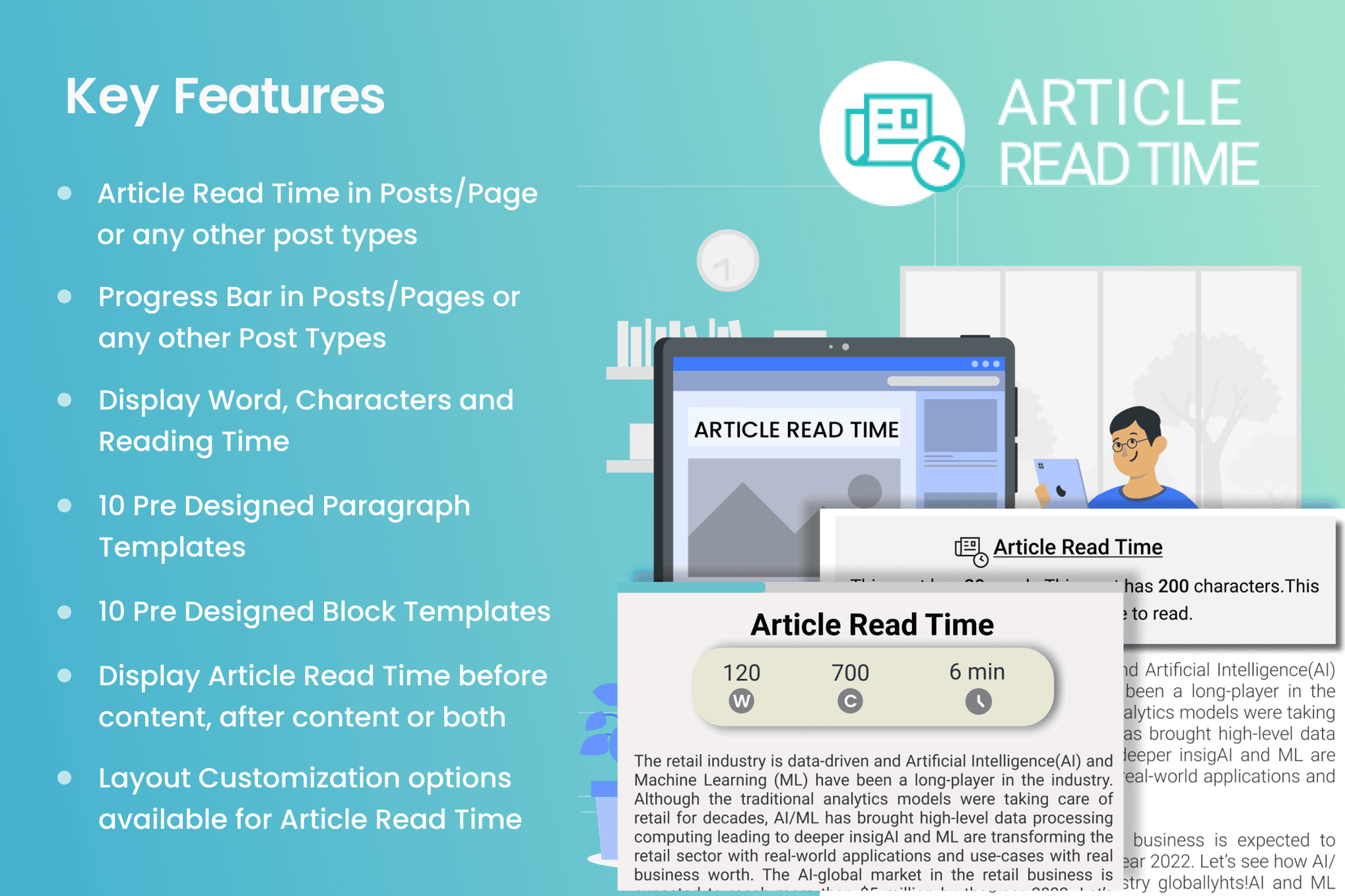
In an era where attention spans are shorter than ever, keeping visitors engaged with your content is a constant challenge. The Article Read Time & Progress Bar plugin provides an elegant, non-intrusive way to manage reader expectations and boost engagement. By clearly indicating how long an article will take to read and providing a visual cue of their progress, you empower your visitors to commit to your content, reducing bounce rates and encouraging deeper exploration of your site.
Key Features
- Estimated Read Time: Automatically calculate and display the estimated time required to read your posts based on average reading speeds.
- Visual Progress Bar: Add a sleek, customizable progress bar at the top or bottom of your page that fills up as the user scrolls, providing immediate visual feedback on how much of the article remains.
- Customizable Display: Tailor the appearance of both the read time text and the progress bar to match your theme’s branding, including color choices and placement options.
- Shortcode Support: Easily insert the estimated read time anywhere within your post content or page templates using simple shortcodes.
- Lightweight Performance: Engineered to be fast and efficient, ensuring that your site’s loading speed remains unaffected by the addition of these features.
- Device Responsive: The progress bar and read time indicators are fully responsive, ensuring they look great and function perfectly on desktops, tablets, and mobile devices.
- Exclusion Settings: Easily disable the read time or progress bar on specific pages, post types, or individual posts where you prefer a cleaner look.
Use Cases and Who It’s For
This plugin is an essential tool for any website that relies on long-form content to attract and retain an audience. If you run a blog, a news portal, or an educational site, your readers need to know what they are getting into before they start scrolling. By showing a 3-minute or 10-minute read time, you set clear expectations, which can lead to higher completion rates for your articles.
Content marketers and SEO specialists will find this plugin particularly valuable. By increasing the time users spend on your pages, you send positive engagement signals to search engines, which can contribute to better rankings. Furthermore, it is an excellent addition for online magazines and editorial sites where user experience is paramount. Whether you are publishing tutorials, opinion pieces, or deep-dive industry reports, providing a progress indicator helps guide the reader through your content, making the experience feel more structured and manageable.
Setup and How It Works
Getting started with the Article Read Time & Progress Bar is designed to be a straightforward process that requires no coding knowledge.
- Installation: Install and activate the plugin through your WordPress dashboard just as you would any other plugin.
- Configuration: Navigate to the plugin settings page to choose your preferred global settings, such as the progress bar color, height, and display position.
- Read Time Settings: Adjust the average words-per-minute setting if you want to fine-tune the accuracy of the read time calculation based on your specific audience.
- Automatic Placement: Enable the automatic insertion feature to have the read time and progress bar appear on all your posts immediately.
- Manual Control: Use the provided shortcodes if you prefer to manually place the read time indicator in a specific location, such as right below the post title or within the author byline.
Similar Plugins
While the Article Read Time & Progress Bar offers a streamlined approach, there are other solutions in the WordPress ecosystem that provide similar functionality, such as Worth The Read, Reading Time WP, and Progress Bar by various developers. Each of these alternatives offers slightly different customization options and interface styles, allowing you to choose the tool that best aligns with your specific design requirements and technical preferences.