
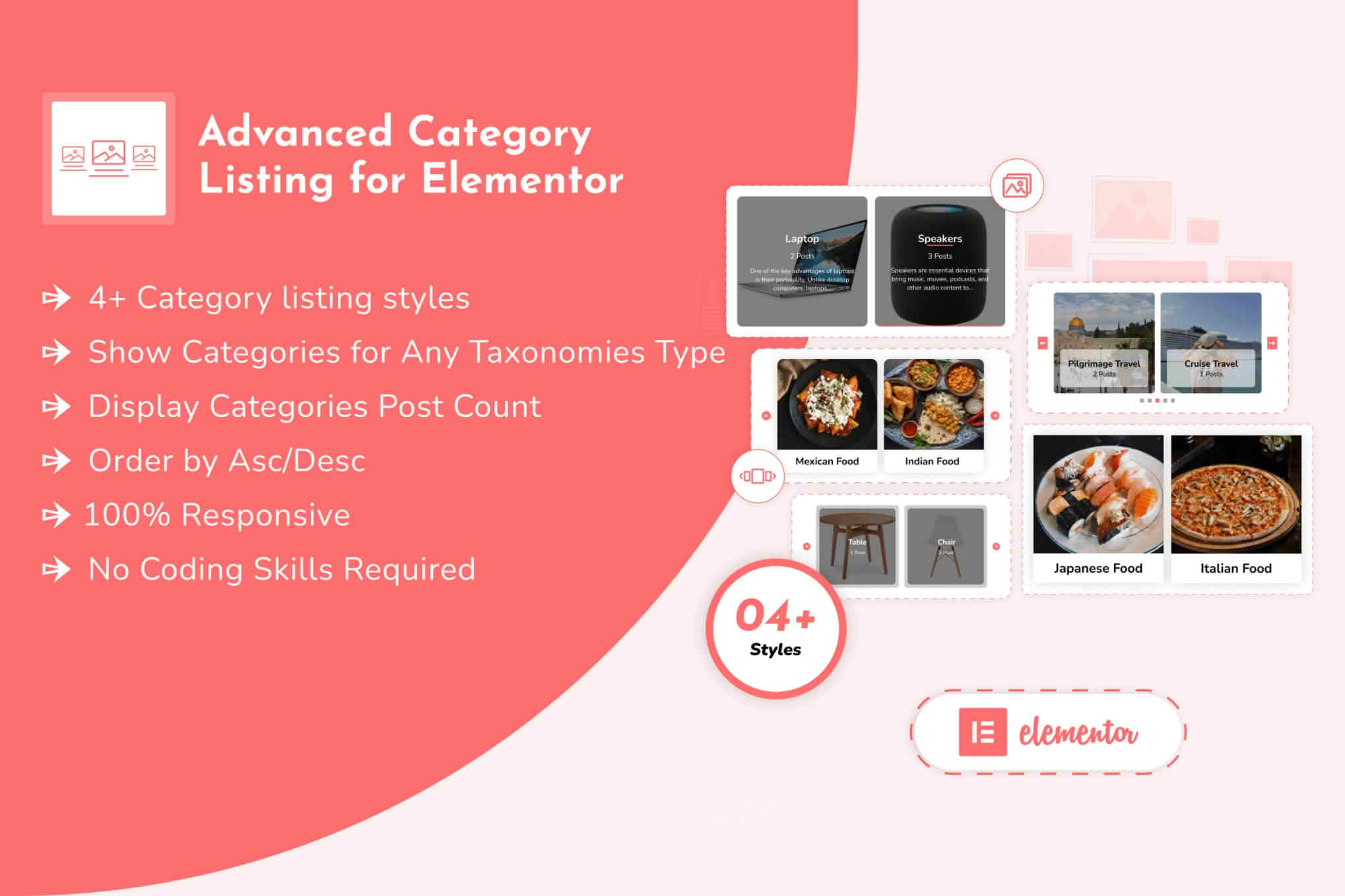
Transform the way your visitors navigate your website by turning standard, boring category lists into engaging, visually stunning layouts. Advanced Category Listing for Elementor is the essential toolkit for WordPress site owners who want to improve user experience, reduce bounce rates, and guide customers directly to the content or products they are looking for, all without writing a single line of code.
Key Features
- Drag-and-Drop Elementor Integration: Seamlessly add your category listings to any page or post using native Elementor widgets. No complex shortcodes or technical configuration required.
- Versatile Display Layouts: Choose from multiple layout styles including grid, list, carousel, and masonry to match your site’s unique design aesthetic.
- Dynamic Content Control: Easily filter which categories to display, hide empty categories, or reorder them based on count, name, or custom criteria to highlight your most important sections.
- Customizable Styling Options: Take full control over typography, spacing, border styles, and hover effects. Ensure your category listings perfectly align with your brand identity.
- Responsive Design: Your category listings will look perfect on every device, from desktop monitors to mobile phones, ensuring a consistent user experience for all visitors.
- Image Support: Enhance your categories by adding featured images or icons directly within the listing, making navigation more intuitive and visually appealing.
- Performance Optimized: Built with clean, lightweight code to ensure your page loading speeds remain fast, keeping both your visitors and search engines happy.
Use Cases and Who It’s For
This plugin is designed for anyone who relies on organized content to drive engagement. Whether you are running a high-traffic blog, a professional portfolio, or a growing e-commerce store, Advanced Category Listing for Elementor helps you structure your site effectively.
For E-commerce Store Owners, this tool is invaluable for creating intuitive shop-by-category sections on your homepage, helping customers find specific product lines faster and increasing conversion rates. Bloggers and Content Creators can use it to create sophisticated “Topic” or “Archive” pages, allowing readers to dive deeper into specific subject matter rather than scrolling through endless chronological posts.
It is also an excellent solution for Web Designers and Developers working with clients. By providing a flexible, easy-to-manage way to display taxonomies, you save hours of development time while delivering a high-end, professional navigation experience that your clients can easily update themselves.
Setup and How It Works
Getting started with Advanced Category Listing for Elementor is designed to be a straightforward process that respects your existing workflow:
- Installation: Install and activate the plugin through your WordPress dashboard just like any other standard plugin.
- Access Widgets: Open any page or template in the Elementor editor. You will find the new category listing widgets automatically added to your Elementor panel.
- Drag and Drop: Simply drag the widget onto your canvas where you want the categories to appear.
- Configure Settings: Use the intuitive Elementor sidebar to select your desired taxonomy (e.g., Categories, Tags, or Custom Taxonomies), choose your layout, and adjust the content display settings.
- Style and Publish: Navigate to the Style tab to adjust colors, fonts, and spacing to match your design. Once satisfied, update your page, and your dynamic category listing is live.
Similar Plugins
If you are exploring your options, there are other tools in the WordPress ecosystem that offer category display functionality, such as Essential Addons for Elementor, PowerPack for Elementor, and Ultimate Addons for Elementor. These suites often include category listing widgets as part of a larger collection of tools. Advanced Category Listing for Elementor stands out by focusing specifically on providing a lightweight, dedicated solution for those who want to master their category displays without installing an entire library of unnecessary widgets.