
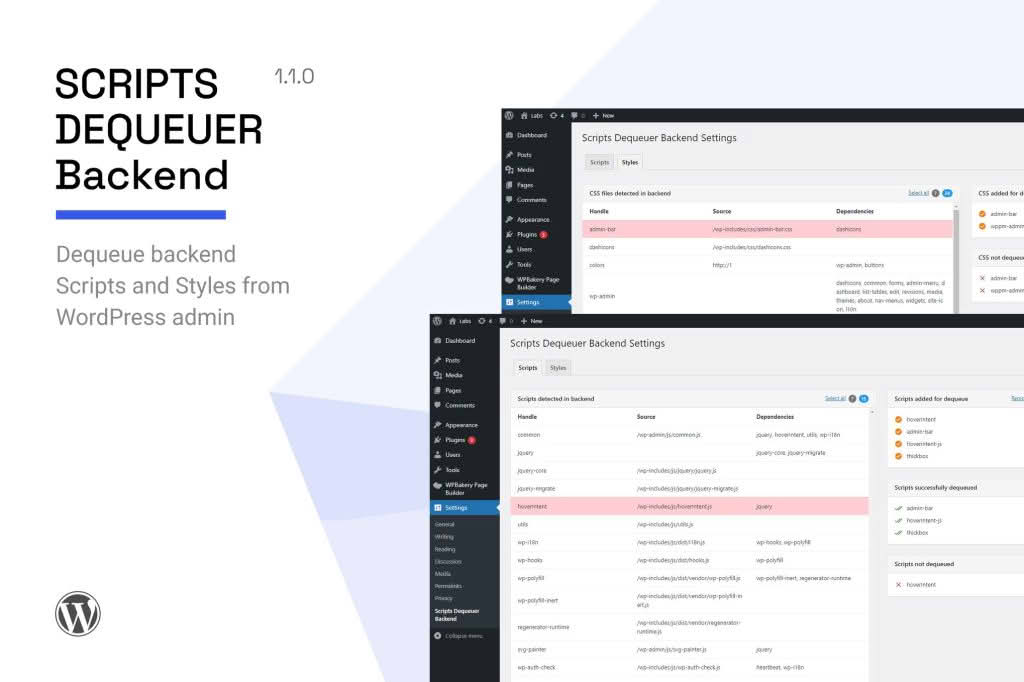
Is your WordPress dashboard feeling sluggish or cluttered with unnecessary scripts? Scripts Dequeuer Backend is a specialized performance utility designed to help site administrators and developers regain control over their WordPress admin area. By selectively removing unwanted JavaScript and CSS files that load in the backend, this plugin helps reduce page load times, minimizes resource conflicts, and creates a cleaner, more efficient working environment for you and your team.
Key Features
- Targeted Dequeuing: Easily identify and disable specific scripts and styles that are registered or enqueued in the WordPress admin dashboard.
- Resource Optimization: Improve the responsiveness of your admin pages by preventing third-party plugins or themes from loading heavy, unnecessary assets.
- Conflict Resolution: Quickly troubleshoot and fix conflicts where a plugin’s backend script interferes with the native WordPress interface or other installed tools.
- Selective Loading: Apply rules to specific admin pages, ensuring that essential assets remain active where needed while stripping them away from areas where they serve no purpose.
- Lightweight Footprint: Built with performance in mind, the plugin itself adds virtually no overhead to your site, ensuring that your optimization efforts don’t come at the cost of system resources.
- User-Friendly Interface: Manage your dequeuing rules through a straightforward settings panel designed for ease of use, regardless of your technical expertise.
Use Cases and Who It’s For
Scripts Dequeuer Backend is an essential tool for WordPress power users, site administrators, and developers who demand a high-performance backend experience. If you manage a complex site with dozens of plugins, you have likely noticed that your admin dashboard can become bloated, leading to slow loading times when switching between pages or editing content.
This plugin is perfect for developers who need to isolate and remove assets that cause JavaScript errors in the admin console, or for site owners who want to streamline their dashboard to improve productivity. By removing assets that are only needed on specific settings pages, you can ensure that your daily tasks‚Äîsuch as writing posts, managing media, or checking analytics‚Äîare not delayed by background processes that aren’t actually being used.
Setup and How It Works
Getting started with Scripts Dequeuer Backend is designed to be a straightforward process for any WordPress user:
- Installation: Install and activate the plugin through your WordPress dashboard as you would with any standard plugin.
- Access Settings: Navigate to the plugin settings page located within the admin menu.
- Identify Assets: Use the provided interface to view a list of scripts and styles currently enqueued on your backend pages.
- Configure Rules: Select the specific scripts or stylesheets you wish to dequeue. You can choose to disable them globally across the entire admin area or target specific administrative screens.
- Save and Test: Save your configuration and navigate through your dashboard to ensure that your site functionality remains intact while enjoying a faster, more streamlined experience.
Similar Plugins
If you are exploring options for backend asset management, you may also encounter other tools designed for script control, such as Asset CleanUp or Perfmatters. While these plugins often provide comprehensive suites for both frontend and backend optimization, Scripts Dequeuer Backend distinguishes itself by maintaining a focused, lightweight approach specifically tailored to the unique requirements of the WordPress administrative environment.