
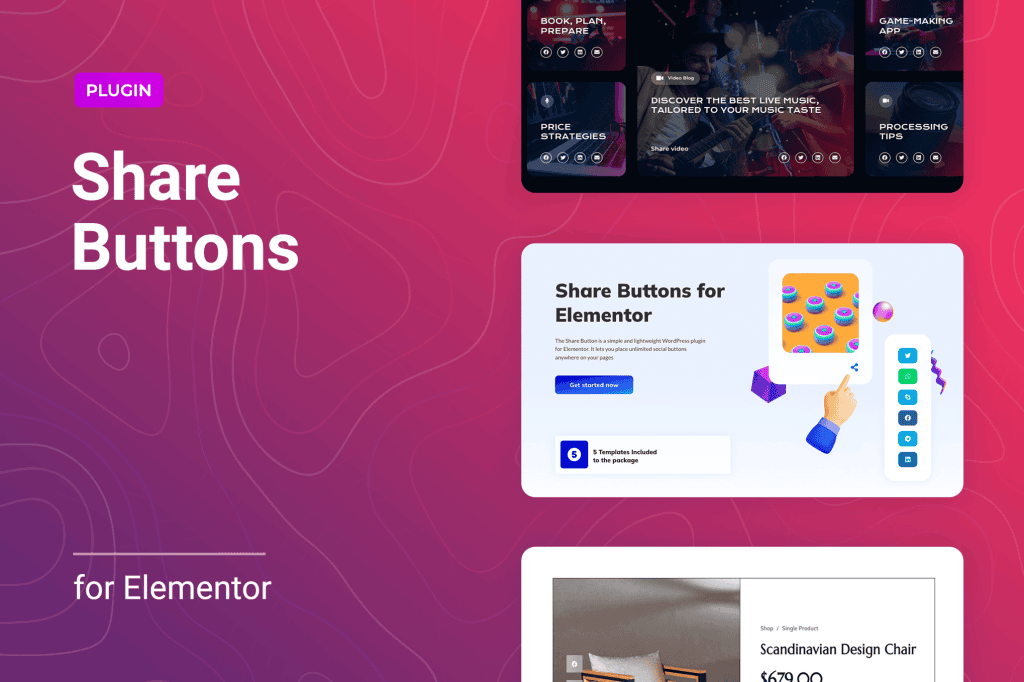
Boost your website’s reach and drive more traffic effortlessly with the Share Buttons for Elementor plugin. Designed specifically for the Elementor page builder, this lightweight and powerful tool allows you to integrate sleek, high-converting social sharing buttons directly into your layouts without touching a single line of code. Whether you are a blogger looking to expand your audience, a business owner aiming to increase brand awareness, or a content creator wanting to make your posts more viral, these intuitive widgets provide a seamless experience that encourages visitors to share your content across their favorite social platforms.
Key Features
- Native Elementor Integration: Drag and drop social sharing widgets directly into any page, post, or template using the Elementor editor you already know and love.
- Extensive Social Network Support: Connect with your audience on major platforms, including Facebook, Twitter (X), LinkedIn, Pinterest, WhatsApp, and many more.
- Highly Customizable Design: Take full control over the look and feel of your buttons. Adjust icon sizes, shapes, colors, hover effects, and spacing to perfectly match your brand identity.
- Responsive Layouts: Ensure your share buttons look perfect on every device. Configure how buttons appear on desktop, tablet, and mobile screens to optimize user engagement.
- Floating and Inline Options: Choose the display style that best fits your content strategy. Place buttons inline within your text or use floating bars that remain visible as the user scrolls.
- Performance Focused: Built with clean, optimized code to ensure your website remains fast and responsive, preventing the performance bloat often associated with heavy social plugins.
- Counter Support: Optionally display share counts to build social proof and encourage more users to join the conversation.
Use Cases: Who It’s For
Share Buttons for Elementor is the perfect solution for anyone who relies on social media to grow their online presence. If you are a content marketer, you understand that every share is a potential new lead or customer; this plugin makes it incredibly easy for readers to amplify your message. For e-commerce store owners, adding social buttons to product pages can significantly increase visibility, as satisfied customers share their latest finds with their personal networks.
Bloggers and news sites will find this tool indispensable for increasing time-on-site and reader retention. By making it effortless for your audience to share your articles, you create a viral loop that brings new visitors to your site daily. Because it integrates natively with Elementor, it is also an ideal choice for web designers and agencies who need a reliable, stylish, and easy-to-configure social sharing solution for their client projects, saving hours of development time.
Setup: How It Works
Getting started with Share Buttons for Elementor is designed to be quick and straightforward, allowing you to go live in minutes:
- Install and Activate: Upload the plugin to your WordPress dashboard and activate it as you would with any other plugin.
- Open Elementor: Navigate to any page or post and open it with the Elementor editor.
- Drag and Drop: Find the new social sharing widgets in your Elementor sidebar panel. Simply drag the widget onto your desired location on the canvas.
- Configure Settings: Use the Elementor settings panel to select the social networks you want to display, choose your preferred icon style, and adjust the layout to fit your design.
- Publish: Once you are happy with the placement and appearance, save or update your page. Your share buttons are now live and ready to capture traffic.
Similar Plugins
If you are exploring your options, there are other reputable social sharing solutions available for the WordPress ecosystem, such as Social Snap, AddToAny Share Buttons, and Shared Counts. While these plugins offer various functionalities, Share Buttons for Elementor stands out specifically for users who want a dedicated, lightweight, and deep integration within the Elementor interface, prioritizing a streamlined workflow over complex, multi-functional plugin suites.