
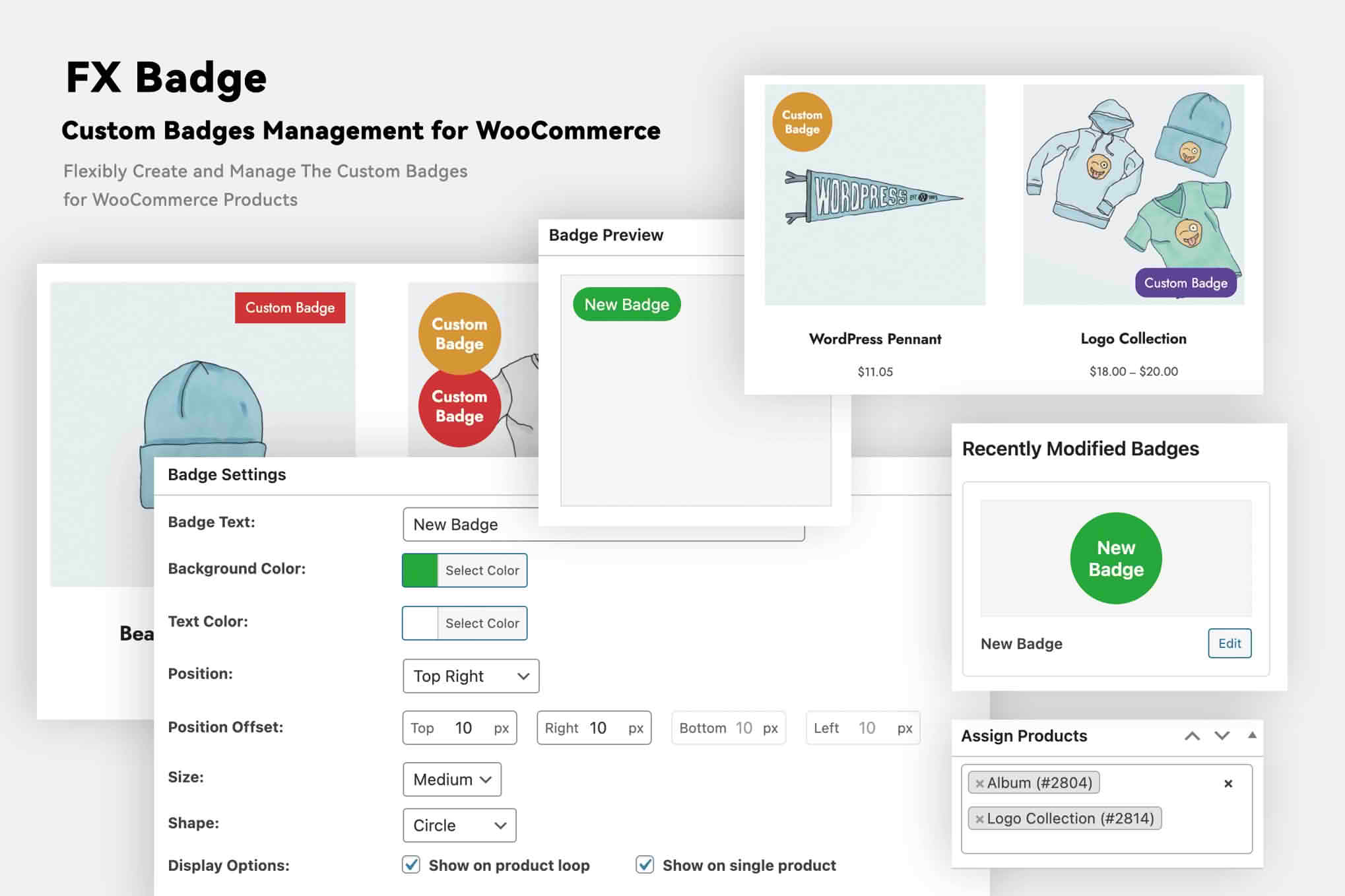
In the competitive world of e-commerce, capturing your customer’s attention in the first few seconds is essential to driving conversions. FX Badge – Custom Badges for WooCommerce empowers store owners to visually highlight key product information directly on their shop and category pages. By adding eye-catching, customizable labels to your products, you can effectively communicate urgency, highlight special offers, or showcase unique product attributes, helping your products stand out and guiding visitors toward making a purchase.
Key Features
- Unlimited Badge Creation: Design as many unique badges as your store requires, allowing you to tailor your visual strategy for different product categories, seasons, or promotional events.
- Flexible Positioning: Easily place badges in various locations on your product images, such as top-left, top-right, bottom-left, or bottom-right, to ensure they complement your existing theme design.
- Customizable Styling: Take full control over the look and feel of your badges. Adjust colors, text, font sizes, and borders to ensure they align perfectly with your brand identity.
- Conditional Logic: Automatically display badges based on specific product criteria. Whether it is for “On Sale” items, “New Arrivals,” “Out of Stock” notifications, or specific product tags, the plugin handles the display rules for you.
- Responsive Design: Rest assured that your badges will look professional and remain readable across all devices, from desktop monitors to mobile smartphones.
- Lightweight Performance: Engineered for speed, the plugin is optimized to ensure that adding visual flair to your store does not negatively impact your site’s loading times or search engine performance.
Use Cases and Who It’s For
FX Badge is designed for WooCommerce store owners, marketers, and designers who want to improve their site’s conversion rate through better visual merchandising. If you are struggling to draw attention to specific items in a crowded catalog, this plugin provides the tools to direct the customer’s eye exactly where you want it.
Retailers frequently use these badges to create a sense of urgency, such as “Limited Stock” or “Flash Sale” labels, which encourage shoppers to act quickly. Furthermore, brand-focused stores use them to highlight product quality, such as “Best Seller,” “New Collection,” “Eco-Friendly,” or “Handmade.” By providing this immediate context, you reduce the friction in the shopping experience, helping customers find exactly what they are looking for while simultaneously increasing the perceived value of your products.
Setup and How It Works
Getting started with FX Badge is designed to be intuitive, allowing you to enhance your store in minutes without needing to touch a single line of code.
- Install and Activate: Upload the plugin to your WordPress dashboard via the Plugins menu and activate it.
- Create Your Badge: Navigate to the FX Badge settings panel to create a new badge. Give it a name and configure the text you want to appear on the label.
- Configure Appearance: Use the built-in customizer to select your preferred colors, font styles, and the specific corner or position where the badge should appear on your product thumbnails.
- Set Display Rules: Define which products should display the badge. You can apply badges globally, to specific product categories, or to individual products based on their tags or stock status.
- Save and Publish: Once your settings are saved, your custom badges will automatically appear on your WooCommerce shop, category, and archive pages, providing an immediate visual update to your storefront.
Similar Plugins
If you are exploring your options, there are other solutions in the WooCommerce ecosystem that offer similar functionality for product labeling and badging. Popular alternatives include YITH WooCommerce Badge Management, which offers a robust set of features for creating and managing product labels, and WooCommerce Product Badges by SkyVerge, known for its deep integration with the WooCommerce core. Additionally, Advanced Product Badges for WooCommerce is another well-regarded option for store owners looking for extensive customization and conditional display rules.