
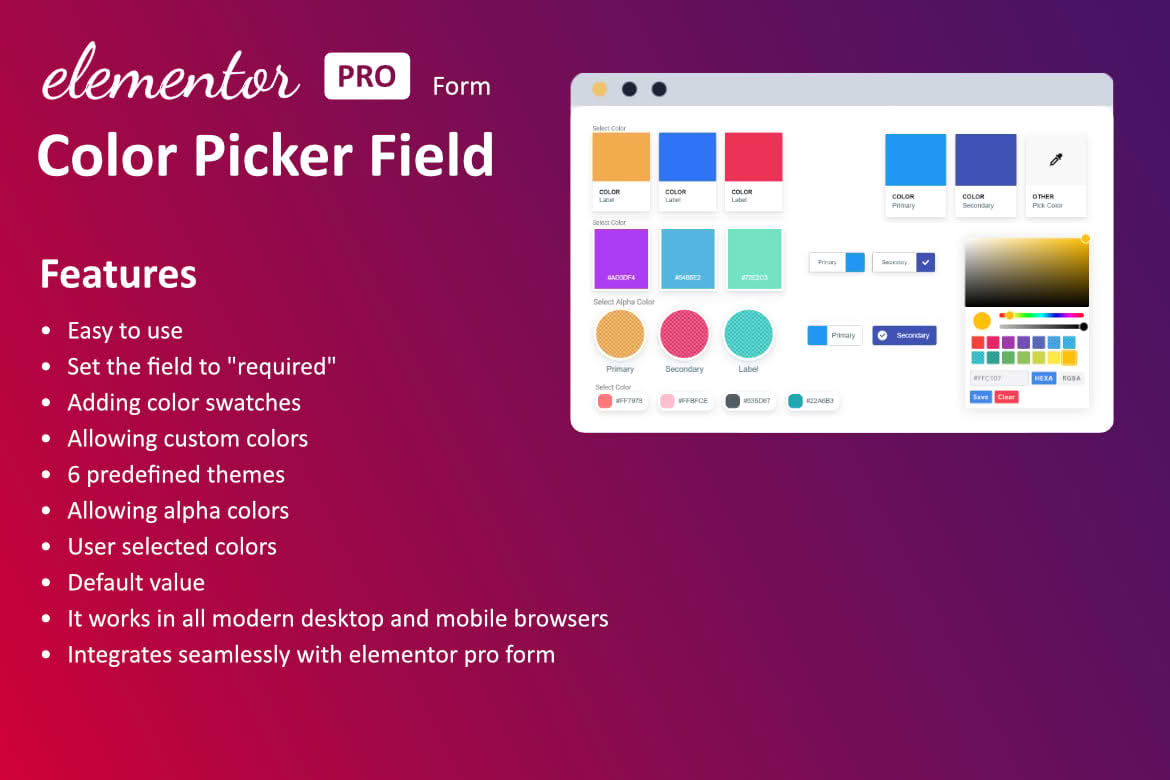
Enhance your Elementor forms with the Color Field for Elementor Form plugin, a specialized tool designed to bring visual interactivity and functional precision to your website’s data collection. Whether you are building a custom product configurator, a design request form, or a personalized user profile, this plugin seamlessly integrates a native color picker directly into your Elementor form builder. By allowing users to select colors visually rather than typing hexadecimal codes, you improve user experience, reduce input errors, and gather more accurate data from your visitors.
Key Features
- Native Color Picker Integration: Adds a dedicated color input field type directly to the Elementor Form widget, ensuring a consistent look and feel with your existing form elements.
- Visual Selection Interface: Provides users with a familiar, intuitive color palette interface, making it easier for them to choose their preferred colors without technical knowledge.
- Seamless Elementor Compatibility: Designed to work natively within the Elementor ecosystem, allowing you to drag and drop the color field into any form just like standard text or email fields.
- Customizable Default Values: Easily set a default color for the field to guide users or pre-select a brand-standard option.
- Validation and Data Handling: Ensures that the selected color values are captured correctly in your form submissions, supporting standard hex color formats for easy integration with your backend processes.
- Responsive Design: The color picker interface is optimized for both desktop and mobile devices, ensuring that your forms remain functional and easy to use regardless of the user’s screen size.
Use Cases and Who It’s For
This plugin is an essential asset for web designers, developers, and business owners who want to move beyond basic text-based forms. It is particularly valuable for businesses that offer customizable products or services. For example, if you run an e-commerce store where customers can request custom-colored furniture, apparel, or promotional items, this plugin allows them to pick the exact shade they desire, reducing back-and-forth communication.
It is also a powerful tool for creative agencies and freelance designers who use forms to gather project requirements. Instead of asking a client to “describe the shade of blue” they want for their logo, you can provide a color picker that allows them to communicate their vision with precision. By simplifying the input process, you increase form completion rates and ensure that the data you receive is actionable and professional.
Setup and How It Works
- Installation: Install and activate the plugin through your WordPress dashboard just like any other standard plugin.
- Access Elementor Form: Navigate to the page or template where you have an Elementor Form widget and open the editor.
- Add Field: Click to add a new item to your form fields. In the “Type” dropdown menu, you will now see the “Color” option provided by the plugin.
- Configure Settings: Select the Color type and configure the label, placeholder, and default values within the Elementor sidebar.
- Save and Publish: Once configured, save your changes. The color picker will now appear automatically on your live form, ready for user input.
Similar Plugins
While the Elementor ecosystem is vast, specialized field extensions are often required to extend the core functionality of the Elementor Form widget. Other plugins that offer extended field types for Elementor forms include Dynamic.ooo, which provides a wide suite of advanced field types, and JetEngine by Crocoblock, which offers comprehensive tools for dynamic data and custom field integration. Color Field for Elementor Form stands out as a lightweight, focused solution for users who specifically need color selection capabilities without the overhead of larger, multi-purpose plugin suites.