
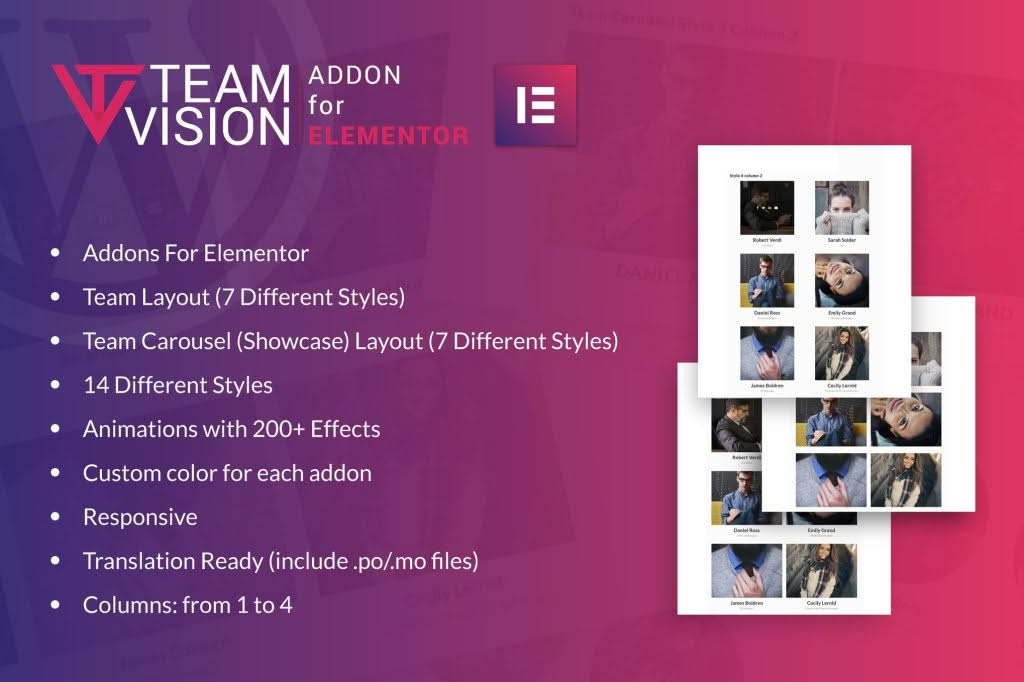
Teamvision for Elementor is a powerful, design-focused WordPress plugin that empowers you to showcase your team members, staff, or collaborators with professional, eye-catching layouts directly within the Elementor page builder. Whether you are building a corporate website, a creative agency portfolio, or a community portal, this plugin eliminates the need for custom coding, allowing you to create beautiful, responsive team sections that build trust and humanize your brand in minutes.
Key Features
- Seamless Elementor Integration: Designed specifically for the Elementor ecosystem, providing custom widgets that drag and drop directly into your page layouts.
- Multiple Layout Styles: Choose from a variety of pre-designed templates, including grid views, carousels, and list layouts, to match your website’s aesthetic.
- Advanced Styling Controls: Take full control over typography, spacing, border radius, background colors, and hover effects without touching a single line of CSS.
- Responsive Design: Every team member block is fully responsive by default, ensuring your team looks perfect on desktop, tablet, and mobile devices.
- Social Media Integration: Easily add icons and links for LinkedIn, Twitter, Facebook, and other professional profiles to encourage networking and connection.
- Customizable Content Fields: Include essential information such as job titles, short biographies, contact details, and custom badges or skills tags for each team member.
- Image Optimization: Built-in controls for image sizing, cropping, and grayscale effects to maintain a clean and consistent look across your entire team section.
Use Cases / Who It’s For
Teamvision for Elementor is the ideal solution for anyone who needs to present a professional team on their WordPress site. It is particularly valuable for web designers and developers who want to speed up their workflow by using pre-built, highly customizable modules instead of building blocks from scratch for every project.
Business owners and marketing professionals will find this plugin essential for building credibility. By showcasing the faces behind your brand, you create a more personal connection with your visitors, which can significantly increase conversion rates. It is perfect for professional service firms, creative agencies, non-profit organizations, educational institutions, and any business that relies on human connection to close deals or build community.
Setup / How It Works
Getting started with Teamvision for Elementor is designed to be straightforward, allowing you to go from installation to a live team section in just a few simple steps:
- Install and Activate: Upload the plugin zip file to your WordPress dashboard via the Plugins menu and activate it.
- Access Elementor: Open any page or template where you wish to display your team using the Elementor editor.
- Drag and Drop: Locate the Teamvision widgets in the Elementor sidebar, then drag your chosen widget onto the page canvas.
- Configure Content: Use the content tab to add team member photos, names, titles, and social media links.
- Style to Perfection: Switch to the style tab to adjust colors, fonts, margins, and hover animations to perfectly match your brand identity.
- Publish: Once you are satisfied with the look and feel, update or publish your page to display your team to the world.
Similar Plugins
If you are exploring options for team management and display within the WordPress ecosystem, there are several alternatives available. Plugins such as Team Members by WP Darko, Team Builder by PickPlugins, and Elementor Addon Elements often provide overlapping functionality for creating staff directories and team grids. While these plugins offer various tools for displaying personnel, Teamvision for Elementor is specifically optimized for those who prioritize a streamlined, native-feeling experience within the Elementor interface.