
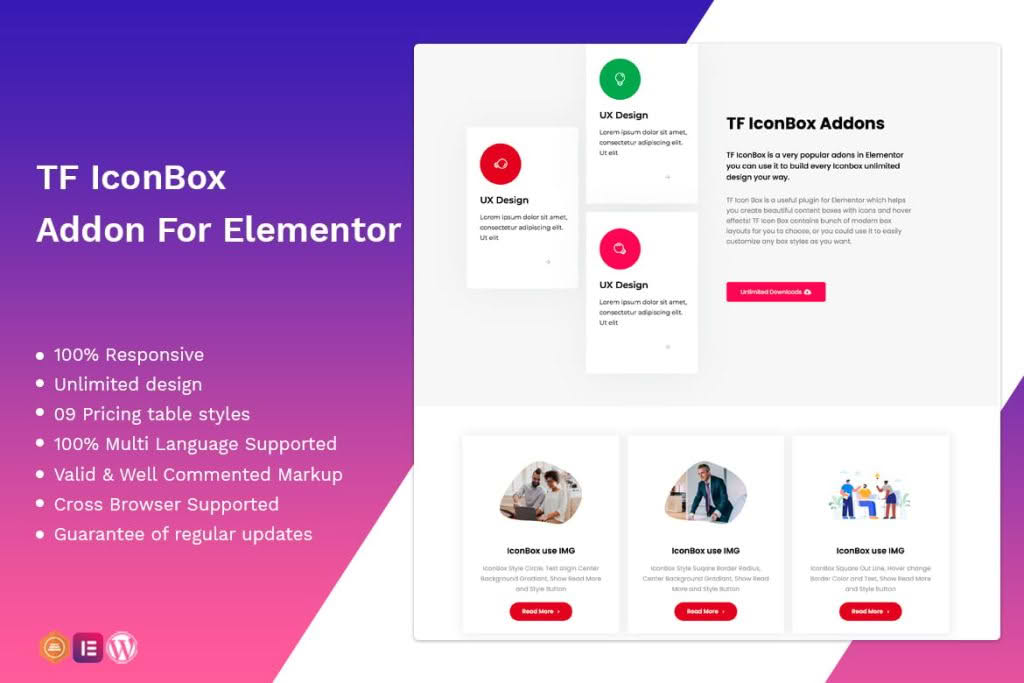
The Icon Box Widget for Elementor is a powerful design tool that bridges the gap between simple text and engaging visual content. Designed for web designers, developers, and business owners, this plugin allows you to create stunning, professional-grade icon boxes directly within the Elementor page builder. By combining icons, headings, and descriptive text into a single, cohesive unit, you can highlight your services, features, or core values in a way that captures visitor attention and improves site readability.
Key Features
- Extensive Icon Library Integration: Seamlessly access and integrate thousands of icons from popular libraries like Font Awesome, ensuring you always have the perfect graphic to represent your message.
- Full Design Customization: Take complete control over the appearance of your icon boxes. Easily adjust icon size, spacing, alignment, colors, and hover effects to match your brand identity perfectly.
- Responsive Layouts: Ensure your content looks flawless on every device. The widget is fully responsive, allowing you to configure different settings for desktop, tablet, and mobile views.
- Advanced Typography Controls: Customize your headings and body text with full access to Google Fonts, font weights, line heights, and letter spacing, ensuring your content is both readable and aesthetically pleasing.
- Interactive Hover Animations: Engage your users with smooth, built-in hover animations that bring your icon boxes to life and encourage interaction.
- Flexible Positioning: Choose from various layout configurations, including icons positioned to the left, right, or top of your text, providing maximum flexibility for different design layouts.
- Linkable Boxes: Turn your entire icon box into a clickable call-to-action, making it easier than ever to guide users to your service pages, contact forms, or external resources.
Use Cases / Who It’s For
This plugin is essential for anyone looking to enhance the visual appeal and professional quality of their WordPress website. If you are a business owner showcasing your services, the Icon Box Widget provides a clean, organized way to display your offerings, making it easy for potential clients to digest information quickly. Freelancers and agencies will find it invaluable for creating high-converting landing pages that need to highlight unique selling points or feature sets in a visually structured manner.
Additionally, bloggers and content creators can use the widget to break up long-form text, creating visual anchors that keep readers engaged throughout the page. Whether you are building a corporate website, a creative portfolio, or an e-commerce storefront, the Icon Box Widget for Elementor provides the design versatility needed to communicate complex information with clarity and style.
Setup / How It Works
Getting started with the Icon Box Widget is designed to be intuitive for anyone familiar with the Elementor interface.
- Installation: Install and activate the plugin through your WordPress dashboard just as you would any other plugin.
- Drag and Drop: Open any page or template in Elementor. Search for the “Icon Box” widget in the Elementor sidebar and drag it onto your canvas.
- Content Configuration: Use the Content tab to select your desired icon, enter your heading, and add your descriptive text. You can also set the link URL here.
- Style and Customize: Switch to the Style tab to adjust colors, typography, spacing, and border settings. Use the Advanced tab to add margins, padding, or custom entrance animations.
- Publish: Once you are satisfied with the look, update or publish your page to see your beautiful new icon boxes live on your site.
Similar Plugins
If you are exploring your options within the Elementor ecosystem, there are several other tools that offer icon box functionality, often bundled as part of larger addon suites. These include Essential Addons for Elementor, Premium Addons for Elementor, and JetElements. While these suites offer a broader range of widgets, a dedicated Icon Box plugin is an excellent choice if you prefer a lightweight, focused solution that keeps your site performance optimized without unnecessary bloat.