
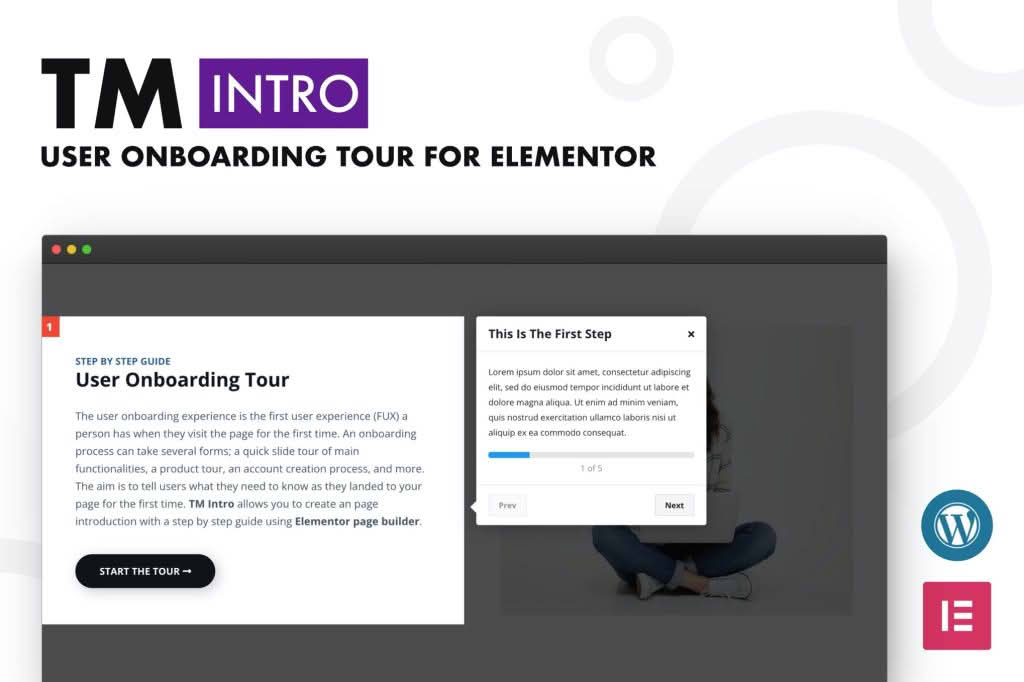
Transform the way your visitors interact with your website by implementing seamless, professional user onboarding tours directly within your Elementor-built pages. The TM Intro – User Onboarding Tour Addon for Elementor empowers site owners, developers, and designers to guide users through complex interfaces, highlight new features, or provide step-by-step instructions without writing a single line of code. By reducing confusion and increasing user engagement, this plugin ensures that your audience understands exactly how to navigate your site and utilize your services effectively from the moment they arrive.
Key Features
- Intuitive Elementor Integration: Designed specifically for the Elementor page builder, allowing you to create, edit, and manage your onboarding tours using the familiar drag-and-drop interface you already use for page design.
- Customizable Tour Steps: Create unlimited steps for your tour, each with the ability to target specific elements on your page. You have full control over the content, positioning, and sequence of every tooltip.
- Flexible Trigger Options: Choose how and when your tours begin. Whether you want a tour to trigger automatically upon page load, after a specific delay, or when a user clicks a specific button, the plugin provides the flexibility to match your user experience goals.
- Responsive Design: Ensure a consistent onboarding experience across all devices. The tooltips and tour overlays are built to adapt seamlessly to desktop, tablet, and mobile screen sizes.
- Interactive Tooltip Styling: Match the look and feel of your brand by customizing the appearance of your tooltips. Adjust colors, typography, and spacing to ensure your onboarding tours feel like a native part of your website design.
- User Progress Tracking: Provide users with clear progress indicators, helping them understand how many steps remain in the tour and reducing abandonment rates.
- Skip and Exit Controls: Respect your users’ time by providing easy-to-access skip buttons or exit options, ensuring that power users are not forced to complete tours they do not need.
Use Cases and Who It’s For
This plugin is an essential tool for any WordPress professional looking to improve conversion rates and reduce support overhead. If you operate an e-commerce store, use this plugin to walk new customers through the checkout process or to highlight promotional banners and new product arrivals. For SaaS providers or membership site owners, TM Intro is perfect for guiding new subscribers through their account dashboards, explaining complex settings, or introducing new functionality after a site update.
Designers and agencies will find this plugin invaluable for delivering “finished” projects to clients. Instead of creating lengthy PDF manuals or recording screen-capture videos that quickly become outdated, you can build an interactive, self-updating tour directly into the client’s dashboard. This proactive approach to user education reduces the number of support tickets you receive and helps your clients feel more confident and capable when managing their own websites.
Setup and How It Works
Getting started with TM Intro is designed to be straightforward, leveraging the Elementor ecosystem to keep your workflow efficient.
- Install and Activate: Once the plugin is installed on your WordPress site, it will automatically register its widgets within the Elementor editor.
- Add the Tour Widget: Open any page or template in Elementor and drag the TM Intro widget onto your canvas.
- Define Tour Steps: Within the widget settings, define each step of your tour. You will select the specific CSS selector or element on the page that you want to highlight for each step.
- Configure Content: Add your instructional text, headings, and optional media to the tooltips for each step.
- Set Triggers and Display Rules: Navigate to the settings tab to determine the trigger behavior—such as automatic start or button-click activation—and define which pages or user roles should see the tour.
- Preview and Publish: Use the Elementor preview mode to test the flow of your tour in real-time, ensuring that the tooltips appear correctly and the navigation logic flows logically for the end user. Once satisfied, publish your changes to make the tour live.
Similar Plugins
If you are exploring options for user onboarding, other solutions in the WordPress ecosystem include WP Tour, Intro.js based integrations, and various dedicated onboarding plugins like PageGuide or Shepherd-based implementations. While these alternatives offer similar functionality, TM Intro is specifically optimized for deep integration with the Elementor workflow, making it the preferred choice for users heavily invested in the Elementor page builder environment.