
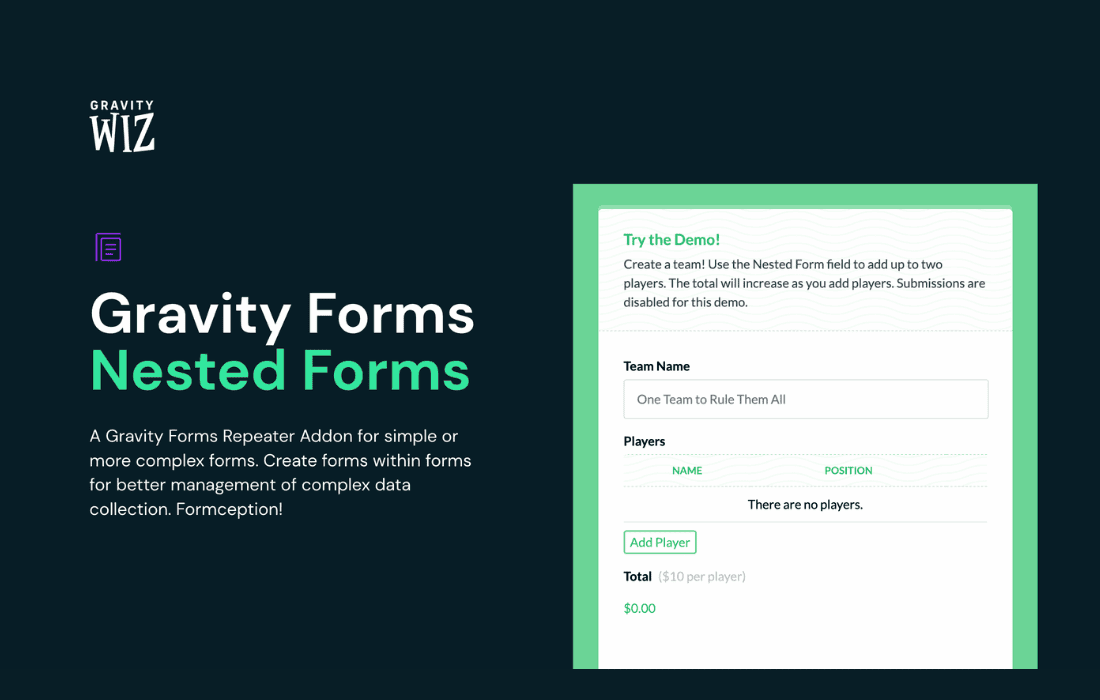
Gravity Perks Nested Forms transforms the way you collect complex, multi-layered data within Gravity Forms. If you have ever struggled to capture repeating data—such as listing multiple family members on a registration form, adding several items to an order, or managing complex project tasks—this plugin provides the elegant, user-friendly solution you need. By allowing you to nest one form inside another, it eliminates the need for clunky, infinite-field setups and provides a clean, professional experience for your users while keeping your backend data organized and actionable.
Key Features
- Nested Form Fields: Seamlessly embed a secondary form within your primary form, allowing users to add, edit, and delete multiple entries of a specific type without leaving the main page.
- Intuitive User Interface: Provide a smooth, modal-based experience where users can input child entries clearly, ensuring they never feel overwhelmed by long, scrolling forms.
- Full Data Integration: Every child entry is linked directly to the parent entry, ensuring that all data is captured, stored, and accessible within your standard Gravity Forms entry management system.
- Merge Tag Support: Easily display information from nested entries in your notifications, confirmations, or even within other parts of your primary form using powerful merge tags.
- Validation and Logic: Apply conditional logic to your nested forms, ensuring that users only see the fields relevant to their specific selections, and enforce validation rules on child entries just as you would on a standalone form.
- Customizable Templates: Control exactly how the nested entry summaries appear to the user, allowing you to highlight the most important information after an entry has been added.
Use Cases / Who It’s For
Gravity Perks Nested Forms is an essential tool for developers, site administrators, and business owners who need to collect structured, repeating data. It is particularly powerful for organizations that manage complex workflows.
If you run an event registration site, you can use this plugin to allow a single user to register multiple attendees under one main booking, collecting unique details like dietary restrictions or t-shirt sizes for each person. For educational institutions or HR departments, it simplifies the process of collecting history, such as listing multiple previous employers or academic qualifications, without forcing the user to navigate away from the primary application form.
Business owners managing service requests or custom orders will find it invaluable for allowing clients to specify multiple items or tasks within a single request. By keeping all related information grouped together, you reduce administrative overhead and ensure that no critical data is lost or misaligned during the submission process.
Setup / How It Works
Getting started with Nested Forms is designed to be straightforward for anyone already familiar with the Gravity Forms interface.
- Create Your Forms: Build your primary form and the secondary “child” form that you wish to nest.
- Add the Field: In your primary form editor, add the “Nested Form” field from the field library.
- Configure the Settings: Open the Nested Form field settings and select the child form you created. You can also configure the button labels, modal settings, and entry limits.
- Customize the Summary: Use the field settings to define which fields from the child entry should be displayed in the summary table that the user sees after adding an entry.
- Save and Publish: Once configured, your users will see a clean interface that allows them to add, edit, and manage their child entries directly within the parent form.
Similar Plugins
While Gravity Forms is a robust ecosystem, other tools exist to handle repeating data, though they often function differently. Plugins like Gravity Forms Repeater Add-on offer an alternative approach to handling repeating fields. While the Repeater Add-on is excellent for simple, single-field sets, Gravity Perks Nested Forms is generally preferred for more complex scenarios where each “item” requires its own validation, conditional logic, and distinct field types.