
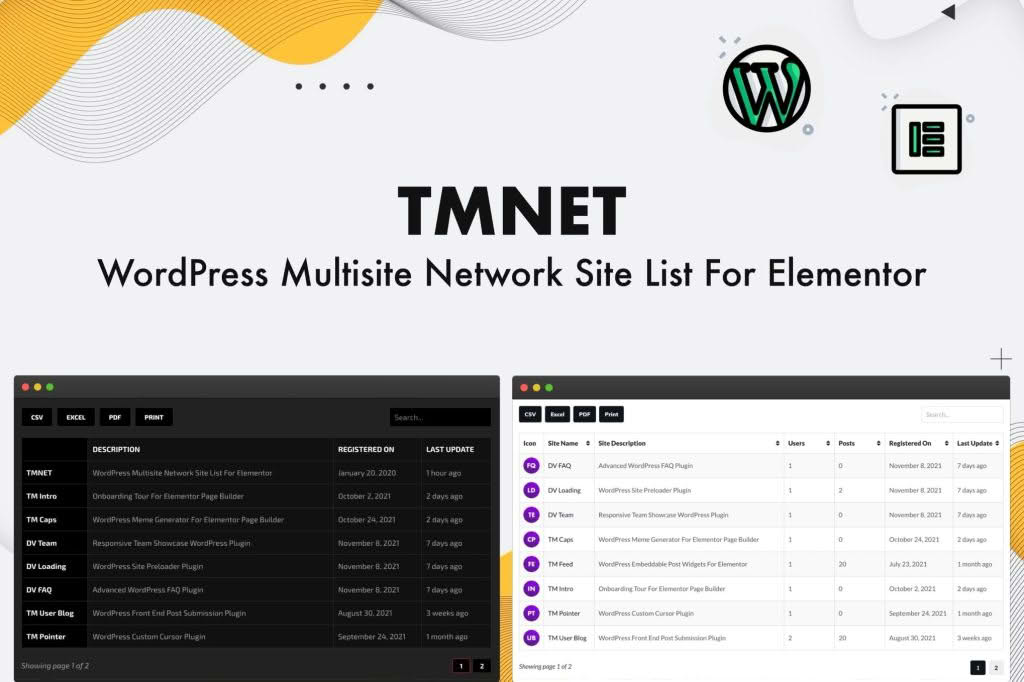
Managing a network of websites within a WordPress Multisite environment can quickly become a logistical challenge, especially when you need to display your network sites to your users, clients, or internal team. The TMNET WordPress Multisite Site List For Elementor plugin bridges this gap by providing a seamless, native integration with the Elementor page builder. It empowers you to create dynamic, stylish, and highly customizable lists of your network sites directly within the Elementor editor, ensuring your site directory remains accurate, professional, and easy to navigate without writing a single line of code.
Key Features
- Native Elementor Integration: Drag and drop the dedicated widget directly into your Elementor layouts, ensuring a smooth workflow that matches your existing design process.
- Dynamic Site Display: Automatically pull site information from your WordPress Multisite network, ensuring that as you add or remove sites, your list updates in real-time.
- Customizable Display Options: Choose which site data to display, including site titles, descriptions, URLs, and custom icons, giving you full control over the information architecture.
- Advanced Filtering and Sorting: Organize your network sites by creation date, alphabetical order, or custom criteria, helping users find the specific site they need within a large network.
- Responsive Design Controls: Fully compatible with Elementor’s responsive settings, allowing you to ensure your site list looks perfect on desktops, tablets, and mobile devices.
- Styling Flexibility: Leverage Elementor’s robust styling options to adjust typography, colors, spacing, borders, and hover effects to perfectly match your brand identity.
- Performance Optimized: Built with clean, efficient code to ensure that your site lists load quickly, even when your network contains a large number of sites.
Use Cases and Who It’s For
This plugin is an essential tool for network administrators, web agencies, and enterprise organizations managing complex WordPress Multisite installations. If you are running a hosted service where users need to browse available sites, a corporate intranet that links to various departmental portals, or a community network showcasing member blogs, this plugin simplifies the presentation layer.
For web agencies, it is a time-saver that allows you to build professional client dashboards or network directories in minutes rather than hours. For site owners, it provides a polished, user-friendly interface that improves navigation and enhances the overall user experience of your multisite network. By removing the need for custom development or complex shortcodes, it makes the management and promotion of your network sites accessible to anyone using the Elementor ecosystem.
Setup and How It Works
Getting started with TMNET WordPress Multisite Site List For Elementor is straightforward, designed to get your site directory live with minimal effort.
- Installation: Install and activate the plugin through your WordPress network admin dashboard.
- Elementor Access: Open any page or template where you wish to display your network sites using the Elementor editor.
- Widget Placement: Locate the “TMNET Site List” widget in the Elementor sidebar and drag it into your desired section or column.
- Configuration: Use the Content tab in the widget settings to select which sites to display and choose the specific metadata (titles, descriptions, etc.) you want to show.
- Customization: Navigate to the Style tab to adjust the layout, typography, colors, and spacing to align with your website’s design.
- Publish: Once you are satisfied with the appearance and functionality, save your changes and publish the page to make your network site list live.
Similar Plugins
While the TMNET WordPress Multisite Site List For Elementor offers a specialized, Elementor-centric approach, other solutions exist for managing multisite directories. These include plugins like “Multisite Site List” or various “WP Multisite Directory” plugins that offer shortcode-based displays. However, these alternatives often lack the deep, visual, and real-time design capabilities that the Elementor-integrated widget provides, making TMNET a superior choice for those already invested in the Elementor page builder workflow.