
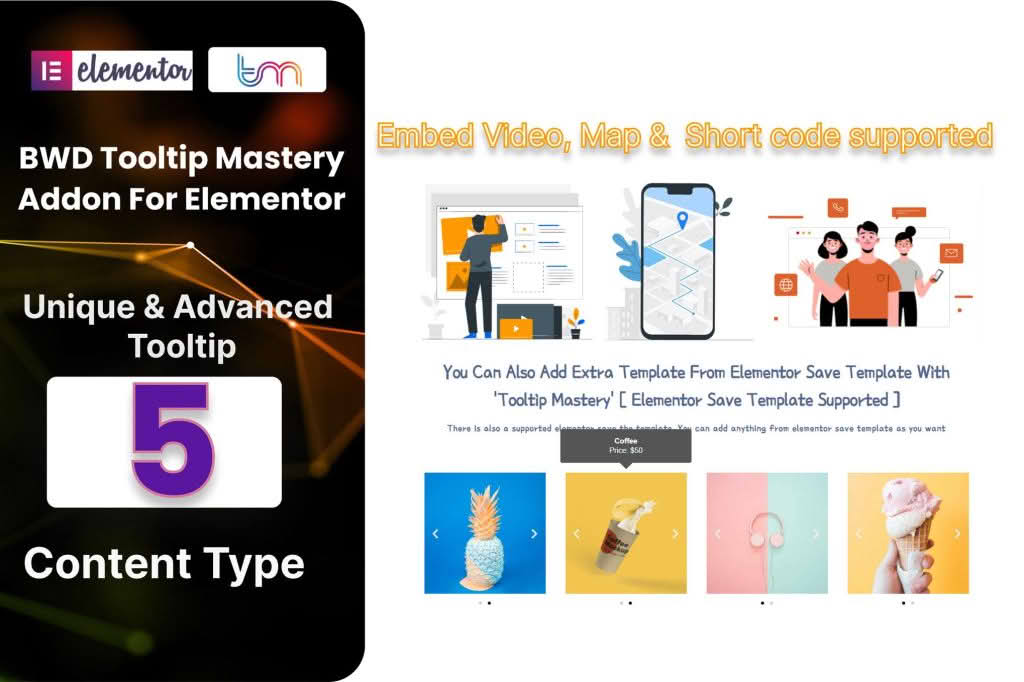
Enhance user engagement and provide instant clarity on your website with the Tooltip Master Addon for Elementor. This powerful extension allows you to add informative, interactive, and visually appealing tooltips to any element within your Elementor-built pages. Whether you need to explain complex terminology, provide helpful hints for form fields, or display additional product details without cluttering your layout, this plugin gives you the tools to create a cleaner, more intuitive user experience that keeps visitors informed and engaged.
Key Features
- Versatile Trigger Options: Choose how your tooltips appear by setting them to trigger on hover, click, or focus, ensuring the interaction feels natural for your specific design.
- Full Elementor Integration: Seamlessly drag and drop the tooltip widget anywhere on your page. It works harmoniously with your existing Elementor widgets, sections, and columns.
- Rich Content Support: Go beyond simple text. You can insert images, icons, shortcodes, or even other Elementor templates inside your tooltips to create highly customized information boxes.
- Advanced Styling Controls: Take complete control over the appearance of your tooltips. Customize background colors, text typography, border radius, padding, and shadow effects to perfectly match your brand identity.
- Flexible Positioning: Place your tooltips exactly where you need them with support for top, bottom, left, and right alignment relative to the target element.
- Entrance Animations: Add a professional touch with built-in animation effects. Choose how your tooltips fade, slide, or zoom into view to grab user attention effectively.
- Mobile Responsiveness: Ensure your tooltips look and behave perfectly on all devices. The plugin includes settings to manage how tooltips display on smaller screens, maintaining usability across mobile and desktop.
- Performance Optimized: Built with clean code to ensure your website remains fast and responsive, providing a smooth experience for your visitors without unnecessary bloat.
Use Cases / Who It’s For
The Tooltip Master Addon is an essential utility for anyone looking to improve website usability and conversion rates. Website owners and designers use this plugin to reduce friction and answer user questions before they even have to ask. For e-commerce store owners, it is perfect for providing size charts, material information, or shipping details directly on product pages without overwhelming the user with text. Educational sites and service providers utilize tooltips to define industry-specific jargon, helping to guide users through complex processes or sign-up forms. By providing context exactly when and where it is needed, you can significantly reduce bounce rates and improve the overall professional feel of your site.
Setup / How It Works
Getting started with the Tooltip Master Addon is designed to be straightforward for both beginners and experienced developers. Follow these simple steps to implement your first tooltip:
- Install and Activate: Upload the plugin to your WordPress dashboard and activate it alongside your existing Elementor installation.
- Locate the Widget: Open any page or template in the Elementor editor. Search for the “Tooltip Master” widget in the left-hand sidebar.
- Drag and Drop: Drag the widget onto your page and place it next to the element you want to provide information for.
- Configure Content: Use the Content tab to enter your tooltip text or select the content type you wish to display.
- Style and Position: Navigate to the Style tab to adjust colors, fonts, and spacing. Use the settings panel to choose the desired animation and the specific side of the element where the tooltip should appear.
- Save and Publish: Once you are satisfied with the look and feel, update your page to make the tooltips live for your visitors.
Similar Plugins
If you are exploring options for adding tooltips to your WordPress site, you may also encounter other solutions such as the Premium Addons for Elementor, Essential Addons for Elementor, or various dedicated tooltip plugins like Tooltipy or WordPress Tooltips. These alternatives often provide varying sets of features, ranging from simple text-only tooltips to complex, interactive elements, allowing you to choose the solution that best fits your specific design requirements and workflow.