
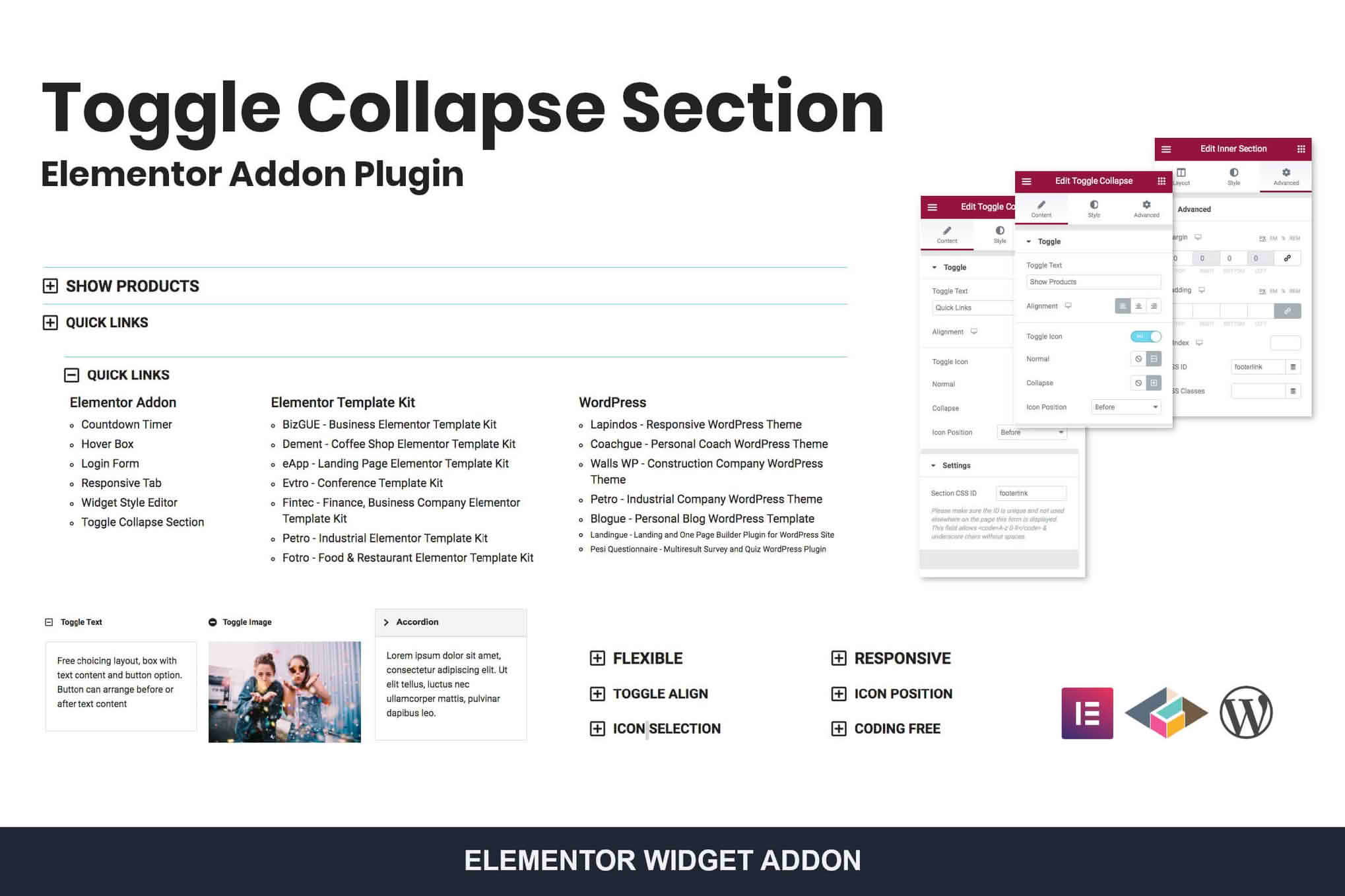
The Toggle Collapse Section Elementor Addon is an essential tool for WordPress site owners looking to improve user experience by organizing long-form content into clean, interactive, and space-saving layouts. By allowing visitors to reveal information only when they need it, you can reduce visual clutter, decrease bounce rates, and guide your users through your content more effectively. Whether you are building an extensive FAQ page, a complex product specification list, or a dense documentation hub, this addon gives you full control over how your information is presented within the Elementor page builder.
Key Features
- Intuitive Elementor Integration: Designed specifically for the Elementor ecosystem, this addon functions as a native widget, allowing you to drag, drop, and customize your toggle sections directly within the familiar Elementor interface.
- Fully Customizable Styling: Take complete control over the look and feel of your toggle sections. Adjust typography, colors, borders, shadows, and spacing to ensure every collapsible element perfectly matches your website’s existing branding.
- Responsive Design: Ensure a seamless experience across all devices. The toggle sections are built to be fully responsive, meaning they function flawlessly on desktops, tablets, and mobile phones, maintaining readability regardless of screen size.
- Icon and Animation Controls: Enhance user interaction with customizable toggle icons and smooth opening/closing animations. Choose from a variety of icon libraries or upload your own to provide clear visual cues that content is expandable.
- Nested Content Capabilities: Go beyond simple text. The widget allows you to place other Elementor widgets, images, or even shortcodes inside the toggle content area, giving you limitless flexibility in how you present your information.
- Performance Optimized: Built with clean, lightweight code, this addon ensures that your site remains fast and responsive, preventing the performance bloat often associated with heavy page builder add-ons.
Use Cases / Who It’s For
This plugin is ideal for any WordPress professional, developer, or business owner who regularly deals with large volumes of content. If your website suffers from “scrolling fatigue,” where users are overwhelmed by long pages, this tool is the perfect remedy.
FAQ Sections: Instead of listing dozens of questions and answers that take up an entire page, use toggles to keep the page concise. Users only expand the questions that are relevant to them.
Product Documentation: Technical documentation often requires detailed explanations. Using collapsible sections allows you to group related information, making it easier for customers to find the specific help they need without navigating away from the page.
E-commerce Stores: Use toggles on product pages to hide secondary information like shipping policies, sizing guides, or detailed material specifications, keeping the focus on the product imagery and the “Add to Cart” button.
Service Pages: Agencies can use these elements to break down complex service offerings into digestible chunks, highlighting key benefits while keeping the detailed technical processes hidden until requested.
Setup / How It Works
Getting started with the Toggle Collapse Section Elementor Addon is straightforward and requires no coding knowledge:
- Install and Activate: Once you have installed the plugin, activate it through your WordPress dashboard. It will automatically register as a new widget within your Elementor library.
- Drag and Drop: Open any page or template using the Elementor editor. Search for the “Toggle Collapse” widget in the sidebar and drag it onto your canvas.
- Add Content: Use the content tab to add your titles and the corresponding body text. You can add multiple items to create a list of toggles.
- Customize Styling: Navigate to the Style tab to adjust colors, fonts, icon positioning, and animation speeds to match your design requirements.
- Publish: Once you are satisfied with the layout, click update or publish, and your interactive sections will be live on your site.
Similar Plugins
If you are exploring your options, there are several other popular solutions in the Elementor ecosystem that offer similar functionality, including Essential Addons for Elementor, Premium Addons for Elementor, and PowerPack Addons for Elementor. Each of these suites includes a toggle or accordion widget that provides comparable features for managing collapsible content.