
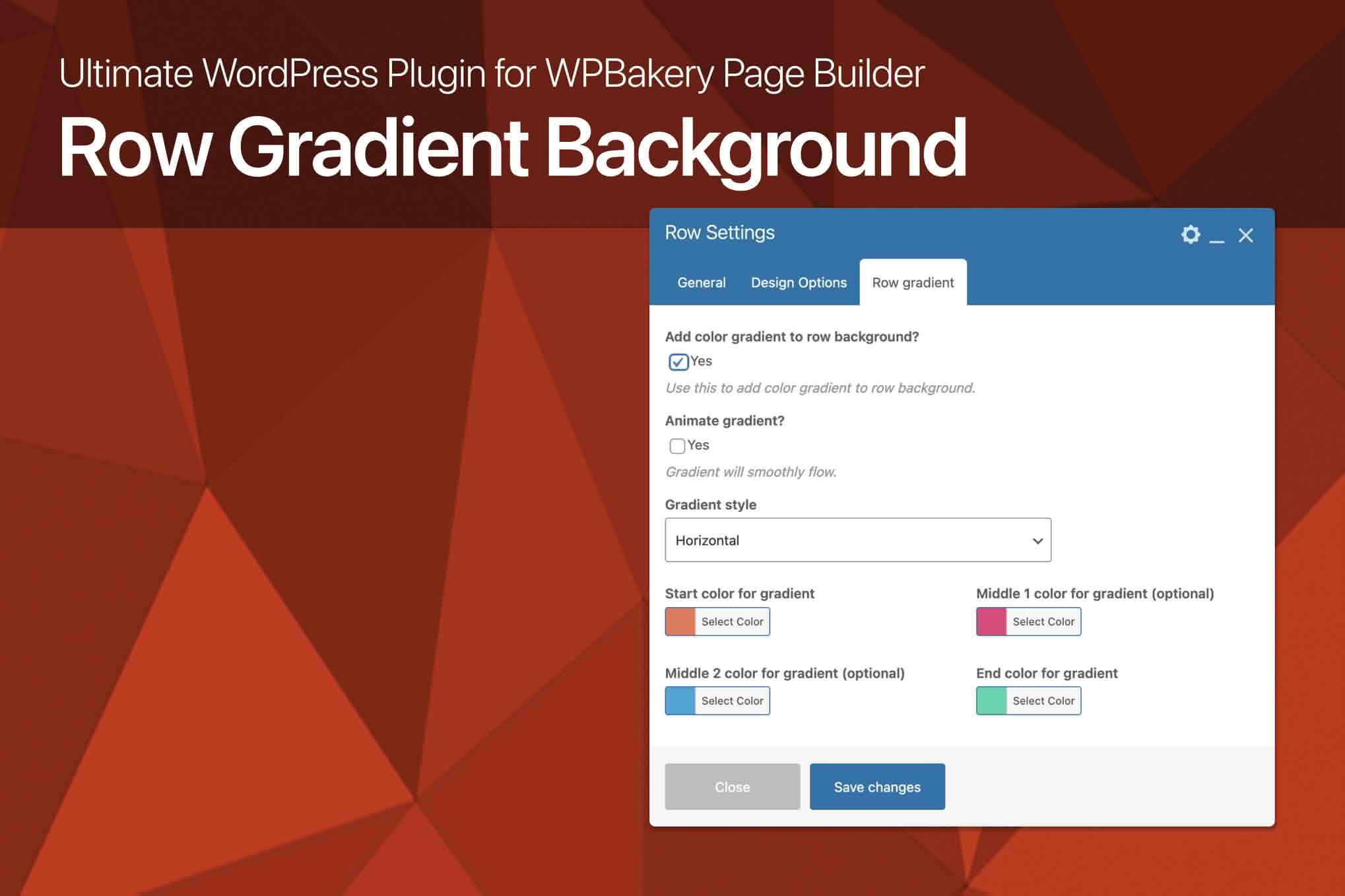
Elevate the visual appeal of your website instantly with the Row Gradient Background for WPBakery Page Builder. This powerful extension allows you to break free from the limitations of flat colors and static images by adding stunning, professional-grade gradient backgrounds to any row within your WPBakery layout. Whether you are aiming for a modern, sleek aesthetic or a bold, high-contrast look to draw attention to your call-to-action sections, this plugin provides the design flexibility needed to make your content pop without requiring a single line of code.
Key Features
- Customizable Gradient Types: Easily switch between linear and radial gradients to achieve the perfect look for your specific layout.
- Unlimited Color Options: Use the intuitive color picker to select any color combination, allowing for seamless integration with your brand identity.
- Angle Control: Adjust the direction of your linear gradients with precision, giving you full control over how light and color flow across your row.
- Responsive Design: Ensure your gradients look perfect on every device, from high-resolution desktop monitors to compact mobile screens.
- Seamless WPBakery Integration: The plugin adds a dedicated settings panel directly within the standard WPBakery row settings interface, ensuring a familiar and efficient workflow.
- Overlay Support: Layer your gradients over existing background images or patterns to create unique, textured visual effects that stand out from the crowd.
- Performance Optimized: Built with clean, lightweight code to ensure that your site remains fast and responsive, regardless of how many gradients you implement.
Use Cases and Who It’s For
This plugin is designed for web designers, developers, and business owners who use WPBakery and want to enhance their site’s aesthetic without relying on heavy external assets or complex CSS. If you are a freelancer building sites for clients, this tool allows you to deliver high-end, modern designs that look expensive and polished with minimal effort.
Marketing teams and store owners will find this plugin invaluable for creating high-converting landing pages. By using gradients to highlight specific rows‚Äîsuch as pricing tables, newsletter signup forms, or featured product sections‚Äîyou can guide visitor attention exactly where you want it. It is also an excellent solution for creative portfolios or agency websites that require a vibrant, dynamic look to reflect their brand’s personality.
Setup and How It Works
Getting started with Row Gradient Background is straightforward and designed to fit perfectly into your existing design process:
- Install and Activate: Upload the plugin zip file through your WordPress dashboard and activate it.
- Edit Your Page: Open any page or post using the WPBakery Page Builder editor.
- Access Row Settings: Hover over the row you wish to modify and click the edit icon to open the Row Settings window.
- Configure Gradient: Navigate to the new Gradient tab added by the plugin. Choose your gradient type, select your start and end colors, and adjust the angle or position settings as desired.
- Save and Preview: Save your changes and view your page to see your new, vibrant background instantly applied to the row.
Similar Plugins
While WPBakery is a robust builder, users looking for additional background styling options often explore other add-ons. Common alternatives include Ultimate Addons for WPBakery, which offers extensive row background enhancements including video and parallax effects, as well as various “WPBakery Background Add-on” bundles available on the Envato Market that provide collections of animations, particles, and advanced gradient controls.