
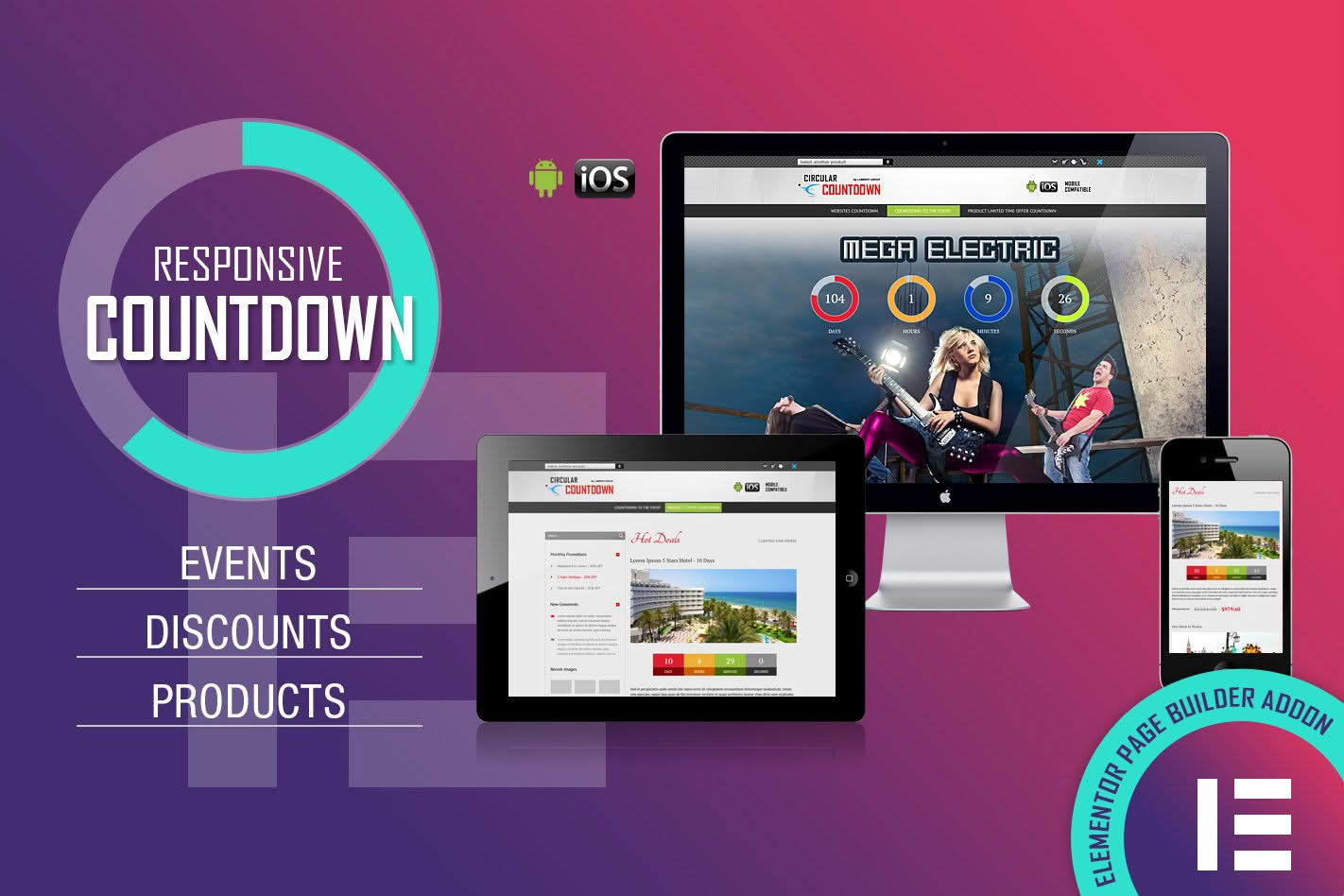
Drive urgency, boost conversion rates, and create excitement for your upcoming launches or sales with CountDown PRO. This powerful Elementor widget allows you to seamlessly integrate highly customizable, eye-catching countdown timers into any page of your WordPress site. Whether you are running a limited-time flash sale, counting down to an exclusive product drop, or building anticipation for a live event, CountDown PRO provides the professional tools you need to grab your visitors’ attention and compel them to take action before time runs out.
Key Features
- Full Elementor Integration: Designed specifically for Elementor, this widget features a drag-and-drop interface, allowing you to place and style your timers anywhere on your site without writing a single line of code.
- Multiple Timer Styles: Choose from various display formats, including classic flip clocks, sleek circular progress bars, or simple text-based counters to match your website’s unique branding.
- Highly Customizable Design: Take full control over the look and feel. Adjust fonts, colors, sizes, background images, and border styles to ensure your countdown timer perfectly complements your existing design aesthetic.
- Flexible Trigger Options: Set your timer to end at a specific date and time, or configure it to trigger based on user interactions, such as when a page loads or when a visitor reaches a specific section.
- Action After Expiry: Decide exactly what happens when the clock hits zero. Options include hiding the timer, displaying a custom message, redirecting the user to another page, or revealing hidden content like a discount code.
- Responsive and Mobile-Ready: Ensure your countdown looks flawless on all devices. The widget is fully responsive, automatically adjusting its layout for tablets and smartphones to maintain a great user experience.
- Performance Optimized: Built with clean, lightweight code to ensure your site remains fast and responsive, preventing any negative impact on your page load speeds or search engine rankings.
Use Cases: Who It’s For
CountDown PRO is an essential tool for any WordPress user looking to leverage the psychology of scarcity and urgency to improve their marketing results. E-commerce store owners can use it to highlight flash sales, seasonal promotions, or limited-stock product releases, effectively nudging hesitant shoppers to complete their purchases. For event organizers, the plugin is perfect for building hype around webinars, product launches, or conferences, providing a visual reminder that keeps the event top-of-mind for potential attendees.
Digital marketers and content creators can utilize these timers to increase sign-ups for courses or newsletters by creating a sense of exclusivity. By clearly displaying the time remaining until an offer expires, you provide a clear incentive for users to act now rather than later. Whether you are a small business owner, a freelancer building sites for clients, or a marketing professional, CountDown PRO provides the versatility required to support a wide range of conversion-focused strategies.
Setup: How It Works
Getting started with CountDown PRO is straightforward and designed to fit perfectly into your existing Elementor workflow:
- Install and Activate: Upload the plugin zip file to your WordPress dashboard, install it, and activate it just like any other plugin.
- Open Elementor: Navigate to the page or post where you want to add the countdown, and open it with the Elementor editor.
- Drag and Drop: Find the CountDown PRO widget in the Elementor sidebar and drag it onto your canvas in the desired location.
- Configure Settings: Use the Content tab to set your target date, time zone, and the specific action that should occur once the timer reaches zero.
- Style Your Timer: Switch to the Style tab to customize colors, typography, spacing, and animations to ensure the timer aligns with your brand identity.
- Publish: Once you are satisfied with the look and configuration, save your changes and publish the page to make the countdown live for your visitors.
Similar Plugins
While CountDown PRO offers a specialized, streamlined experience for Elementor users, other options in the WordPress ecosystem include Essential Addons for Elementor, Ultimate Addons for Elementor, and various standalone countdown timer plugins such as Countdown Timer Ultimate or HurryTimer. These alternatives offer varying degrees of complexity and feature sets, ranging from simple, free-to-use widgets to more advanced, premium solutions with complex scheduling capabilities.