
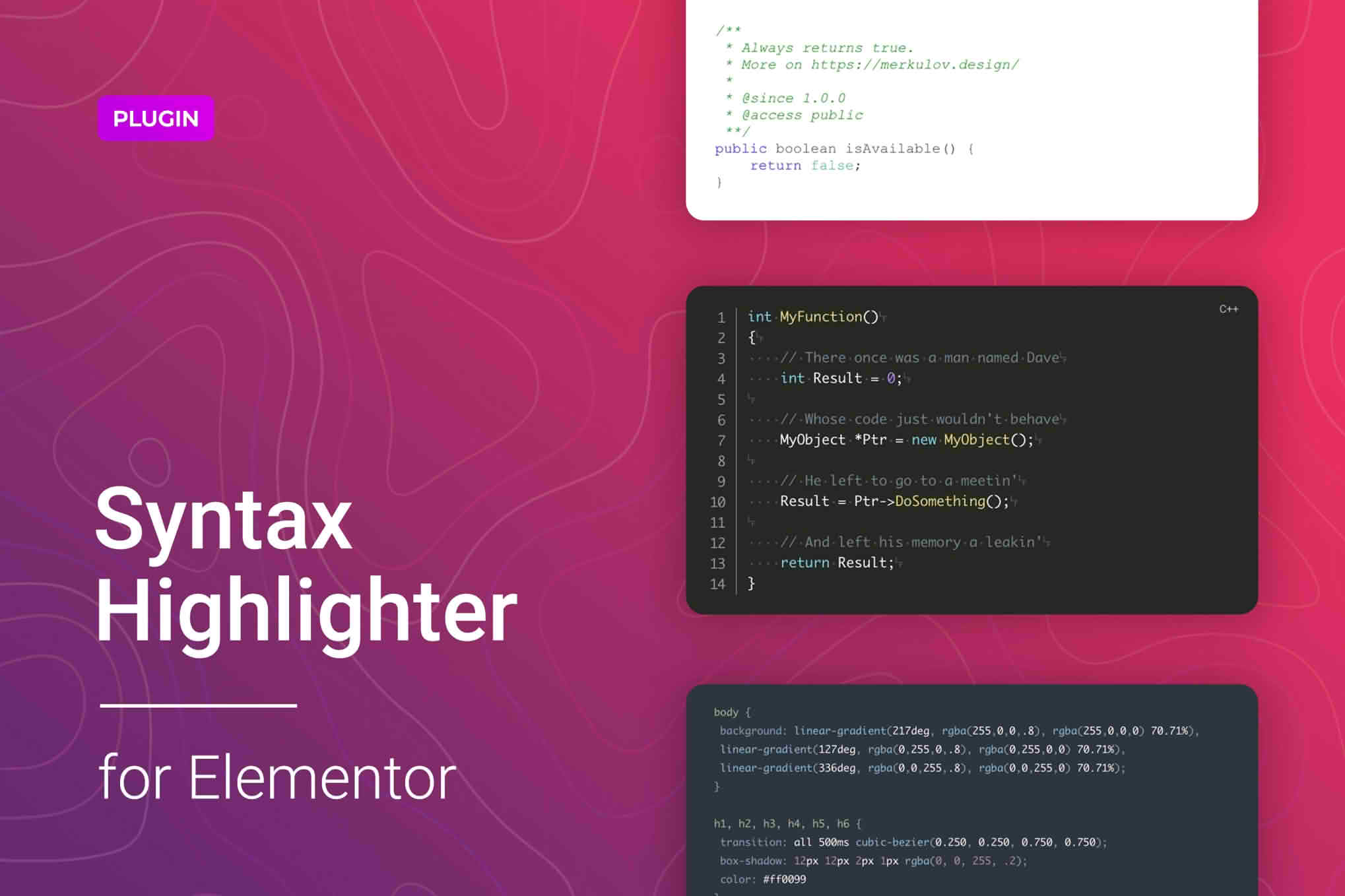
If you are a developer, technical writer, or educator using Elementor to build your website, you know that displaying code snippets can be a frustrating experience. Standard text blocks often strip away formatting, making your code difficult to read and unprofessional in appearance. The Code Syntax Highlighter for Elementor plugin solves this by seamlessly integrating powerful, customizable syntax highlighting directly into your Elementor workflow, ensuring your code blocks look clean, readable, and perfectly styled for your audience.
Key Features
- Native Elementor Integration: Designed specifically for the Elementor page builder, this plugin adds a dedicated widget to your Elementor panel, allowing you to drag and drop code blocks exactly where you need them.
- Extensive Language Support: Showcase code in dozens of popular programming and markup languages, including HTML, CSS, JavaScript, PHP, Python, SQL, and many more, ensuring your content is always accurately highlighted.
- Multiple Color Themes: Choose from a variety of built-in syntax highlighting themes to match your website’s branding and design aesthetic, providing a polished look that enhances readability.
- Line Numbering Options: Easily toggle line numbers on or off to help your readers follow along with complex code structures or reference specific lines during tutorials.
- Customizable Display Settings: Adjust font sizes, padding, and border styles directly within the Elementor interface to ensure your code snippets integrate perfectly with the rest of your page layout.
- Copy-to-Clipboard Functionality: Improve user experience by enabling a built-in copy button, allowing your visitors to quickly copy your code snippets with a single click.
- Responsive Design: Your code blocks are fully responsive, ensuring that long lines of code wrap or scroll gracefully on mobile devices, tablets, and desktops alike.
Use Cases / Who It’s For
This plugin is an essential tool for anyone who needs to display technical information on a WordPress site built with Elementor. If you are a technical blogger, this plugin allows you to create professional-grade tutorials where code is the centerpiece, ensuring your readers can easily distinguish between keywords, strings, and comments. Software developers and agencies can use it to showcase documentation, API examples, or snippets of their work directly on their portfolio or service pages without needing to rely on external hosting services like Gist.
Furthermore, it is an invaluable asset for online educators and coding instructors. When creating course materials or learning modules within Elementor, the ability to present clean, highlighted code is crucial for student comprehension. By providing a clear visual hierarchy within your code blocks, you reduce the cognitive load on your visitors, making your technical content more accessible and engaging.
Setup / How It Works
- Install and Activate: Upload the plugin zip file to your WordPress site via the Plugins menu, activate it, and ensure that Elementor is installed and active.
- Open Elementor Editor: Navigate to any page or post where you want to display code and open it with the Elementor editor.
- Drag the Widget: Search for the “Code Syntax Highlighter” widget in the Elementor sidebar and drag it into your desired column or section.
- Configure Content: Paste your code into the text area provided in the widget settings. Select the appropriate programming language from the dropdown menu to trigger the correct syntax highlighting.
- Style Your Block: Use the “Style” tab in the Elementor widget settings to choose your preferred color theme, adjust font settings, and toggle features like line numbers or the copy-to-clipboard button.
- Publish: Once you are satisfied with the appearance, click “Update” or “Publish” to display your perfectly formatted code to the world.
Similar Plugins
If you are exploring alternatives, there are other solutions available in the WordPress ecosystem that offer similar functionality. Plugins such as Code Syntax Block (which utilizes the WordPress block editor) and Enlighter – Customizable Syntax Highlighter are widely recognized alternatives. While these plugins offer robust syntax highlighting, the Code Syntax Highlighter for Elementor is specifically optimized for those who prefer the Elementor page builder interface for granular design control.