
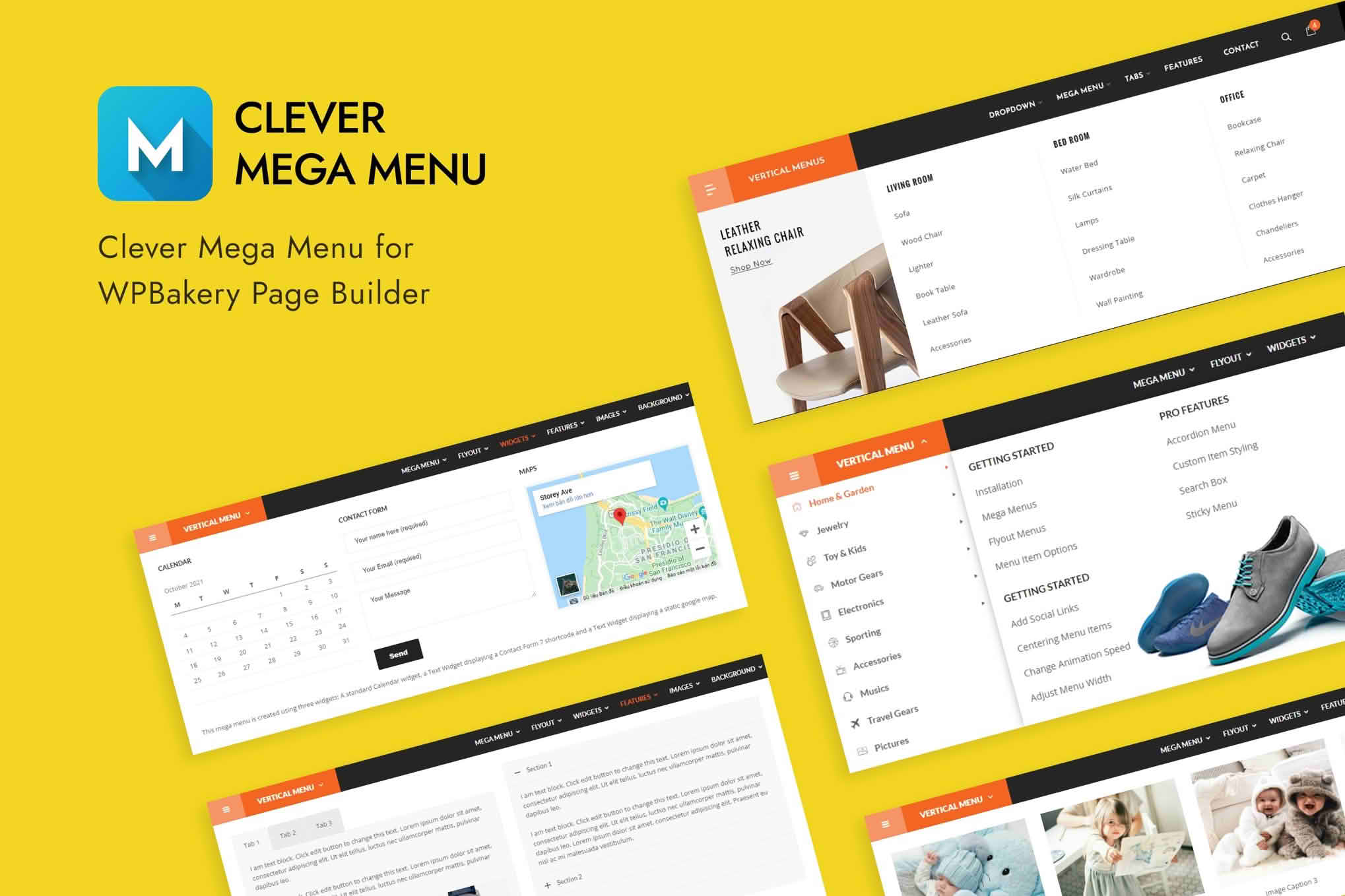
Transform your website navigation into a powerful, user-friendly experience with the Clever MegaMenu for WPBakery Page Builder. Designed specifically for users who rely on the WPBakery ecosystem, this plugin bridges the gap between standard, limited menu systems and modern, high-conversion navigation structures. Whether you are managing a complex e-commerce store with hundreds of categories or a content-heavy business site, this tool allows you to build sophisticated, multi-column mega menus using the drag-and-drop interface you already know and love.
Key Features
- Native WPBakery Integration: Build your mega menu content directly within the WPBakery interface, allowing you to use any WPBakery element—including images, icons, buttons, and custom layouts—inside your menu dropdowns.
- Drag-and-Drop Builder: Eliminate the need for complex coding or custom CSS. Simply drag and drop your desired elements to design a menu that perfectly matches your brand aesthetic.
- Full Customization Control: Adjust colors, typography, spacing, and background settings for your menu items, dropdowns, and containers to ensure a cohesive look across your entire site.
- Responsive Design: Ensure your navigation looks flawless on all devices. The plugin automatically adapts to mobile and tablet screens, providing a seamless experience for your mobile users.
- Icon Support: Enhance your menu items with integrated icon support, helping users visually identify sections and improving overall site navigation efficiency.
- Advanced Layout Options: Create multi-column layouts, full-width mega menus, or standard dropdowns with ease, giving you total control over how your information is presented to visitors.
- Performance Focused: Built with clean code to ensure that your site remains fast and responsive, even with complex menu structures.
Use Cases and Who It Is For
Clever MegaMenu is the ideal solution for website owners, developers, and designers who need to organize large amounts of information without cluttering the user interface. If you run a large e-commerce store, a mega menu is essential for grouping product categories, displaying featured sales, or highlighting new arrivals directly in the main navigation bar. This helps shoppers find what they need faster, directly impacting your conversion rates.
For service-based businesses or corporate websites, this plugin is perfect for showcasing complex service offerings, team pages, or resource centers in an organized, professional manner. It is particularly valuable for web agencies and freelancers who build sites for clients; it provides a professional-grade navigation tool that is easy to hand off, as the client can continue to edit the menu using the familiar WPBakery interface without needing technical assistance.
Setup and How It Works
Getting started with Clever MegaMenu is designed to be intuitive for anyone already comfortable with WPBakery Page Builder.
- Installation: Install and activate the plugin through your WordPress dashboard just as you would with any other WPBakery add-on.
- Menu Configuration: Navigate to the standard WordPress Appearance > Menus section. You will see new options integrated into your existing menu items.
- Enable Mega Menu: Select the menu item you wish to transform and enable the mega menu functionality via the provided settings panel.
- Design Your Content: Click to open the WPBakery editor for that specific menu item. You can now drag and drop rows, columns, and elements to build your custom mega menu layout.
- Save and Preview: Once your design is complete, save your menu. The plugin will automatically apply your new layout to your site’s navigation, providing an instant upgrade to your user experience.
Similar Plugins
If you are exploring alternatives within the WordPress ecosystem, several other solutions offer mega menu functionality for WPBakery or general WordPress sites. These include Max Mega Menu, which is a popular standalone option for general WordPress menus, and UberMenu, known for its extensive customization capabilities. Additionally, many premium WordPress themes come with built-in mega menu features, so it is always worth checking your current theme’s documentation before adding a dedicated plugin.