
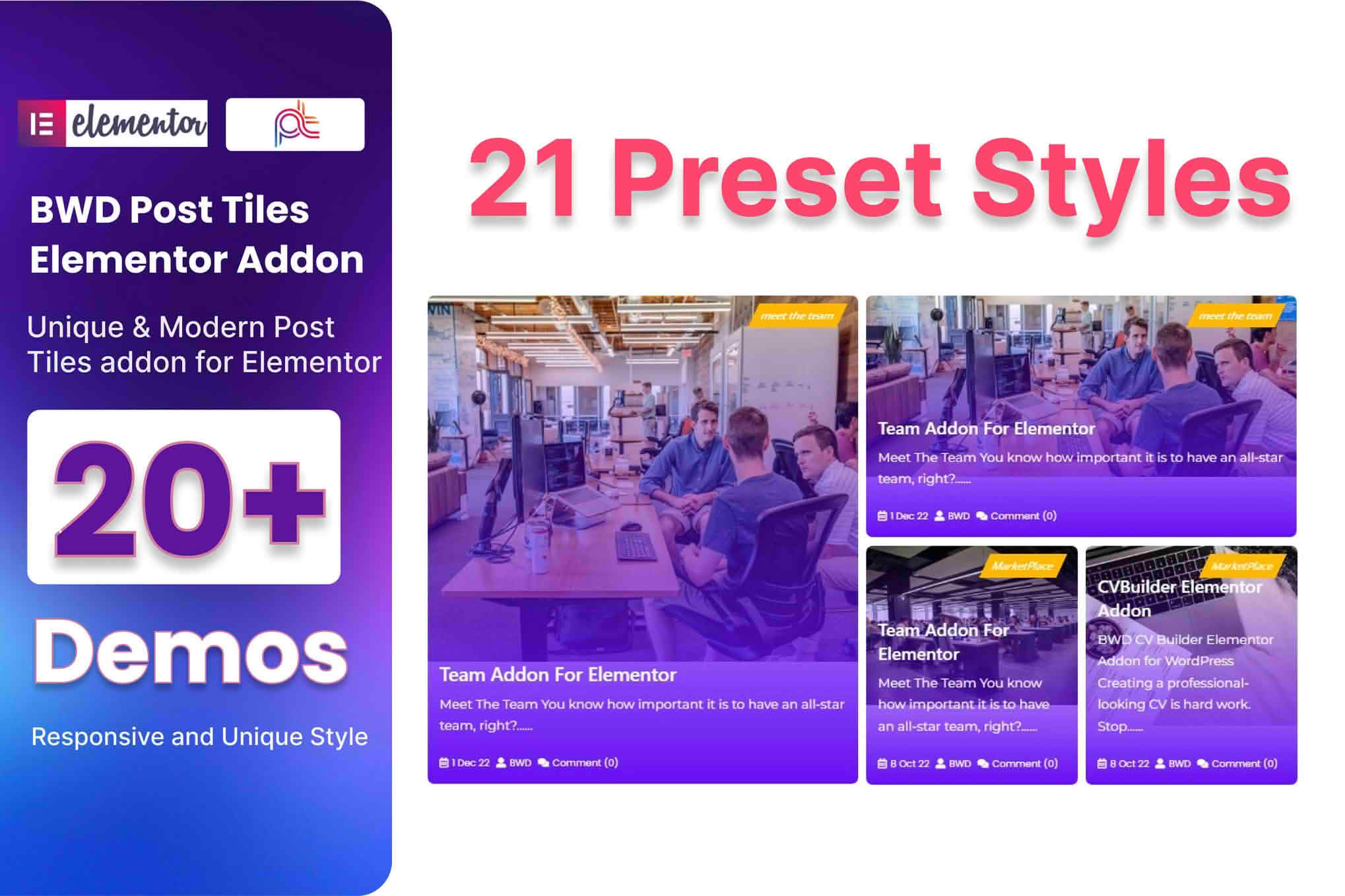
The Blog Post Tiles Addon for Elementor empowers website owners, bloggers, and designers to transform standard WordPress blog listings into stunning, high-converting visual layouts. If you struggle with the limitations of default theme blog pages, this plugin provides the design flexibility you need to showcase your content in a professional, grid-based format. By leveraging the intuitive drag-and-drop interface of Elementor, you can create immersive reading experiences that keep visitors engaged, reduce bounce rates, and encourage deeper exploration of your archives.
Key Features
- Customizable Grid Layouts: Effortlessly arrange your blog posts into clean, responsive tiles that adapt perfectly to any screen size, from desktop monitors to mobile devices.
- Advanced Query Controls: Take full command over which posts appear in your tiles. Easily filter content by category, tag, author, or date, and exclude specific posts to curate the perfect display.
- Dynamic Styling Options: Access a comprehensive suite of design controls to adjust typography, colors, spacing, borders, and shadows, ensuring your blog tiles align perfectly with your brand identity.
- Interactive Hover Effects: Enhance user engagement with smooth, built-in hover animations that bring your tiles to life when visitors interact with them.
- Flexible Content Elements: Choose exactly what information to display on each tile, including featured images, post titles, excerpts, author names, dates, and comment counts, with the ability to toggle each element on or off.
- Pagination and Load More: Keep your pages fast and user-friendly by implementing standard pagination or modern “Load More” buttons to manage large archives without cluttering the layout.
- Performance Optimized: Built with clean code to ensure that your site remains fast and responsive, even when displaying complex grids of content.
Use Cases / Who It’s For
This addon is an essential tool for anyone looking to elevate the visual presentation of their WordPress site. Content creators and professional bloggers will find it invaluable for highlighting featured articles, creating “Best Of” lists, or organizing massive archives into digestible, attractive sections. For digital agencies and freelance web designers, it serves as a powerful time-saver, allowing you to deliver premium, custom-designed blog layouts to clients without needing to write custom CSS or PHP code.
Whether you are building a lifestyle magazine, a corporate news portal, a portfolio site with a blog component, or a niche affiliate site, the Blog Post Tiles Addon provides the aesthetic polish required to compete in a crowded digital space. It is particularly effective for users who want to move away from generic, list-style blog feeds and toward a modern, magazine-inspired look that encourages clicks and increases time-on-site.
Setup / How It Works
- Installation: Install and activate the plugin through your WordPress dashboard just like any other plugin. Ensure you have the Elementor page builder already active on your site.
- Drag and Drop: Open any page or template using the Elementor editor. Navigate to the elements sidebar, locate the new “Blog Post Tiles” widget, and drag it into your desired section.
- Configure Query: Use the Content tab in the widget settings to define your post source. Select the categories, tags, or specific post types you wish to display.
- Design and Style: Switch to the Style tab to customize the visual appearance. Adjust fonts, colors, border-radius, and image sizing to match your website’s design language.
- Publish: Once you are satisfied with the layout and styling, click “Update” or “Publish” to display your new, professional blog grid to your visitors.
Similar Plugins
While this addon provides a streamlined solution for grid layouts, other popular tools in the Elementor ecosystem offer similar functionality for displaying blog content. Notable alternatives include the Post Grid widget found within comprehensive addon packs like Essential Addons for Elementor, Premium Addons for Elementor, and JetEngine by Crocoblock. These suites often provide broader functionality for dynamic content, though the Blog Post Tiles Addon remains a focused, lightweight choice for users who specifically need high-quality grid displays without the overhead of larger plugin suites.