
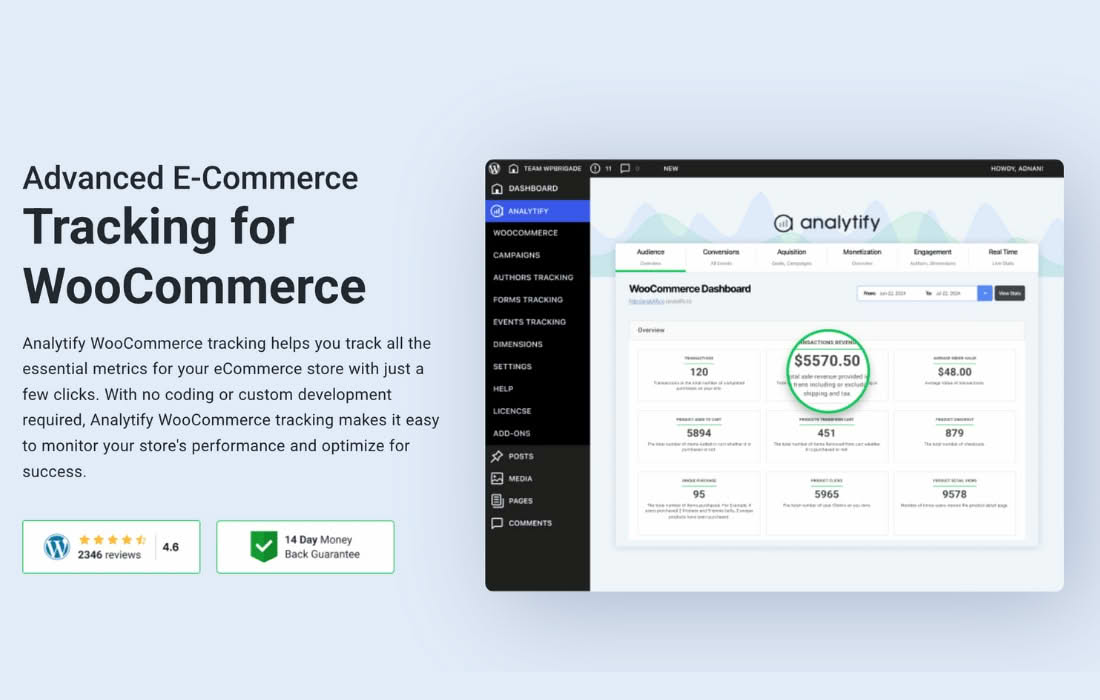
Analytify Pro WooCommerce bridges the gap between your store’s sales data and Google Analytics, transforming complex metrics into actionable insights directly within your WordPress dashboard. Designed for store owners who want to move beyond basic traffic numbers, this plugin provides the deep e-commerce tracking necessary to understand exactly what drives your revenue, which products are performing, and how your customers behave throughout their shopping journey.
Key Features
- Enhanced Ecommerce Tracking: Automatically tracks the entire shopping funnel, including product impressions, clicks, “add to cart” actions, checkout steps, and completed transactions, sending this critical data directly to your Google Analytics account.
- Dashboard Reporting: View your most important WooCommerce statistics—such as total sales, average order value, and top-selling products—without ever leaving your WordPress admin area.
- Product-Level Insights: Identify your store’s winners and losers by viewing detailed performance metrics for individual products, helping you make informed decisions about inventory and promotions.
- Customer Behavior Analysis: Track the conversion rates for specific products and understand the path customers take before completing a purchase, allowing you to optimize your site layout and marketing strategy.
- Automated Campaign Tracking: Easily monitor the performance of your marketing campaigns by automatically adding UTM parameters, ensuring you know exactly which ads or emails are driving your WooCommerce sales.
- Easy Configuration: Simplifies the integration process with Google Analytics 4 (GA4), removing the need for complex manual coding or external tag management tools.
Use Cases / Who It’s For
Analytify Pro WooCommerce is built for e-commerce store owners, digital marketers, and agency professionals who rely on data to grow their businesses. If you are tired of switching between multiple browser tabs to compare your WordPress sales against your Google Analytics traffic data, this tool is for you.
Store owners use this plugin to identify bottlenecks in their checkout process, such as where customers are abandoning their carts most frequently. Marketers leverage the granular product data to refine their advertising spend, focusing resources on products with the highest conversion rates. Agencies find the plugin invaluable for providing clients with clear, professional-looking reports that demonstrate the direct ROI of their e-commerce efforts.
Setup / How It Works
- Install and Activate: Install the Analytify Pro WooCommerce plugin on your WordPress site just like any other plugin.
- Connect Google Analytics: Use the simple authentication process to link your Google Analytics account to the plugin.
- Enable WooCommerce Tracking: Navigate to the plugin settings and toggle the WooCommerce tracking feature to start capturing e-commerce data.
- View Reports: Once traffic begins flowing, your dashboard will automatically populate with detailed sales and behavior reports. You can access these reports directly from the Analytify menu in your WordPress sidebar.
Similar Plugins
While Analytify offers a specific approach to dashboard integration, other solutions in the WordPress ecosystem provide similar Google Analytics and e-commerce tracking capabilities. These include MonsterInsights, which offers a comprehensive suite of tracking tools for various content types and e-commerce, and PixelYourSite, which is often favored for its deep integration with various advertising pixels and advanced event tracking.