
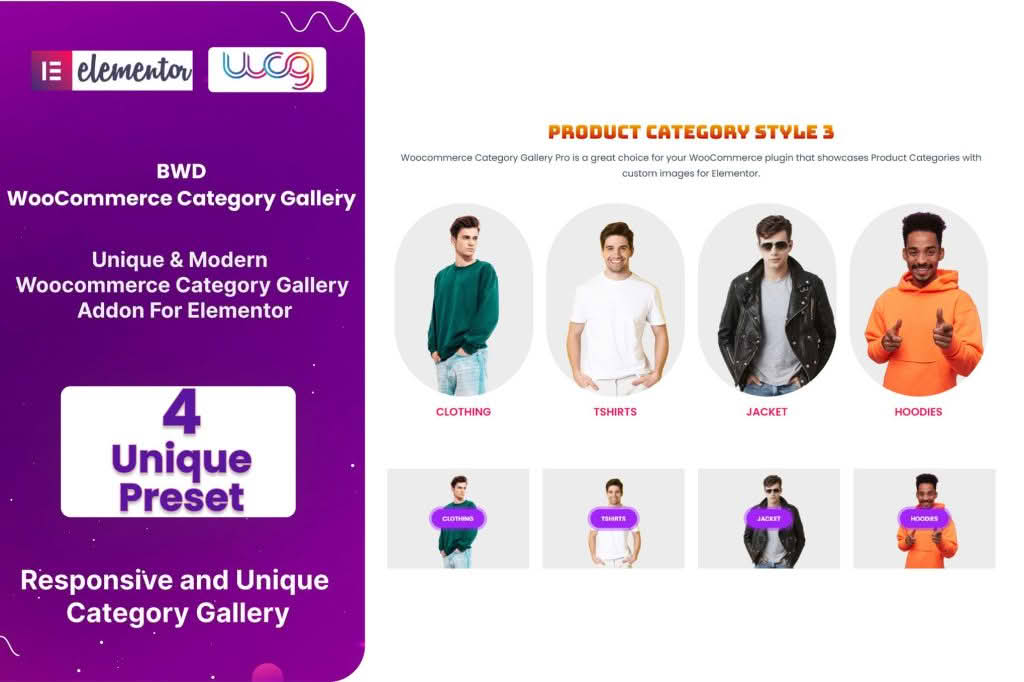
Transform your online store’s navigation and visual appeal with the WooCommerce Category Gallery Addon for Elementor. If you struggle to showcase your product categories in a way that is both aesthetically pleasing and highly functional, this plugin is designed for you. It bridges the gap between standard, boring category lists and high-converting, visually immersive storefronts, allowing you to build custom, responsive category galleries directly within the Elementor page builder interface.
Key Features
- Seamless Elementor Integration: Drag and drop your category galleries anywhere on your site using dedicated Elementor widgets, ensuring a consistent design workflow.
- Customizable Layouts: Choose from various grid, masonry, or carousel layouts to match your brand’s unique style and optimize space.
- Dynamic Content Control: Easily select which categories to display, exclude specific ones, or order them by name, count, or custom criteria to highlight your most important collections.
- Advanced Styling Options: Take full control over typography, spacing, border radius, and overlay effects without writing a single line of code.
- Interactive Hover Effects: Engage your visitors with smooth hover animations, zoom effects, or text overlays that reveal category details when users interact with the gallery.
- Responsive Design: Ensure your category galleries look perfect on all devices, with granular control over column counts and spacing for mobile, tablet, and desktop views.
- Performance Focused: Built with clean code to ensure your site remains fast and lightweight, preventing the bloat often associated with complex page builder addons.
Use Cases / Who It’s For
This plugin is an essential tool for WooCommerce store owners, web designers, and developers who want to improve user experience and increase conversion rates. If your shop has a large catalog, displaying categories clearly is vital for helping customers find what they need quickly. Instead of relying on default, text-heavy category lists, you can create a high-impact visual landing page that guides shoppers intuitively through your store.
It is perfect for fashion retailers wanting to showcase seasonal collections with high-quality imagery, furniture stores that need to categorize items by room or style, or any niche store where visual browsing is key to the shopping experience. Designers will appreciate the flexibility to create bespoke, branded category sections that look professional and polished, saving hours of development time compared to manual coding.
Setup / How It Works
- Install and Activate: Upload the plugin zip file to your WordPress dashboard via the Plugins menu and activate it.
- Open Elementor: Navigate to the page or template where you wish to display your categories and open it with the Elementor editor.
- Drag the Widget: Locate the WooCommerce Category Gallery widget in the Elementor sidebar and drag it onto your canvas.
- Configure Settings: Use the Content tab to select your desired categories, adjust the layout style, and set the number of columns.
- Style to Perfection: Switch to the Style tab to customize colors, fonts, spacing, and hover effects to align with your website’s design language.
- Publish: Save your changes and preview your new, professional category gallery live on your site.