
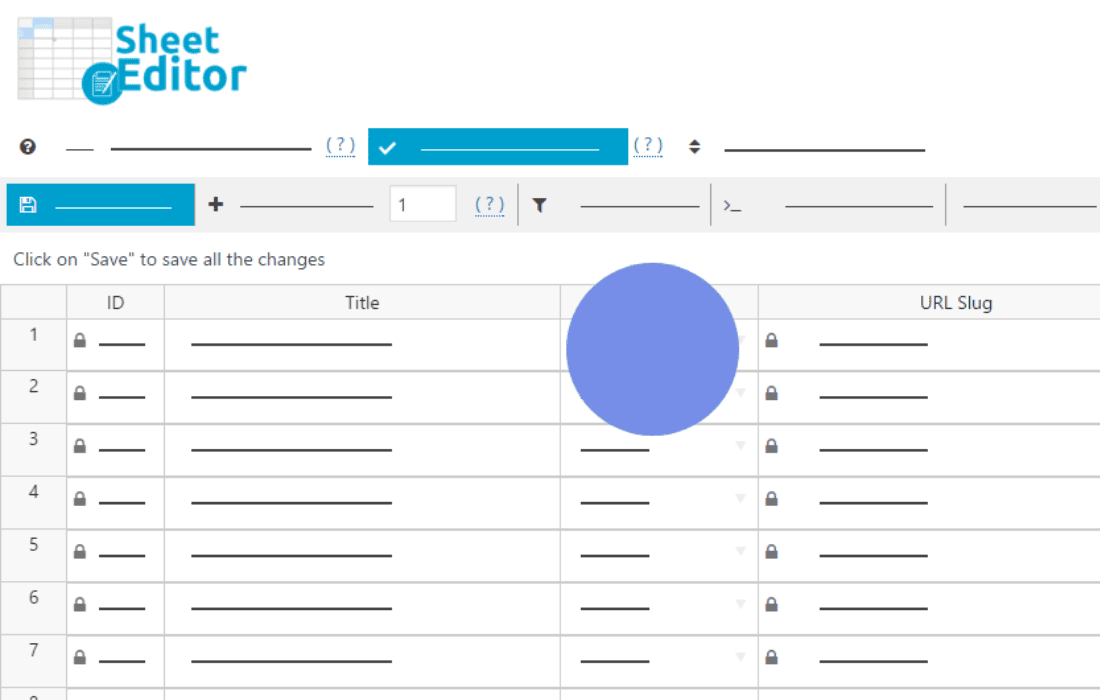
Managing a digital store with Easy Digital Downloads can become overwhelming as your catalog grows. WP Sheet Editor – EDD Downloads Pro transforms your WordPress dashboard into a powerful, spreadsheet-like interface, allowing you to manage hundreds of products, prices, and settings in seconds rather than hours. Designed for store owners, agencies, and managers who need to perform bulk updates without the tedious process of opening each product individually, this plugin saves you significant time and reduces the risk of human error in your catalog management.
Key Features
- Bulk Edit Thousands of Products: Use a familiar spreadsheet interface to edit titles, descriptions, categories, tags, and prices for your entire store at once, just like you would in Excel or Google Sheets.
- Advanced Search and Filtering: Quickly locate specific products using powerful search filters. Filter by price range, download count, category, status, or any custom field to isolate exactly what you need to modify.
- Direct Cell Editing: Update information directly within the grid. Click a cell, change the value, and save. It is the fastest way to perform quick price adjustments or metadata updates.
- Export and Import via CSV: Seamlessly migrate data or perform complex updates offline. Export your EDD products to CSV, edit them in your preferred spreadsheet software, and import them back to update your store instantly.
- Column Management: Customize your view by showing, hiding, or reordering columns. Focus only on the data that matters to your current task, such as SKU, file URLs, or download limits.
- Formula-Based Calculations: Apply mathematical operations to your prices in bulk. For example, you can increase all prices by 10% or set a fixed discount across an entire category with a single command.
- Full Compatibility: Designed specifically for Easy Digital Downloads, ensuring that all your product metadata, custom fields, and EDD-specific settings remain intact and synchronized.
Use Cases and Who It’s For
This plugin is essential for anyone managing a digital storefront that has outgrown simple, manual editing. If you are a store owner with a large library of digital assets, you know that keeping prices, descriptions, and file paths up to date is a full-time job. WP Sheet Editor – EDD Downloads Pro is built for those who value efficiency.
Agencies and freelance developers managing multiple client sites will find this tool indispensable for rapid site setup and maintenance. Instead of spending hours clicking through product pages, you can perform site-wide updates in minutes. It is also perfect for store managers who need to perform seasonal price changes, update license key settings, or clean up metadata across hundreds of downloads without relying on complex database queries or external migration tools.
Setup and How It Works
Getting started with WP Sheet Editor is designed to be intuitive for any WordPress user. The plugin integrates directly into your existing dashboard, requiring no complex configuration to begin.
- Installation: Install and activate the plugin through your WordPress dashboard just like any other plugin.
- Access the Sheet Editor: Navigate to the new Sheet Editor menu item added to your EDD Downloads section.
- Configure Your View: Use the column selector to choose which product attributes you want to display in your spreadsheet grid.
- Perform Your Edits: Use the search bar to filter your products, then edit cells directly, or use the “Bulk Edit” tool to apply changes to multiple rows simultaneously.
- Save Changes: Click the save button to push all your modifications to the database instantly.
Similar Plugins
While WP Sheet Editor – EDD Downloads Pro offers a specific, high-performance interface for Easy Digital Downloads, other tools exist for general store management or CSV-based editing. Users often compare this solution to generic WordPress bulk editing plugins or the built-in Easy Digital Downloads CSV import/export tools. However, most alternatives lack the live, interactive spreadsheet interface that allows for the real-time, cell-based editing experience provided by the WP Sheet Editor suite.