
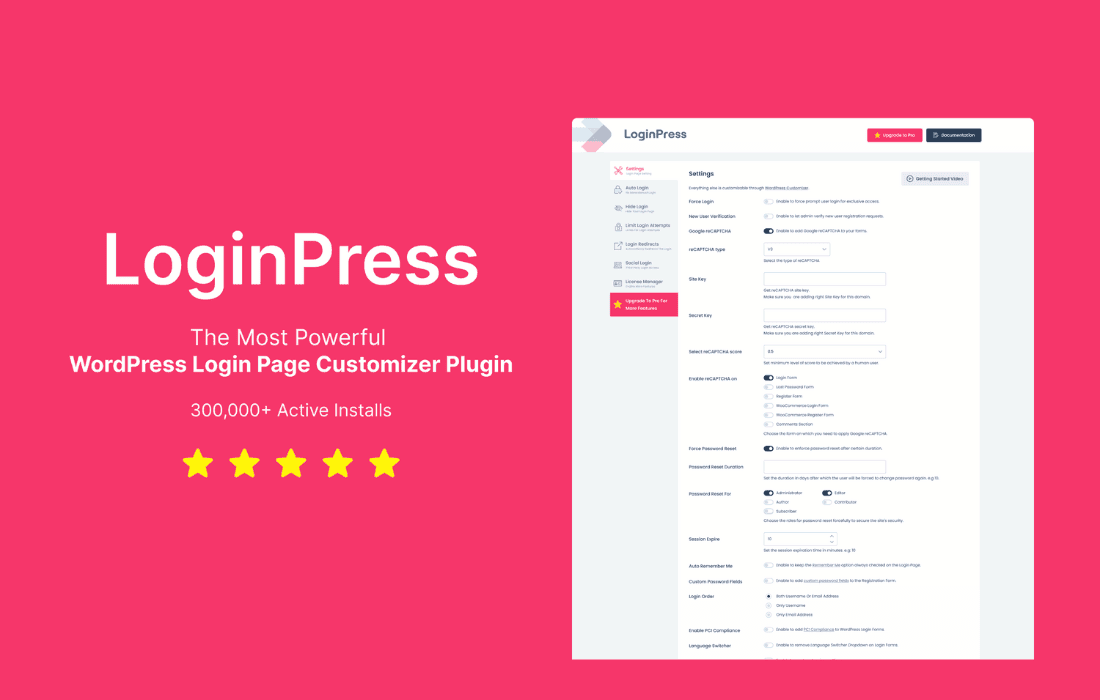
LoginPress Pro transforms your WordPress login page from a generic, unbranded portal into a professional extension of your brand identity. Designed for site owners, developers, and agencies who prioritize security and user experience, this plugin allows you to fully customize the look and feel of your login screen while adding robust security measures to protect your site from unauthorized access. By replacing the standard, recognizable WordPress login interface with a tailored experience, you build immediate trust with your users and reinforce your brand from the very first interaction.
Key Features
- Advanced Customization: Use a real-time customizer to change logos, backgrounds, form colors, button styles, and fonts without writing a single line of code.
- Social Login: Allow your users to register and log in seamlessly using their existing social media accounts, including Google, Facebook, Twitter, and LinkedIn, reducing friction and increasing registration rates.
- Enhanced Security Measures: Protect your site with Google reCAPTCHA integration, limiting login attempts to prevent brute-force attacks, and enforcing strong password policies.
- Custom Login URLs: Hide your default login page (wp-login.php) by setting a custom slug, which significantly reduces the risk of automated bot attacks.
- Auto-Login Functionality: Automatically log in users immediately after registration, streamlining the onboarding process for new members and customers.
- Login Redirects: Redirect users to specific pages—such as a custom dashboard, a welcome page, or a shop account area—based on their user roles after they successfully log in.
- Session Control: Manage user sessions by limiting the number of active sessions per user, forcing logouts, or clearing sessions after a specific period of inactivity.
- Custom Welcome Emails: Personalize the registration and password reset emails sent to users to match your brand voice and provide a more professional communication experience.
Use Cases and Who It’s For
LoginPress Pro is an essential tool for anyone looking to elevate their WordPress site. For e-commerce store owners, it provides a branded, secure gateway that makes the checkout and account management process feel like a native part of the shopping experience. By utilizing social logins, store owners can significantly reduce cart abandonment caused by lengthy registration forms.
For agencies and freelancers, the plugin is a time-saving asset. It allows you to quickly deliver a polished, white-labeled login experience for your clients, ensuring their sites look professional and secure from day one. It is also perfect for membership site owners who want to create a private, cohesive environment for their subscribers, ensuring that the transition from the public site to the member’s area is smooth, branded, and secure.
Setup and How It Works
Getting started with LoginPress Pro is designed to be intuitive, ensuring you can enhance your site’s security and aesthetics in minutes:
- Installation: Install and activate the plugin via your WordPress dashboard.
- Customization: Navigate to the LoginPress customizer. Here, you will see a live preview of your login page. Use the intuitive sidebar controls to upload your logo, select background images, and adjust colors to match your brand guidelines.
- Security Configuration: Access the settings tab to enable security features like reCAPTCHA, custom login URLs, and login attempt limits. These settings are toggled on or off with simple switches.
- Advanced Settings: Configure your desired redirect rules for specific user roles and set up your social login API keys to enable one-click access for your visitors.
- Publish: Once you are satisfied with your design and security settings, click publish to make your new, secure, and branded login page live.
Similar Plugins
While LoginPress Pro offers a comprehensive suite of tools, other solutions in the WordPress ecosystem include:
- Ultimate Member: Primarily focused on user profiles and membership management, it includes login and registration customization features.
- WPForms: While primarily a form builder, it offers user registration and login add-ons that can be used to create custom login interfaces.
- Theme My Login: A long-standing plugin that allows you to use your theme’s design for your login, registration, and password recovery pages.