
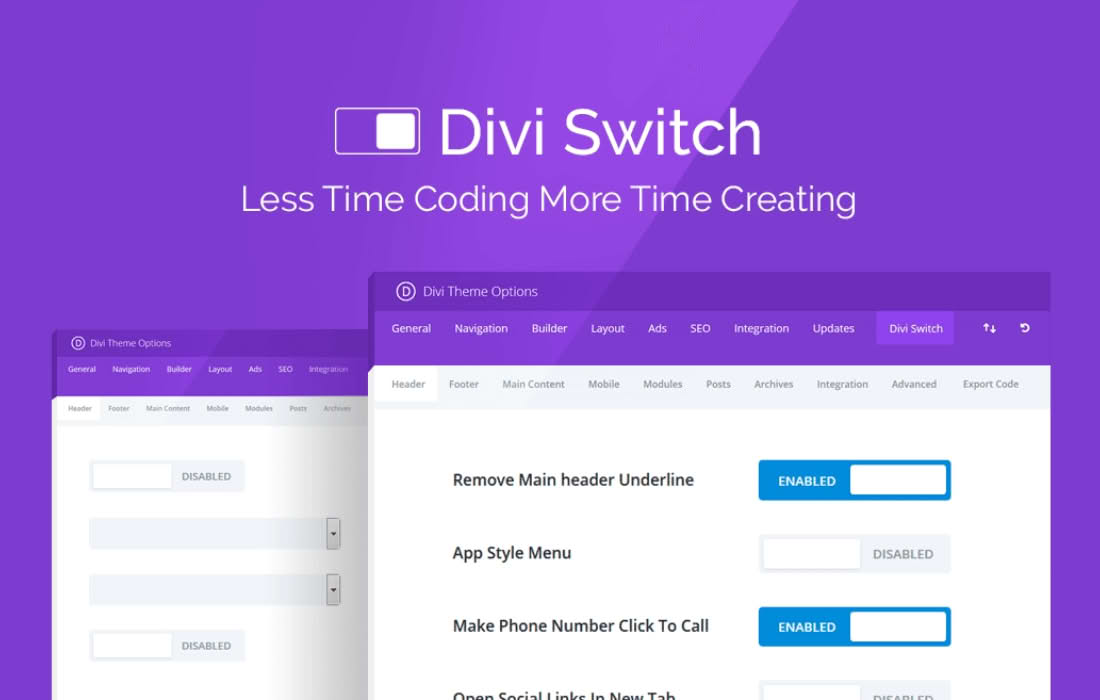
Divi Switch is the ultimate utility plugin for Divi users who want to unlock hidden potential and streamline their web design workflow without writing a single line of code. Designed to bridge the gap between standard Divi settings and custom development, this plugin provides a robust collection of toggles that instantly enable advanced features, visual enhancements, and functional improvements across your website. Whether you are a freelance designer looking to save hours of development time or a site owner wanting to polish your brand’s aesthetic, Divi Switch empowers you to take full control of your Divi environment with ease.
Key Features
- Extensive Toggle Library: Access dozens of switches that instantly add functionality, such as custom header layouts, mobile menu enhancements, and footer modifications, without needing CSS snippets.
- Header and Navigation Enhancements: Easily customize your menu behavior, add social icons, change logo sizes on scroll, or implement a sticky header with just a click.
- Advanced Blog and Post Styling: Effortlessly modify post meta, change the appearance of blog excerpts, and adjust layout spacing to create a more professional reading experience.
- Visual Polish and UI Tweaks: Fine-tune your site’s aesthetics with options to adjust button hover effects, image border-radii, and subtle shadow effects that give your site a premium feel.
- Performance-Focused Design: Built to be lightweight, the plugin only loads the resources necessary for the specific switches you activate, ensuring your site remains fast and responsive.
- Seamless Divi Integration: Designed specifically for the Divi theme and builder, the settings panel integrates directly into your WordPress dashboard, making it feel like a native extension of the Divi ecosystem.
Use Cases and Who It’s For
Divi Switch is an essential tool for anyone working within the Divi ecosystem. For freelance web designers and agencies, it is a massive time-saver. Instead of spending hours writing custom CSS or hunting for child theme modifications to achieve a client’s specific design request, you can simply toggle the feature on. This allows you to deliver high-end, custom-looking websites to your clients much faster, increasing your project profitability.
For small business owners and DIY site builders, Divi Switch levels the playing field. It removes the barrier to entry for advanced customization. You no longer need to be a developer to implement professional design trends like custom hover effects, unique navigation styles, or clean, modern blog layouts. If you can click a switch, you can customize your site.
Furthermore, it is perfect for maintenance and support teams who need to make quick, site-wide adjustments across multiple client projects. The centralized settings panel makes it easy to manage configurations, ensuring consistency and efficiency across your entire portfolio of Divi websites.
Setup and How It Works
Getting started with Divi Switch is designed to be intuitive, ensuring you spend less time configuring and more time designing.
- Install and Activate: Upload the plugin zip file to your WordPress site and activate it just like any other plugin.
- Access the Settings Panel: Once activated, navigate to the dedicated Divi Switch menu item located in your WordPress dashboard sidebar.
- Explore the Categories: The plugin organizes its features into logical categories, such as Header, Footer, Blog, and General, making it simple to find exactly what you need.
- Toggle Your Desired Features: Browse through the list of switches. When you find a feature you want to implement, simply flip the toggle to the “On” position.
- Save and Preview: Click the save button to apply your changes. Your site will immediately reflect the new settings, allowing you to preview the improvements in real-time.
Similar Plugins
If you are exploring the ecosystem of Divi-specific enhancement tools, there are other options available that serve similar purposes. Plugins like Divi Ghoster focus on white-labeling and branding, while Divi Essential and Divi Supreme provide extensive libraries of custom modules and extensions to expand the builder’s native capabilities. While these plugins offer different sets of tools, they all share the goal of extending the functionality of the Divi theme to help you build more unique and powerful websites.