
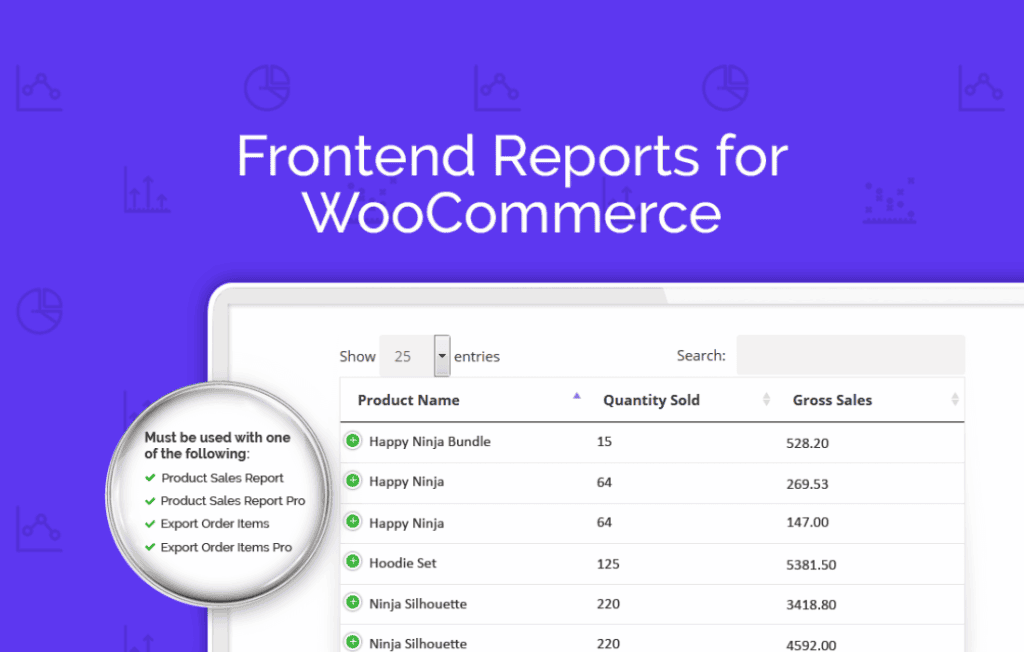
Unlock the power of your WooCommerce data without ever leaving the frontend of your website. Frontend Reports for WooCommerce is designed for store owners, managers, and team members who need quick, actionable insights into their sales performance, product trends, and customer behavior without the complexity of the WordPress admin dashboard. By providing a clean, accessible interface directly on your site’s frontend, this plugin streamlines your daily operations and keeps your team focused on growth rather than navigating backend menus.
Key Features
- Frontend Dashboard Access: View comprehensive sales reports, revenue summaries, and order statuses directly from the frontend, eliminating the need to provide administrative access to staff members.
- Customizable Report Views: Tailor the data displayed to match your specific needs, allowing you to focus on the metrics that matter most to your business, such as daily sales, top-selling products, or category performance.
- Role-Based Permissions: Maintain strict security by controlling exactly which users can view specific reports, ensuring that sensitive data is only accessible to authorized personnel.
- Interactive Data Visualization: Utilize intuitive charts and graphs to identify trends, seasonal spikes, and growth opportunities at a glance, making complex data easy to interpret.
- Export Functionality: Easily export reports to common formats, allowing you to share insights with stakeholders or integrate your WooCommerce data into external accounting and analysis tools.
- Responsive Design: Access your reports on any device, whether you are in the office on a desktop or checking your store’s performance on the go via a mobile device.
Use Cases and Who It’s For
This plugin is the ideal solution for WooCommerce store owners who delegate tasks to team members but want to keep their WordPress backend secure and clutter-free. If you have a marketing manager, a sales lead, or a warehouse coordinator who needs to monitor order volume or product performance, Frontend Reports for WooCommerce provides them with the necessary information without granting them full administrative privileges.
It is also perfect for multi-vendor marketplace operators or store owners who want to provide their staff with a streamlined “command center.” By surfacing essential data on the frontend, you reduce the learning curve for new team members and minimize the risk of accidental changes to your site settings. Whether you are tracking the success of a new product launch or monitoring daily revenue targets, this plugin keeps your data front and center.
Setup and How It Works
Getting started with Frontend Reports for WooCommerce is straightforward, designed to get you up and running with minimal configuration:
- Installation: Install and activate the plugin through your WordPress dashboard as you would with any standard plugin.
- Configuration: Navigate to the plugin settings to define which user roles (e.g., Shop Manager, Editor) have permission to view the frontend reports.
- Page Assignment: Select or create a dedicated page on your site where the reporting dashboard will be displayed. The plugin uses a simple shortcode to embed the interface.
- Dashboard Customization: Choose the specific metrics and report types you want to display on your frontend dashboard to ensure the interface remains clean and relevant to your team.
- Access: Once configured, authorized users simply log in to your site and navigate to the assigned page to view real-time WooCommerce data.
Similar Plugins
If you are exploring options for WooCommerce reporting, you may also encounter solutions such as WooCommerce Product Vendors, which includes built-in reporting for vendors, or dedicated analytics plugins like Metorik and Putler. While these alternatives offer extensive third-party integrations and advanced business intelligence features, Frontend Reports for WooCommerce stands out for its specific focus on providing a lightweight, native, and secure frontend reporting experience directly within your existing WordPress environment.