
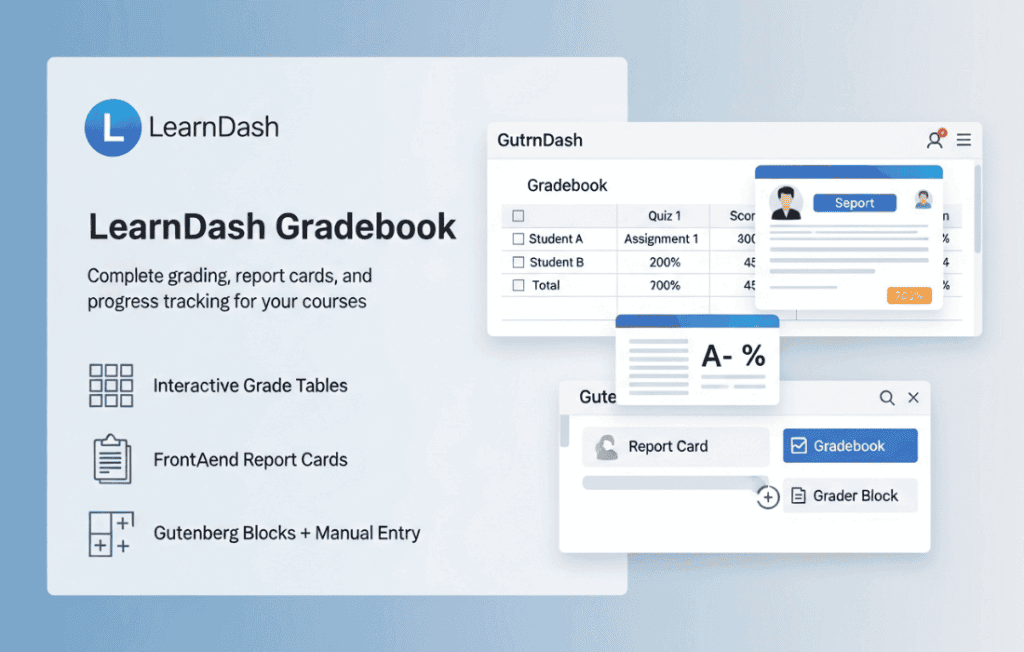
The LearnDash Gradebook plugin transforms your WordPress-based learning management system into a comprehensive assessment powerhouse. Designed for instructors and course creators who need more than just basic quiz results, this tool provides a centralized hub to track, manage, and calculate student performance across your entire curriculum. By consolidating grades from quizzes, assignments, and manual assessments into one intuitive interface, you can provide your students with transparent progress reports while streamlining your administrative workload.
Key Features
- Unified Grade Management: View and manage all student grades from a single, organized dashboard, eliminating the need to jump between individual course or quiz settings.
- Customizable Grading Criteria: Define your own grading scales and weightings. You have the flexibility to determine how much specific quizzes, assignments, or manual inputs contribute to a student’s final grade.
- Manual Grade Overrides: Sometimes automated systems don’t capture the nuance of a student’s effort. Easily adjust or manually enter grades for offline activities, participation, or subjective assessments.
- Student Performance Reports: Empower your learners by providing them with a clear view of their standing. Students can access their own gradebooks to see exactly how they are progressing and identify areas that need improvement.
- Exportable Data: Seamlessly export student grade data for external reporting, record-keeping, or integration with other school management software.
- Automatic Calculation: Save hours of manual arithmetic. The plugin automatically calculates final grades based on the specific weighting rules you establish, ensuring accuracy and consistency across your courses.
Use Cases and Who It’s For
LearnDash Gradebook is an essential tool for any educator or organization using LearnDash to deliver structured educational content. It is particularly valuable for academic institutions, such as K-12 schools, universities, or training centers, that require traditional grading structures like letter grades or percentage-based reporting. By moving beyond simple “pass/fail” metrics, these institutions can provide the detailed feedback necessary for formal accreditation and student evaluation.
Beyond formal education, this plugin is perfect for corporate trainers and professional development platforms. If your training program requires employees to demonstrate proficiency through a combination of online quizzes, submitted projects, and attendance, the Gradebook provides the objective data needed to certify completion and track professional growth. It is the ideal solution for any course creator who wants to move from a passive content delivery model to a robust, assessment-driven learning environment.
Setup and How It Works
Getting started with LearnDash Gradebook is designed to be straightforward, allowing you to integrate it into your existing LearnDash environment without complex coding.
- Installation and Activation: Once installed and activated, the plugin creates a new Gradebook menu within your WordPress dashboard.
- Configuration: Navigate to the settings to define your global grading scale. Here, you can set the thresholds for letter grades (e.g., A, B, C) or percentage requirements.
- Weighting Assignments: Within the Gradebook settings, you can assign specific weights to different course components. For example, you might decide that quizzes count for 40% of the final grade, while assignments count for 60%.
- Monitoring: As students complete their coursework, the Gradebook automatically populates with their results. You can view the entire class at a glance or drill down into individual student profiles to see detailed performance history.
- Student Access: Enable the gradebook display for students so they can monitor their own progress directly from their user profile or a dedicated front-end page.
Similar Plugins
While LearnDash Gradebook is the native solution for the LearnDash ecosystem, other options exist for those managing learning environments on WordPress:
- GrassBlade LRS: Often used for more advanced tracking and reporting of xAPI-based learning experiences, providing deep analytics beyond standard quiz scores.
- Uncanny Toolkit for LearnDash: While not a dedicated gradebook, this plugin includes various reporting modules and enhancements that can assist in tracking student progress and activity within a LearnDash site.