
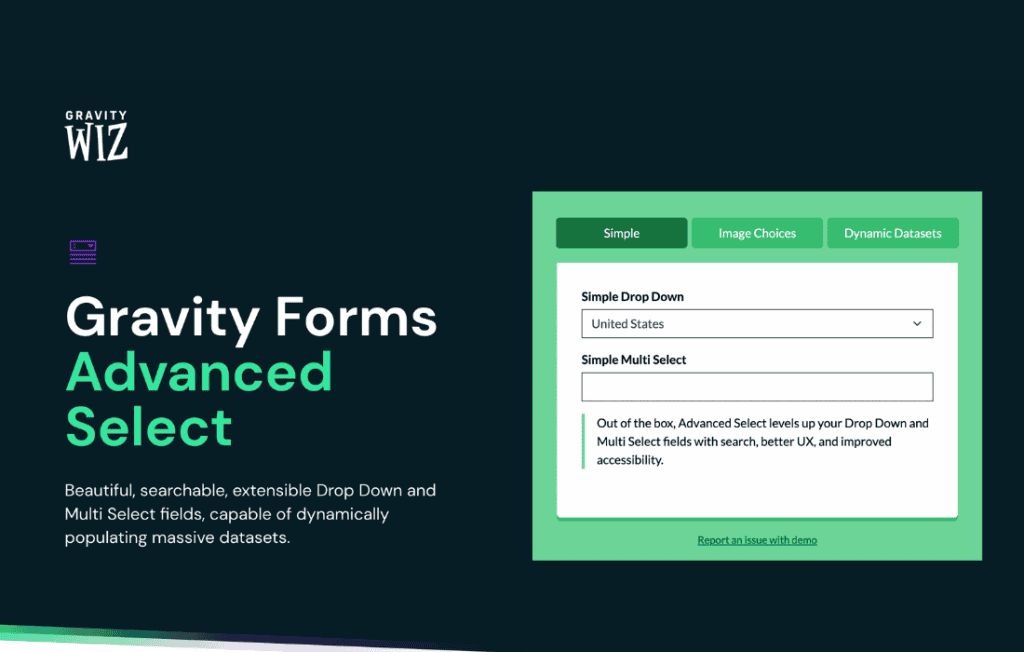
GP Advanced Select is a powerful add-on for Gravity Forms designed to transform standard, clunky dropdown menus into intuitive, user-friendly selection tools. If you manage forms with long lists of options—such as product catalogs, geographical locations, or extensive category filters—this plugin enhances the user experience by providing searchable, multi-select, and highly performant selection interfaces. By replacing the native browser select element with a modern, JavaScript-powered alternative, you reduce form abandonment and help your users find the exact information they need in seconds.
Key Features
- Enhanced Search Functionality: Users can quickly type to filter through hundreds of options, eliminating the need to scroll endlessly through long, static dropdown lists.
- Multi-Select Support: Easily allow users to select multiple items from a single field, providing a cleaner interface than standard checkbox groups.
- Customizable User Interface: Benefit from a sleek, modern design that integrates seamlessly with your theme, ensuring your forms look professional and polished.
- Performance Optimization: Built to handle large datasets efficiently, ensuring that even forms with thousands of options load quickly without impacting site speed.
- Gravity Forms Integration: Designed specifically for the Gravity Forms ecosystem, ensuring full compatibility with conditional logic, form notifications, and data entry workflows.
- Improved Accessibility: Provides a more accessible selection experience compared to standard browser-native dropdowns, helping you reach a wider audience.
- Placeholder and Empty State Customization: Easily set custom placeholder text to guide users, making it clear how they should interact with your form fields.
Use Cases / Who It’s For
GP Advanced Select is an essential tool for any website owner or developer who relies on Gravity Forms to collect complex data. It is particularly valuable for e-commerce store owners who need to display extensive product variants, such as sizes, colors, or model numbers, in a way that doesn’t overwhelm the customer. By making these selections searchable, you directly improve the conversion rate of your order forms.
The plugin is also a perfect fit for directory websites, real estate portals, and service-based businesses that require users to select from long lists of categories, locations, or service types. If your current forms feel cluttered or difficult to navigate, this plugin provides the professional-grade interface required to turn a frustrating user experience into a streamlined, efficient interaction.
Setup / How It Works
- Install and Activate: Install the plugin via your WordPress dashboard and ensure you have Gravity Forms active on your site.
- Select Your Field: Open your form in the Gravity Forms editor and add or select a “Dropdown” or “Multi Select” field.
- Enable Advanced Select: Within the field settings, locate the “Advanced Select” tab or checkbox to toggle the feature on for that specific field.
- Configure Settings: Adjust the field-specific settings, such as enabling search, allowing multiple selections, or setting custom placeholder text, to match your specific needs.
- Save and Preview: Save your form settings and preview the page to see the enhanced, searchable selection interface in action.
Similar Plugins
While GP Advanced Select is optimized specifically for the Gravity Forms ecosystem, other solutions exist for those looking to enhance form fields in different contexts. Plugins such as Select2 for WordPress or various “Searchable Dropdown” plugins offer similar functionality for standard HTML forms or different form builders. However, for users already committed to the Gravity Forms platform, GP Advanced Select remains the most reliable choice for maintaining full compatibility and seamless integration with existing form logic.